
You are not logged in.
- Topics: Active | Unanswered
#1476 Re: Desktop and Multimedia » [SOLVED] Package: tuned, not working » 2021-06-10 17:33:14
As "tuned" is directly from redhat they are banning init.d scripts in favour of systemd and so "tuned" does not provide any.
^ This is incorrect: https://github.com/redhat-performance/t … init/tuned
EDIT: perhaps submit a bug report to Debian and ask for the init script to be included in the package.
It's already in their sources: https://salsa.debian.org/debian/tuned/- … init/tuned
#1477 Re: Off-topic » Show your desktop (rebooted) » 2021-05-12 08:40:31
Thanks, it's sway with sway-bar(5).
It behaves just like i3 but without the X.Org bloat :-)
#1478 Re: Off-topic » Show your desktop (rebooted) » 2021-05-10 18:55:35
^ Nice.
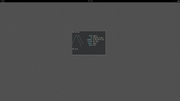
I've switched to a central clock and changed the numerical battery indicator to an ASCII symbol string (because reading numbers is too hard):
#1479 Re: Installation » Two NICs » 2021-05-10 18:51:02
What is listed in dmesg when the NIC becomes unavailable?
#1480 Re: Hardware & System Configuration » Conky + sensors temp settings ? » 2021-05-08 14:00:49
Bah, sorry, I thought I tested that...
Does this work?
#!/bin/sh

temp="$(sensors|awk '/^Core/{sum+=$3;lines+=1}END{print int (sum/lines)}')"

printf "Temp: %s°C" "$temp"#1481 Re: Other Issues » nemo-dropbox??? » 2021-05-07 20:29:28
^ Were you using dpkg?
# apt install /full/path/to/.deb^ That will install any dependencies automatically, providing they are available from the current sources.
#1482 Re: Off-topic » Show your desktop (rebooted) » 2021-05-07 16:10:03
what terminal are you using?
That's foot --server running in the background with a footclient for each new window. I tried alacritty and it is very nice but the memory consumption is excessive compared to foot, especially for multiple windows.
#1483 Re: Off-topic » Show your desktop (rebooted) » 2021-05-07 15:47:08
Alpine Linux, sway desktop:
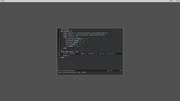
Trimmed down the status command so that it only shows battery status & level along with the time.
#1484 Re: Hardware & System Configuration » Conky + sensors temp settings ? » 2021-05-07 15:23:21
from what i can gather it is getting the 3rd column of temperature digits from the /Core/ output and dividing the sum by a factor of 4, would this be correct?
Yes, that's right.
I would rather it didnt print a decimal place
#!/bin/sh

temp="$(sensors|awk '/Core/{lines++}{sum+=$3}END{print int(sum/lines)}')"

printf "Temp: %s°C" "$temp"
EDIT: added lines variable to make the script work for any number of active cores.
#1485 Re: Desktop and Multimedia » Thunar crashes on "Drag and Drop" » 2021-05-07 15:04:36
The missing dependencies are mostly from sid/ceres rather than experimental. It looks like that .deb cannot be installed in a beowulf system without breaking it.
You could try backporting it but you would probably have to also backport several other packages and then keep them updated manually afterwards. Probably not worth the bother.
#1486 Re: Hardware & System Configuration » Conky + sensors temp settings ? » 2021-05-07 14:00:14
Your other scripts weren't printing an average of all four cores whereas mine is :-)
#1487 Re: Desktop and Multimedia » Thunar crashes on "Drag and Drop" » 2021-05-07 13:57:03
That would be the way I would try it. It is technically "safe" to add the experimental repositories directly and without pinning because packages from there have a default pin value of 1 (one) so you could do that instead if you wanted but be sure to play close attention to the suggested course of action before accepting.
#1488 Re: Hardware & System Configuration » Firewall on laptop with Chimaera » 2021-05-07 13:53:33
I think a better approach would be to disable any listening services on the laptop. The best firewall is not having to need a firewall at all 
In respect of {G,}UFW, those front-ends were created because the iptables syntax is so horrible but nftables has a *much* simpler language and so doesn't really need those tools any more. See also https://wiki.nftables.org/wiki-nftables … /Main_Page
#1489 Re: Other Issues » nemo-dropbox??? » 2021-05-07 13:49:49
Have you tried just installing Mint's .deb directly?
http://packages.linuxmint.com/pool/back … o-dropbox/
I haven't tried it myself but apt won't let you install it if there are dependency issues.
#1490 Re: Desktop and Multimedia » Thunar crashes on "Drag and Drop" » 2021-05-07 13:41:51
v3.24.29 seems to be available in Debian's experimental repositories:
#1491 Re: Off-topic » s6's Laurent Bercot plans "last piece of full alternative to systemd" » 2021-05-07 13:38:31
I have tried to get s6 working in Alpine but I failed miserably. I built the init binary and had it running as PID1 but I lost initiative after that. I should probably try again...
There was a discussion about s6 on the /devel mailing lists a while ago:
#1492 Re: Installation » [SOLVED] Problems with i3wm » 2021-05-07 13:29:46
options snd_hda_intel index=1
That will only work for certain types of soundcard. Getting PulseAudio running properly would have fixed things for you automagically because all that file does is set the default ALSA output device to the analogue card rather than the default HDMI device.
tap-to-click
For that you can use an X.Org configuration file to control either the (obsolete) xf86-input-synaptics or xf86-input-libinput drivers:
https://wiki.archlinux.org/title/Libinp … ation_file
That technique would work for all (non-Wayland) desktops and even on the login screen.
nm-tray icon
Have you tried changing the icon theme for the desktop? Edit ~/.gtkrc-2.0 & ~/.config/gtk-3.0/settings.ini directly or use something like lxappearance.
#1493 Re: Hardware & System Configuration » Conky + sensors temp settings ? » 2021-05-07 13:17:29
Try
#!/bin/sh

temp="$(sensors | awk '/Core/{sum+=$3}END{print sum/4}')"

printf "Temp: %s°C" "$temp"
(Untested because my sensors doesn't show a "Core" column. This example presumes four cores with the temperature given in the third field, correct as needed.)
#1494 Re: Installation » [SOLVED] Installing roundcube from beowulf-backports » 2021-05-02 21:51:45
From the man page:
-t, --target-release, --default-release
This option controls the default input to the policy engine; it creates a default pin at priority 990 using the specified release string.
Using /beowulf-backports doesn't change the default release so APT can only attempt to draw the dependencies from beowulf.
apt install roundcube/beowulf-backports roundcube-core/beowulf-backports roundcube-mysql/beowulf-backportsI can install emacs
That's just a metapackage. Try
apt install -s emacs-nox/beowulf-backports#1495 Re: DIY » Linux ports of OpenBSD's ksh » 2021-05-01 10:31:06
Version 6.9 of loksh is now available:
#1496 Re: DIY » Linux ports of OpenBSD's ksh » 2021-05-01 07:22:13
Version 6.9 of oksh is now available:
#1497 Re: Desktop and Multimedia » Copy files from a playlist to a USB device » 2021-04-30 17:11:44
Try
while IFS= read -r line ; do cp -- "$line" /media/usb_device ; done < /home/rolf/Musik/Test.m3uReference: https://mywiki.wooledge.org/BashFAQ/001
EDIT: added -- to the cp command to accommodate filenames that start with -.
#1498 Re: Installation » [SOLVED] Piper and ratbag » 2021-04-29 19:41:28
Yeah, you just need to target backports explicitly so that the correct dependency is selected:
# apt install piper/beowulf-backportsFWIW I think aptitude would have probably figured it out for you :-)
#1499 Re: Installation » [SOLVED] Piper and ratbag » 2021-04-29 19:21:09
Can we see
apt policy
apt policy piper
apt install -s piper/stable-backports#1500 Re: Installation » [SOLVED] Piper and ratbag » 2021-04-29 16:49:51
From where did you attempt to obtain the piper package?
It is available from beowulf-backports, the version there depends on the ratbagd package also from beowulf-backports and so should be installable.
Board footer
