
You are not logged in.
- Topics: Active | Unanswered
#2276 Re: Desktop and Multimedia » ASCII - Some windows no scrollbars, no field borders » 2018-11-03 14:29:21
I'm not seeing gtk2-engines-xfce and gtk3-engines-xfce in that list. desktop-base should have brought those in. That's for jessie. I'll fire up VB later and check what's there in ascii.
Also, depending on your setup you may have to add the theme to /root
#2277 Re: Desktop and Multimedia » ASCII - Some windows no scrollbars, no field borders » 2018-11-02 17:33:02
Did you install desktop-base? That should give you the default darkpurpy theme which uses Clearlooks-Phenix-DarkPurpy theme that includes an OB theme. Or you can just choose that theme and not get the darkpurpy grub and login. Note that since that was captured, the icons were recolored to a nice purpy color also.
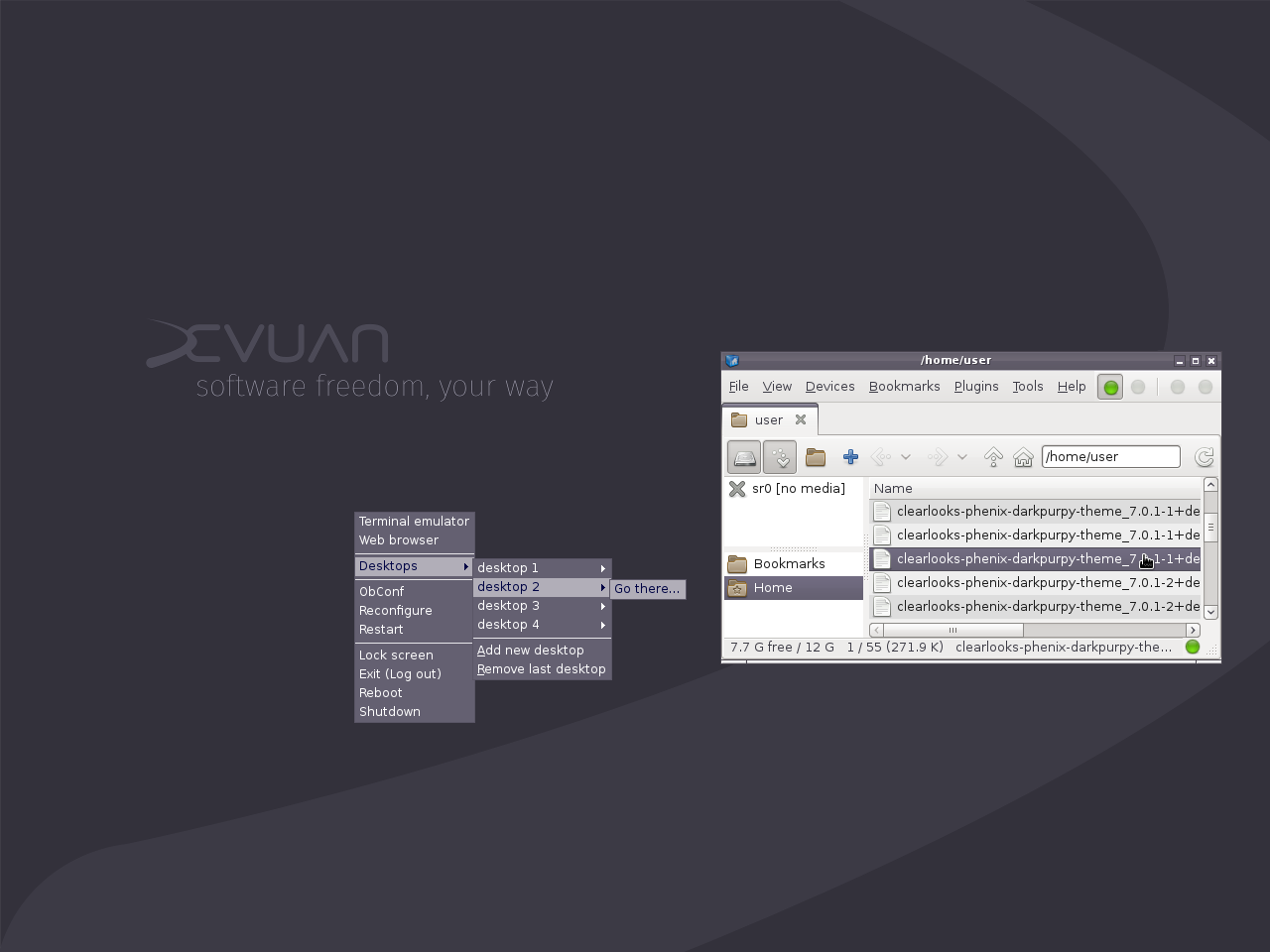
*Edit* For this theme to work properly it needs GTK2 and GTK3 and something Xfce specific. The regular clearlooks theme breaks badly in ASCII. desktop-base pulls in all the necessaries.
#2278 Re: Desktop and Multimedia » System is brought down by surf-git running performance site » 2018-10-31 15:12:31
Try submitting by email rather than reportbug
#2279 Re: Installation » Sylpheed 3.5.1+2+b1 ---> 3.6.99 » 2018-10-29 22:47:18
Hello:
golinux wrote:Our pkginfo.devuan.org comes in handy.
Thanks for the info.
But I was using the package browser page: http://devuanpackages.viralds.it/ and could not find it.
Then I used SPM with the http://deb.devuan.org/merged/ ascii-backports main contrib non-free repository checked and it did not show up either.What am I missing?
.
I'm surprised that http://devuanpackages.viralds.it/ is still functional at all. It was an early contribution to Devuan but now we have our own in-house version. amprolla3 has a way of redirecting to Debian that might have stumped both those searches. Links to https://pkginfo.devuan.org are all over the Devuan website along with other useful resources. 
#2280 Re: Installation » Sylpheed 3.5.1+2+b1 ---> 3.6.99 » 2018-10-29 21:42:49
Our pkginfo.devuan.org comes in handy.
#2281 Re: Other Issues » snapd on Devuan Ascii? » 2018-10-28 22:56:31
. . . once I read here that snap on devuan was a no-go, I found that using the Clementine music program fixed that need . . .
Happy to hear that. All's well that ends well.  With FLOSS there are as many ways to solve a problem as there are users.
#2282 Re: Other Issues » snapd on Devuan Ascii? » 2018-10-28 21:12:02
sgage wrote:Just curious - why do you need to run snaps?
Several apps I need are more easily installed/used as a snap.
Take a deep breath lvdave . . . ( a moment of silent contemplation)
The operative phrase being "more easily installed/used". These all-in-one apps are the fast food of software. You can either go for a quick burger or learn how to cook and really nourish yourself. That's a choice we all have to make. But don't start whining if you don't find a burger on the menu at a 5 star restaurant. And try to understand that the chefs might find it more than a tad insulting. This community has an identity and a way of doing and liking things. You might want to get to know us a bit better before you get all histrionic about not being able to order your favorite burger here.
#2283 Re: Hardware & System Configuration » Plymouth alternatives » 2018-10-28 15:41:10
Don't you WANT to see if there's a big red failure in those scrolling lines?
#2284 Re: Other Issues » [SOLVED] How to get these 2 apps to open maximized? » 2018-10-28 02:50:12
@willbprogz227 . . . You jogged my memory . . . A very long time ago, I used devilspie because of the lack of window management options in gnome2. Eventually I dropped it - it was rather fussy and sometimes didn't work. Perhaps it has improved since I ended up using compiz to do the task which was more than a bit of overkill but great fun for a while.
#2285 Re: Other Issues » snapd on Devuan Ascii? » 2018-10-28 02:44:32
Flatpak and AppImages work fine in Devuan ASCII and Devuan Jessie . . .
Unfortunately. I find the concept behind these all-in-one dropins distasteful to say the least. It just doesn't feel right in Linux . . . </rant>
#2286 Re: Other Issues » snapd on Devuan Ascii? » 2018-10-28 02:06:23
Just curious - why do you need to run snaps?
I was thinking the same exact thing.
@lvdave . . . If you want that feature, use a systemd-based OS. It's that simple.
#2287 Re: Other Issues » [SOLVED] How to get these 2 apps to open maximized? » 2018-10-28 02:02:05
Thanks golinux. I'm using Mate. The "Save Current Settings as Default" option didn't help. Any other ideas?
I suspect it's a Mate/Gnome thing rather than an application thing because it's working here even after a long idle time. Check the Mate window manager options. Also look for a Mate Settings Editor and find those apps. I can't remember much of my Gnome2 days . . . that wasn't long after Y2K. LOL!
#2288 Re: Other Issues » [SOLVED] How to get these 2 apps to open maximized? » 2018-10-28 01:56:28
@arnaiz . . . Note that fullscreen is different than maximized - no visible controls.
#2289 Re: Other Issues » [SOLVED] How to get these 2 apps to open maximized? » 2018-10-28 00:53:46
Hmmm . . . I use Atril on Xfce and just opened a PDF. Maxed it. Closed it. Opened it again and it popped up maximized. Opened a different PDF and it opened maximized also. I checked in the Menu and under Edit the last option is Save Current Settings as Default. Under view there is also an option for fullscreen which is a bit different than maximized but you might play with it. Sorry, don't have AbiWord installed. What DE are you using? That could possibly make a difference too.
#2290 Re: Other Issues » snapd on Devuan Ascii? » 2018-10-27 17:15:22
snapd is a banned package in Devuan because of systemd dependencies:
https://pkgmaster.devuan.org/bannedpackages.txt
#2291 Re: Installation » [solved] choosing a laptop to get Devuan up and running *on* » 2018-10-26 22:18:17
@dxrobertson . . . I thought that the Intel *lake series of processors wouldn't boot linux. I know someone who got bitten by that. So something to research. I have always used Intel and everything has worked. But audio on my current chip required a rather fussy .asoundrc file to get it working.
#2292 Re: Installation » Odd mouse behaviour » 2018-10-26 22:11:31
Have you checked the usually useless .xsession-errors?
#2293 Re: News & Announcements » Debian Buster release to partially drop non-systemd support » 2018-10-26 18:53:34
golinux wrote:I guess none of you are on the Devuan mail lists or IRC.
I prefer the more modern replacement for these: the forumz

Not trying to dis this wonderful forum but . . . that's a bit like getting details about a project from a youtube channel rather than reading the official FOIA documents.
Into serious-mode though, Devuan is a great project and I hope it remains alive. "Devuan: Everything great about Debian without the caustic, antagonistic init system (and with a friendly community)"
Indeed!
#2294 Re: News & Announcements » Debian Buster release to partially drop non-systemd support » 2018-10-26 16:02:10
I guess none of you are on the Devuan mail lists or IRC. Perhaps this is a wakeup call to get more involved . . . . Devuan is not going anywhere. Someone from Debian did reach out to us and Devuan devs are now cooperating and contributing to ensure sysvinit functionality in Debian. Devuan devs are also working actively on runit and openrc.
#2295 Re: Hardware & System Configuration » distribution in apt sources list as release class » 2018-10-25 23:54:28
No. We only use the <releasename> (ie: jessie, ascii, beowulf, ceres ) to avoid confusion when Debian and Devuan release cycles are out of sync
#2296 Re: Other Issues » A Way To Make a Bootable USB from an Iso file in Devuan » 2018-10-25 21:58:18
Take a look at refracta2usb.
You can also dd the drive but I can't seem to find the command atm. It's somewhere in here . . . LOL!
Oh here it is:
dd if=<full path to installer iso> of=/dev/sdx#2297 Re: Installation » Odd mouse behaviour » 2018-10-25 21:20:29
Have you tried single click instead of double?
#2298 Re: Installation » Odd mouse behaviour » 2018-10-25 17:53:17
Delighted to hear that it worked for you. Hopefully for others too.
I never searched for a solution. I stumbled on it by accident because I just can't click fast enough to use the default setting! The speed required was too stressful. LOLOL!
#2299 Re: Desktop and Multimedia » How to upgrade Claws Mail client to Stretch backport » 2018-10-25 15:15:13
@James1138 . . . never use Debian repos directly. Our Devuan mirror(s) filter unwanted packages that are incompatible with Devuan.
#2300 Re: Installation » Odd mouse behaviour » 2018-10-25 15:09:07
I assume that you are referring to Applications -> Settings -> Mouse and Touchpad -> Behaviour?
Yes.
Could you post the values you have yours are set to so I can try and see if that has an effect for me?
ie:
Double Click Time = XXX ms
Double Click Distance = XXX px
Sure. Note that I have an old PS2 mouse. Nothing fancy.
Double Click Time = 400-500 ms
Double Click Distance = 5 px
Board footer
