
You are not logged in.
- Topics: Active | Unanswered
#1 2026-11-17 14:34:09
- Defender
- Member
- Registered: 2023-11-20
- Posts: 23
[SOLVED] Can't get Excalibur to boot from Live USB created in DD mode
It comes up with the list of boot options, and I tried both the default and failsafe options. The machine is a recent Dell laptop, and Daedalus is installed and runs fine on it.
After pressing enter on the boot menu option, it displays scrolling text for about 10 seconds, all black/white, no red,, and then the screen goes black and the machine turns off.
Here is the inixi -Zv8 output from antiX26 (which is also installed). Please let me know if I need to provide additional info for you to be able to help me getting Excalibur to boot from the USB and install.
System:
  Kernel: 6.6.119-antix.1-amd64-smp arch: x86_64 bits: 64 compiler: gcc v: 14.2.0 clocksource: tsc
    avail: hpet,acpi_pm parameters: BOOT_IMAGE=/boot/vmlinuz-6.6.119-antix.1-amd64-smp
    root=UUID=bde701c9-f9dd-450b-ae94-45b37ef2b657 ro quiet selinux=0
  Desktop: IceWM v: 4.1.0 tools: avail: slock,xlock dm: slimski v: 1.5.0 Distro: antiX-26_x64-full
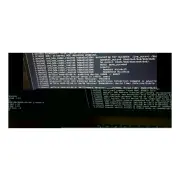
    Stephen Kapos 28 January 2026 base: Debian GNU/Linux 13 (trixie)
Machine:
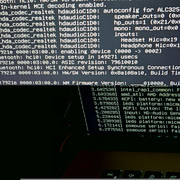
  Type: Laptop System: Dell product: Inspiron 16 5625 v: 1.25.0 serial: <superuser required>
    Chassis: type: 10 v: 1.25.0 serial: <superuser required>
  Mobo: Dell model: 0J9C2M v: A00 serial: <superuser required> part-nu: 0B7F
    uuid: <superuser required> UEFI: Dell v: 1.25.0 date: 11/03/2025
Memory:
  System RAM: total: 16 GiB available: 14.98 GiB used: 1.59 GiB (10.6%)
  Message: For most reliable report, use superuser + dmidecode.
  Array-1: capacity: 64 GiB slots: 2 modules: 2 EC: None max-module-size: 32 GiB note: est.
  Device-1: Channel-A DIMM 0 type: DDR4 detail: synchronous unbuffered (unregistered) size: 8 GiB
    speed: 3200 MT/s volts: note: check curr: 1 min: 1 max: 1 width (bits): data: 64 total: 64
    manufacturer: 80AD000080AD part-no: HMAA1GS6CJR6N-XN firmware: HMAA1GS6CJR6N-XN
    serial: <filter>
  Device-2: Channel-B DIMM 0 type: DDR4 detail: synchronous unbuffered (unregistered) size: 8 GiB
    speed: 3200 MT/s volts: note: check curr: 1 min: 1 max: 1 width (bits): data: 64 total: 64
    manufacturer: 80AD000080AD part-no: HMAA1GS6CJR6N-XN firmware: HMAA1GS6CJR6N-XN
    serial: <filter>
PCI Slots:
  Permissions: Unable to run dmidecode. Root privileges required.
CPU:
  Info: model: AMD Ryzen 7 5825U with Radeon Graphics bits: 64 type: MT MCP arch: Zen 3 gen: 3
    level: v3 note: check built: 2021-22 process: TSMC n7 (7nm) family: 0x19 (25) model-id: 0x50 (80)
    stepping: 0 microcode: 0xA500014
  Topology: cpus: 1x dies: 1 clusters: 1 cores: 8 threads: 16 tpc: 2 smt: enabled cache:
    L1: 512 KiB desc: d-8x32 KiB; i-8x32 KiB L2: 4 MiB desc: 8x512 KiB L3: 16 MiB desc: 1x16 MiB
  Speed (MHz): avg: 1600 min/max: 1600/4547 boost: enabled scaling: driver: acpi-cpufreq
    governor: schedutil cores: 1: 1600 2: 1600 3: 1600 4: 1600 5: 1600 6: 1600 7: 1600 8: 1600
    9: 1600 10: 1600 11: 1600 12: 1600 13: 1600 14: 1600 15: 1600 16: 1600 bogomips: 63882
  Flags: 3dnowprefetch abm adx aes aperfmperf apic arat avic avx avx2 bmi1 bmi2 bpext cat_l3
    cdp_l3 clflush clflushopt clwb clzero cmov cmp_legacy constant_tsc cpb cppc cpuid cqm cqm_llc
    cqm_mbm_local cqm_mbm_total cqm_occup_llc cr8_legacy cx16 cx8 de debug_swap decodeassists erms
    extapic extd_apicid f16c flushbyasid fma fpu fsgsbase fsrm fxsr fxsr_opt ht hw_pstate ibpb
    ibpb_exit_to_user ibrs ibs invpcid irperf lahf_lm lbrv lm mba mca mce misalignsse mmx mmxext
    monitor movbe msr mtrr mwaitx nonstop_tsc nopl npt nrip_save nx ospke osvw overflow_recov pae
    pat pausefilter pclmulqdq pdpe1gb perfctr_core perfctr_llc perfctr_nb pfthreshold pge pku pni
    popcnt pse pse36 rapl rdpid rdpru rdrand rdseed rdt_a rdtscp rep_good sep sha_ni skinit smap
    smca smep ssbd sse sse2 sse4_1 sse4_2 sse4a ssse3 stibp succor svm svm_lock syscall tce
    topoext tsc tsc_scale umip user_shstk v_spec_ctrl v_vmsave_vmload vaes vgif vmcb_clean vme
    vmmcall vpclmulqdq wbnoinvd wdt xgetbv1 xsave xsavec xsaveerptr xsaveopt xsaves
  Vulnerabilities:
  Type: gather_data_sampling status: Not affected
  Type: indirect_target_selection status: Not affected
  Type: itlb_multihit status: Not affected
  Type: l1tf status: Not affected
  Type: mds status: Not affected
  Type: meltdown status: Not affected
  Type: mmio_stale_data status: Not affected
  Type: reg_file_data_sampling status: Not affected
  Type: retbleed status: Not affected
  Type: spec_rstack_overflow mitigation: Safe RET
  Type: spec_store_bypass mitigation: Speculative Store Bypass disabled via prctl
  Type: spectre_v1 mitigation: usercopy/swapgs barriers and __user pointer sanitization
  Type: spectre_v2 mitigation: Retpolines; IBPB: conditional; IBRS_FW; STIBP: always-on; RSB
    filling; PBRSB-eIBRS: Not affected; BHI: Not affected
  Type: srbds status: Not affected
  Type: tsa mitigation: Clear CPU buffers
  Type: tsx_async_abort status: Not affected
  Type: vmscape mitigation: IBPB before exit to userspace
Graphics:
  Device-1: Advanced Micro Devices [AMD/ATI] Barcelo vendor: Dell driver: amdgpu v: kernel
    arch: GCN-5 code: Vega process: GF 14nm built: 2017-20 pcie: gen: 3 speed: 8 GT/s lanes: 16
    link-max: gen: 4 speed: 16 GT/s ports: active: eDP-1 empty: DP-1,HDMI-A-1 bus-ID: 04:00.0
    chip-ID: 1002:15e7 class-ID: 0300 temp: 43.0 C
  Device-2: Microdia Integrated_Webcam_FHD driver: uvcvideo type: USB rev: 2.0 speed: 480 Mb/s
    lanes: 1 mode: 2.0 bus-ID: 1-4:2 chip-ID: 0c45:6a1b class-ID: 0e02
  Display: server: X.Org v: 21.1.16 driver: X: loaded: amdgpu unloaded: fbdev,modesetting,vesa
    dri: radeonsi gpu: amdgpu display-ID: :0.0 screens: 1
  Screen-1: 0 s-res: 1920x1200 s-dpi: 96 s-size: 508x317mm (20.00x12.48") s-diag: 599mm (23.57")
  Monitor-1: eDP-1 mapped: eDP model: BOE Display 0x0a59 built: 2021 res: mode: 1920x1200 hz: 60
    scale: 100% (1) dpi: 141 gamma: 1.2 chroma: red: x: 0.647 y: 0.333 green: x: 0.294 y: 0.608 blue:
    x: 0.141 y: 0.055 white: x: 0.314 y: 0.329 size: 345x215mm (13.58x8.46") diag: 407mm (16")
    ratio: 16:10 modes: 1920x1200, 1920x1080, 1600x1200, 1680x1050, 1280x1024, 1440x900, 1280x800,
    1280x720, 1024x768, 800x600, 640x480
  EDID-Warnings: 1: parse_edid: unknown flag 0
  API: EGL v: 1.5 hw: drv: amd radeonsi platforms: device: 0 drv: radeonsi device: 1 drv: swrast
    gbm: drv: kms_swrast surfaceless: drv: radeonsi x11: drv: radeonsi inactive: wayland
  API: OpenGL v: 4.6 compat-v: 4.5 vendor: amd mesa v: 25.0.7-2+deb13u1 glx-v: 1.4
    direct-render: yes renderer: AMD Radeon Graphics (radeonsi renoir ACO DRM 3.54
    6.6.119-antix.1-amd64-smp) device-ID: 1002:15e7 memory: 500 MiB unified: no
  Info: Tools: api: eglinfo,glxinfo x11: xdriinfo, xdpyinfo, xprop, xrandr
Audio:
  Device-1: Advanced Micro Devices [AMD/ATI] Renoir Radeon High Definition Audio vendor: Dell
    driver: snd_hda_intel v: kernel pcie: gen: 3 speed: 8 GT/s lanes: 16 link-max: gen: 4
    speed: 16 GT/s bus-ID: 04:00.1 chip-ID: 1002:1637 class-ID: 0403
  Device-2: Advanced Micro Devices [AMD] Audio Coprocessor vendor: Dell driver: snd_rn_pci_acp3x
    v: kernel alternate: snd_pci_acp3x, snd_pci_acp5x, snd_pci_acp6x, snd_acp_pci,
    snd_rpl_pci_acp6x, snd_pci_ps, snd_sof_amd_renoir, snd_sof_amd_rembrandt, snd_sof_amd_vangogh
    pcie: gen: 3 speed: 8 GT/s lanes: 16 link-max: gen: 4 speed: 16 GT/s bus-ID: 04:00.5
    chip-ID: 1022:15e2 class-ID: 0480
  Device-3: Advanced Micro Devices [AMD] Family 17h/19h/1ah HD Audio vendor: Dell
    driver: snd_hda_intel v: kernel pcie: gen: 3 speed: 8 GT/s lanes: 16 link-max: gen: 4
    speed: 16 GT/s bus-ID: 04:00.6 chip-ID: 1022:15e3 class-ID: 0403
  API: ALSA v: k6.6.119-antix.1-amd64-smp status: kernel-api with: apulse type: pulse-emulator
    tools: alsactl,alsamixer,amixer
  Server-1: PipeWire v: 1.4.9 status: active with: 1: pipewire-pulse status: active
    2: wireplumber status: active 3: pipewire-alsa type: plugin 4: pw-jack type: plugin
    tools: pw-cat,pw-cli,wpctl
Network:
  Device-1: MEDIATEK MT7921 802.11ax PCI Express Wireless Network Adapter vendor: Foxconn
    driver: mt7921e v: kernel modules: wl pcie: gen: 2 speed: 5 GT/s lanes: 1 bus-ID: 03:00.0
    chip-ID: 14c3:7961 class-ID: 0280
  IF: wlan0 state: up mac: <filter>
  IP v4: <filter> scope: global broadcast: <filter>
  IP v4: <filter> type: secondary dynamic noprefixroute scope: global broadcast: <filter>
  IP v6: <filter> type: dynamic noprefixroute scope: global
  IP v6: <filter> type: temporary dynamic scope: global
  IP v6: <filter> type: dynamic mngtmpaddr noprefixroute scope: global
  IP v6: <filter> type: temporary dynamic scope: global
  IP v6: <filter> type: dynamic mngtmpaddr noprefixroute scope: global
  IP v6: <filter> scope: link
  Info: services: sshd,wpa_supplicant
  WAN IP: <filter>
Bluetooth:
  Device-1: Foxconn / Hon Hai Wireless_Device driver: btusb v: 0.8 type: USB rev: 2.1
    speed: 480 Mb/s lanes: 1 mode: 2.0 bus-ID: 3-3:2 chip-ID: 0489:e0c8 class-ID: e001
    serial: <filter>
  Report: hciconfig ID: hci0 rfk-id: 1 state: down bt-service: stopped rfk-block: hardware: no
    software: yes address: <filter>
  Info: acl-mtu: 1021:6 sco-mtu: 240:8 link-policy: rswitch sniff link-mode: peripheral accept
Logical:
  Message: No logical block device data found.
RAID:
  Message: No RAID data found.
Drives:
  Local Storage: total: 961.34 GiB used: 43.59 GiB (4.5%)
  SMART Message: Unable to run smartctl. Root privileges required.
  ID-1: /dev/nvme0n1 maj-min: 259:0 vendor: KIOXIA model: KBG50ZNS1T02 NVMe 1024GB
    size: 953.87 GiB block-size: physical: 512 B logical: 512 B speed: 63.2 Gb/s lanes: 4 tech: SSD
    serial: <filter> fw-rev: 11200105 temp: 32.9 C scheme: GPT
  ID-2: /dev/sda maj-min: 8:0 vendor: Lexar model: JumpDrive size: 7.47 GiB block-size:
    physical: 512 B logical: 512 B type: USB rev: 3.0 spd: 5 Gb/s lanes: 1 mode: 3.2 gen-1x1
    tech: N/A serial: <filter> fw-rev: 1.00 scheme: MBR
  SMART Message: Unknown USB bridge. Flash drive/Unsupported enclosure?
  Message: No optical or floppy data found.
Partition:
  ID-1: / raw-size: 40 GiB size: 39.08 GiB (97.69%) used: 12.2 GiB (31.2%) fs: ext4
    dev: /dev/nvme0n1p7 maj-min: 259:7 label: rootantiX26 uuid: bde701c9-f9dd-450b-ae94-45b37ef2b657
  ID-2: /antix23 raw-size: 46.88 GiB size: 45.84 GiB (97.79%) used: 29.06 GiB (63.4%) fs: ext4
    dev: /dev/nvme0n1p5 maj-min: 259:5 label: rootantiX23 uuid: da5dd565-bfa7-4475-ad7d-dd2fb345a6a2
  ID-3: /boot/efi raw-size: 100 MiB size: 98.4 MiB (98.45%) used: 37.7 MiB (38.3%) fs: vfat
    dev: /dev/nvme0n1p1 maj-min: 259:1 label: EFI-SYSTEM uuid: BB44-EA8B
  ID-4: /media/bobc/ANTIX-UEFI raw-size: 49 MiB size: 48.2 MiB (98.39%) used: 12.4 MiB (25.6%)
    fs: vfat dev: /dev/sda2 maj-min: 8:2 label: ANTIX-UEFI uuid: F293-D775
  ID-5: /media/bobc/antiX-Live-usb raw-size: 7.42 GiB size: 7.26 GiB (97.79%)
    used: 2.28 GiB (31.5%) fs: ext4 dev: /dev/sda1 maj-min: 8:1 label: antiX-Live-usb
    uuid: a6c6987b-88f5-46c8-af88-e159acae556e
Swap:
  Kernel: swappiness: 10 (default 60) cache-pressure: 50 (default 100) zswap: no
  ID-1: swap-1 type: file size: 4 GiB used: 0 KiB (0.0%) priority: -2 file: /swap/swap
Unmounted:
  ID-1: /dev/nvme0n1p2 maj-min: 259:2 size: 16 MiB fs: <superuser required> label: N/A uuid: N/A
  ID-2: /dev/nvme0n1p3 maj-min: 259:3 size: 171.79 GiB fs: ntfs label: N/A uuid: A05E444B5E441C82
  ID-3: /dev/nvme0n1p4 maj-min: 259:4 size: 725 MiB fs: ntfs label: N/A uuid: 0A9C10059C0FEA51
  ID-4: /dev/nvme0n1p6 maj-min: 259:6 size: 46.88 GiB fs: ext4 label: N/A
    uuid: 32f0357d-b5ec-496c-b9c2-1797437fc61c
  ID-5: /dev/nvme0n1p8 maj-min: 259:8 size: 40 GiB fs: ext4 label: N/A
    uuid: b64500cb-7842-451f-9920-7ff8914e036b
USB:
  Hub-1: 1-0:1 info: hi-speed hub with single TT ports: 4 rev: 2.0 speed: 480 Mb/s (57.2 MiB/s)
    lanes: 1 mode: 2.0 chip-ID: 1d6b:0002 class-ID: 0900
  Device-1: 1-4:2 info: Microdia Integrated_Webcam_FHD type: video driver: uvcvideo interfaces: 2
    rev: 2.0 speed: 480 Mb/s (57.2 MiB/s) lanes: 1 mode: 2.0 power: 500mA chip-ID: 0c45:6a1b
    class-ID: 0e02
  Hub-2: 2-0:1 info: super-speed hub ports: 2 rev: 3.1 speed: 10 Gb/s (1.16 GiB/s) lanes: 1
    mode: 3.2 gen-2x1 chip-ID: 1d6b:0003 class-ID: 0900
  Device-1: 2-2:2 info: Lexar Media JumpDrive type: mass storage driver: usb-storage
    interfaces: 1 rev: 3.0 speed: 5 Gb/s (596.0 MiB/s) lanes: 1 mode: 3.2 gen-1x1 power: 496mA
    chip-ID: 05dc:a205 class-ID: 0806 serial: <filter>
  Hub-3: 3-0:1 info: hi-speed hub with single TT ports: 4 rev: 2.0 speed: 480 Mb/s (57.2 MiB/s)
    lanes: 1 mode: 2.0 chip-ID: 1d6b:0002 class-ID: 0900
  Device-1: 3-3:2 info: Foxconn / Hon Hai Wireless_Device type: bluetooth driver: btusb
    interfaces: 3 rev: 2.1 speed: 480 Mb/s (57.2 MiB/s) lanes: 1 mode: 2.0 power: 100mA
    chip-ID: 0489:e0c8 class-ID: e001 serial: <filter>
  Device-2: 3-4:3 info: Shenzhen Goodix USB2.0 MISC type: <vendor specific> driver: N/A
    interfaces: 1 rev: 2.0 speed: 12 Mb/s (1.4 MiB/s) lanes: 1 mode: 1.1 power: 100mA
    chip-ID: 27c6:639c class-ID: ef00 serial: <filter>
  Hub-4: 4-0:1 info: super-speed hub ports: 2 rev: 3.1 speed: 10 Gb/s (1.16 GiB/s) lanes: 1
    mode: 3.2 gen-2x1 chip-ID: 1d6b:0003 class-ID: 0900
Sensors:
  System Temperatures: cpu: 54.4 C mobo: 35.0 C sodimm: 38.0 C gpu: amdgpu temp: 58.0 C
  Fan Speeds (rpm): cpu: 0
Repos:
  Packages: pm: dpkg pkgs: 2009 libs: 949 tools: apt,apt-get,aptitude,synaptic
  Active apt repos in: /etc/apt/sources.list.d/antix.list
    1: deb [signed-by=/etc/apt/keyrings/antix-archive-keyring.gpg] http: //mirror.math.princeton.edu/pub/mxlinux/antix/trixie trixie main nonfree nosystemd
  Active apt repos in: /etc/apt/sources.list.d/debian-stable-updates.list
    1: deb http: //ftp.us.debian.org/debian/ trixie-updates main contrib non-free non-free-firmware
  Active apt repos in: /etc/apt/sources.list.d/debian.list
    1: deb http: //ftp.de.debian.org/debian/ trixie main contrib non-free non-free-firmware
    2: deb http: //security.debian.org/ trixie-security main contrib non-free non-free-firmware
  No active apt repos in: /etc/apt/sources.list.d/librewolf.list
  No active apt repos in: /etc/apt/sources.list.d/liquorix.list
  Active apt repos in: /etc/apt/sources.list.d/trixie-backports.list
    1: deb http: //deb.debian.org/debian trixie-backports main contrib non-free non-free-firmware
Processes:
  CPU top: 5 of 376
  1: cpu: 33.3% command: yad pid: 18536 mem: 28.8 MiB (0.1%)
  2: cpu: 7.4% command: firefox-esr pid: 13803 mem: 663.6 MiB (4.3%)
  3: cpu: 1.3% command: firefox-esr pid: 13930 mem: 276.3 MiB (1.8%)
  4: cpu: 1.0% command: firefox-esr pid: 15639 mem: 177.5 MiB (1.1%)
  5: cpu: 0.8% command: Xorg pid: 1795 mem: 117.7 MiB (0.7%)
  Memory top: 5 of 376
  1: mem: 663.6 MiB (4.3%) command: firefox-esr pid: 13803 cpu: 7.4%
  2: mem: 276.3 MiB (1.8%) command: firefox-esr pid: 13930 cpu: 1.3%
  3: mem: 223.1 MiB (1.4%) command: firefox-esr pid: 14043 cpu: 0.3%
  4: mem: 199.6 MiB (1.3%) command: firefox-esr pid: 13968 cpu: 0.5%
  5: mem: 183.1 MiB (1.1%) command: firefox-esr pid: 14051 cpu: 0.2%
Info:
  Processes: 376 Power: uptime: 2h 29m states: freeze,mem,disk suspend: s2idle wakeups: 0
    hibernate: platform avail: shutdown, reboot, suspend, test_resume image: 5.96 GiB Init: runit
    v: N/A runlevel: 2 default: 5 tool: service
  Compilers: gcc: 14.2.0 Client: shell wrapper v: 5.2.37-release inxi: 3.3.39
.
Offline
#2 2026-11-17 15:07:20
- kapqa
- Member
- Registered: 2019-01-02
- Posts: 834
Re: [SOLVED] Can't get Excalibur to boot from Live USB created in DD mode
you could try to use this tool with staqndard settings, see if it makes any differnce for you.
(please handle with care)
https://www.ventoy.net/en/index.html
Last edited by kapqa (2026-11-18 09:29:03)
Offline
#3 2026-11-17 17:13:03
- chris2be8
- Member
- Registered: 2018-08-11
- Posts: 391
Re: [SOLVED] Can't get Excalibur to boot from Live USB created in DD mode
Could you take a video of the scrolling text? Then you should be able to read the messages. Or post the video here if they don't make sense to you.
Offline
#4 2026-11-17 17:18:40
- Altoid
- Member
- Registered: 2017-05-07
- Posts: 2,147
Re: [SOLVED] Can't get Excalibur to boot from Live USB created in DD mode
Hello:
Is your Dell a BIOS only boot machine?
Check a set of tools built by [greenjeans]: USB Image Writer and USB Image Formatter.
I believe that they are based (?) on [Mintstick].
Must run now, so can't find where they are now.
But they work.
Best,
A.
Offline
#5 2026-11-17 17:41:19
- greenjeans
- Member

- Registered: 2017-04-07
- Posts: 1,805
- Website
Re: [SOLVED] Can't get Excalibur to boot from Live USB created in DD mode
USB Image Writer and USB Image Formatter.
Oh I didn't build those, Clem from Mint did, it's called "Mintstick" and is in the repo. Really good reliable tools.
https://sourceforge.net/projects/vuu-do/ Vuu-do GNU/Linux, Devuan-based Openbox systems.
Devuan 6 mate-mini iso, pure Devuan, 100% no-vuu-do. Now with Xlibre as well.
Please donate to support Devuan and init freedom! https://devuan.org/os/donate
https://devuanusers.com/ Apps source : https://git.devuan.org/greenjeans
Offline
#6 2026-11-17 21:55:05
- Altoid
- Member
- Registered: 2017-05-07
- Posts: 2,147
Re: [SOLVED] Can't get Excalibur to boot from Live USB created in DD mode
Hello:
... didn't build those, Clem from Mint did, it's called "Mintstick" ...
Ooops ...
But got 50% right. 8^°
Maybe because I have seen it referenced in a post of yours?
No matter, cleared up now.
Best,
A.
Offline
#7 2026-11-17 22:12:43
- Defender
- Member
- Registered: 2023-11-20
- Posts: 23
Re: [SOLVED] Can't get Excalibur to boot from Live USB created in DD mode
I don't think the issue is with making the USB. Google AI suggested adding nomodeset and acpi_osi='!Windows 2009' to the boot line, and that got it booting to the USB. I then installed it to the SSD drive, but because I have 4 distros + Windows on it, and having trouble with Excalibur I did not install the bootloader. I then booted to the antiX26 and ran update-grub and then rebooted again.
This time I told it to boot from Excalibur and it didn't boot. I shut it down.
I booted again went to Excalibur and added nomodeset and acpi_osi='!Windows 2009' to the boot string, but it still won't boot.
I saw a message about apparmor missing. I will try booting again and record the video on my phone.
apparmor=0
Offline
#8 2026-11-17 22:23:16
- Altoid
- Member
- Registered: 2017-05-07
- Posts: 2,147
Re: [SOLVED] Can't get Excalibur to boot from Live USB created in DD mode
Hello:
Google AI suggested ...
Right.
Best,
A.
Offline
#9 2026-11-17 23:30:23
- Defender
- Member
- Registered: 2023-11-20
- Posts: 23
Re: [SOLVED] Can't get Excalibur to boot from Live USB created in DD mode
The machine is a recent Dell 5825u Ryzen 7 Laptop with a BIOS update from 2025. Its setup with an SSD and UEFI with 4 Linux distros and Windows 10 or 11 (grub can't find ithe Windows).
I'm thankful that there are people here willing to help get it working. I've been running thee previous release for a couple years with minimal troubles on another Dell laptop, and I'm using this machine as a test before attempting the install on the other machine that's currently in use daily.
Here is the video of it booting. It starts with the edited book line and the machine shuts off when the screen goes black at the end.
Offline
#10 2026-11-17 23:45:01
- greenjeans
- Member
- Registered: 2017-04-07
- Posts: 1,805
- Website
Re: [SOLVED] Can't get Excalibur to boot from Live USB created in DD mode
I don't think the issue is with making the USB.
Thinking and knowing are two different things. When troubleshooting it's best to rule out the simple things first. First step actually is to verify the integrity of the download.
https://sourceforge.net/projects/vuu-do/ Vuu-do GNU/Linux, Devuan-based Openbox systems.
Devuan 6 mate-mini iso, pure Devuan, 100% no-vuu-do. Now with Xlibre as well.
Please donate to support Devuan and init freedom! https://devuan.org/os/donate
https://devuanusers.com/ Apps source : https://git.devuan.org/greenjeans
Offline
#11 2026-11-17 23:53:40
- Mercury
- Member
- Registered: 2024-11-14
- Posts: 89
Re: [SOLVED] Can't get Excalibur to boot from Live USB created in DD mode
Right.
While AI is often problematic, it can also provide useful info that would take much more googling time in the old days. It should always be looked at with healthy skepticism, but dismissing it outright is equally foolish.
Here is the video of it booting.
Unfortunately, the quality is quite bad and I cannot read the last line, but it does say something failed to load. If you can't record/upload at higher resolution, at least bring the camera in closer. You only need the bottom of the screen.
Google AI suggested adding nomodeset and acpi_osi='!Windows 2009' to the boot line, and that got it booting to the USB.
This seems to have an effect, so try acpi_osi=! acpi_osi="Windows 2022" or acpi_osi=! acpi_osi="Linux".
See the Arch wiki page here: https://wiki.archlinux.org/title/DSDT
Last edited by Mercury (2026-11-17 23:54:01)
Online
#12 2026-11-17 23:56:46
- greenjeans
- Member
- Registered: 2017-04-07
- Posts: 1,805
- Website
Re: [SOLVED] Can't get Excalibur to boot from Live USB created in DD mode
Maybe because I have seen it referenced in a post of yours?
No matter, cleared up now.
I think the confusion stems from the fact that I made Fatstick, a utility to add a secondary data partition to a USB stick after using Mintstick, you were kind enough to test this and pointed out an issue that I had not considered, and I altered the script subsequently based on your input, and i'm very grateful for that! I use this utility to this day constantly, and it's better because of your testing and feedback. 
https://sourceforge.net/projects/vuu-do/ Vuu-do GNU/Linux, Devuan-based Openbox systems.
Devuan 6 mate-mini iso, pure Devuan, 100% no-vuu-do. Now with Xlibre as well.
Please donate to support Devuan and init freedom! https://devuan.org/os/donate
https://devuanusers.com/ Apps source : https://git.devuan.org/greenjeans
Offline
#13 2026-11-18 00:01:51
- Defender
- Member
- Registered: 2023-11-20
- Posts: 23
Re: [SOLVED] Can't get Excalibur to boot from Live USB created in DD mode
Yes, makes sense, I'll check it.
Offline
#14 2026-11-18 00:17:12
- Defender
- Member
- Registered: 2023-11-20
- Posts: 23
Re: [SOLVED] Can't get Excalibur to boot from Live USB created in DD mode
The sha256sum of the .iso matches the value downloaded.
Offline
#15 2026-11-18 00:19:18
- Defender
- Member
- Registered: 2023-11-20
- Posts: 23
Re: [SOLVED] Can't get Excalibur to boot from Live USB created in DD mode
I will try to get a closer shot of the bottom lines while booting. I will use the same boot parameters I got from AI that got it to boot so I could install it.
Offline
#16 2026-11-18 00:57:10
- Defender
- Member
- Registered: 2023-11-20
- Posts: 23
Re: [SOLVED] Can't get Excalibur to boot from Live USB created in DD mode
I did get another video and was able to pause it at the end and get the phone to take a screenshot of the last page, but don't see how to upload the screenshot and imgur says both jpg and webp file types are unsupported..
I turned acpi=off and it booted far enough to arrive at a fsck error, I bypassed it and it came up to a login. The screen resolution is pretty low but getting it to boot at all is an improvement.
Is there a boot log I could paste in here?
Offline
#17 2026-11-18 01:26:03
- Defender
- Member
- Registered: 2023-11-20
- Posts: 23
Re: [SOLVED] Can't get Excalibur to boot from Live USB created in DD mode
Ok, I found a free site to host the screenshot
Offline
#18 2026-11-18 01:32:13
- Defender
- Member
- Registered: 2023-11-20
- Posts: 23
Re: [SOLVED] Can't get Excalibur to boot from Live USB created in DD mode
Here is a better resolution of the screenshot. The psmouse lines were the last. Again, if this is in a log someplace, I could post that file if I knew where/what file.
Offline
#19 2026-11-18 03:33:16
- Mercury
- Member
- Registered: 2024-11-14
- Posts: 89
Re: [SOLVED] Can't get Excalibur to boot from Live USB created in DD mode
/var/log/boot, but that's if it's actually able to write to it.
Online
#20 2026-11-18 13:32:43
- Altoid
- Member
- Registered: 2017-05-07
- Posts: 2,147
Re: [SOLVED] Can't get Excalibur to boot from Live USB created in DD mode
Hello:
... confusion stems from ...
Probably age. 8^D
... made Fatstick, a utility to add a secondary data partition to a USB stick after using Mintstick ...
Right.
I knew that there was a [greenjeans]+[mintstick] combo somewhere inside the box.
Just could not put my finger on what it was.
... grateful for that!
You're welcome but I was just following my 'pay it forward' rule.
Best,
A.
Offline
#21 2026-11-18 15:52:28
- Defender
- Member
- Registered: 2023-11-20
- Posts: 23
Re: [SOLVED] Can't get Excalibur to boot from Live USB created in DD mode
So Mercury's suggestion above led to the solution. Although the machine ACPI file seems to reference WIN09, apparmor=0 acpi_osi="Linux" made it boot correctly from USB, as well as from the SSD. The install bootloader didn't work, but I was able to redo the grub.cfg on the antiX 26 volume to correct the syntax after running update-grub there to retrieve the new UUID from the reinstall reformatting the Excalibur volume.
root@Dell-5825u:/home/bobc# dmesg | grep DSDT
[    0.005232] ACPI: DSDT 0x00000000CDFD9000 00A583 (v01 DELL   WN09     00000002 ASL  00040000)
[    0.005302] ACPI: Reserving DSDT table memory at [mem 0xcdfd9000-0xcdfe3582]
[    0.436283] ACPI: \_SB_.PCI0.LPC0.EC__: Boot DSDT EC used to handle transactions
[    0.678880] ACPI: \_SB_.PCI0.LPC0.EC__: Boot DSDT EC initialization complete
root@Dell-5825u:/home/bobc#
Thanks to all for helping.
Last edited by Defender (2026-11-18 15:54:23)
Offline
