
You are not logged in.
- Topics: Active | Unanswered
#1551 Re: Devuan » Hello All, question about downloading the source » 2021-04-10 10:11:06
Hello Russ 
Any help or advice would be greatly appreciated!
Not sure if it's a good idea to have you email address as your user name but I suppose the big G has pretty good spam filters.
If this is a support thread then please change the title so that it succinctly summarises the problem at hand.
In respect of your actual problem then see https://www.debian.org/doc/manuals/apt-offline/ (I've never used it myself but it seems to do what you want).
And finally I would strongly caution against using one of the development branches in a production environment. Can you not use beowulf instead?
#1552 Re: Installation » [SOLVED] crontab permission problem » 2021-04-10 10:03:47
-rw-r----- 1 root        adm    6639408 Apr  9 17:20 boot
[...]
-rw-r----- 1 root        adm     105594 Apr  9 18:35 cron.log
-rw-r----- 1 root        adm   14428210 Apr  4 06:50 cron.log.1
Those permissions indicate that root can read or write to the files but members of the adm group can only read them.
#1553 Re: Installation » Partitioning schemes separate var and usr and boot 4 unfussy root? » 2021-04-10 09:55:30
Single btrfs partition with separate subvolumes for the each distribution's / & /home directories plus subvolumes for the (automated) daily snapshots and another one just for Steam. I was running four distributions from the same partition at one stage but I've trimmed it down to two now.
EDIT: and an EFI system partition but I don't leave that mounted at all (it's listed in /etc/fstab under /efi but it has the noauto option applied).
#1554 Re: Desktop and Multimedia » xfce4 Uncertain about compton » 2021-04-09 18:04:04
For NVIDIA cards using the proprietary drivers see the ArchWiki link I provided for a guide to enabling the composition pipeline to reduce tearing.
For the nouveau driver or Intel video cards that aren't using the Intel DDX driver[0] there is no equivalent to the TearFree option. In those cases compton is needed to prevent tearing.
Or switch to Wayland, which completely eliminates screen tearing and doesn't have the window lag side-effect found with the TearFree option or compton's vsync fixes. I like Wayland.
[0] Provided by the xserver-xorg-video-intel package and identified as the "Intel" driver in the X.Org logs.
#1555 Re: DIY » Minimalism Tips » 2021-04-09 17:55:14
How about ogg?
That's just a container — it can hold either lossy (bad) or lossless (good) CODECs. OggPCM is one of the better options and carries the official HoaS stamp of approval™
EDIT: Leftfield, nice!
#1556 Re: DIY » Minimalism Tips » 2021-04-09 16:05:26
On my hardware:
1.7 MiB + 2.8 MiB = 4.5 MiB mpg123This is a 16GiB machine so Linux grabs all the memory it can for applications. I presume anticapitalista & dice have less memory available.
EDIT: death to MP3! Lossless compression ftw!
#1557 Re: DIY » Minimalism Tips » 2021-04-09 15:03:20
Quick ps_mem comparison:
  1.0 MiB +   2.1 MiB =   3.1 MiB       aplay
  7.5 MiB +  24.2 MiB =  31.7 MiB       mocp (2)
 38.6 MiB +  67.5 MiB = 106.0 MiB       ffplay
aplay ftw!
#1558 Re: Off-topic » What other distro are you using (besides devuan)? » 2021-04-09 14:53:46
the Devuan kernel is mostly blob-free enough for me
Once more: the Devuan kernel is completely blob-free. Whatever extra modules you can see are all open-source unless you've added the contrib and/or non-free repository components and installed stuff from there.
#1559 Re: DIY » Minimalism Tips » 2021-04-08 17:41:57
this is for alsa-only
Actually those commands will also work for PulseAudio (or PipeWire). But that's not very minimal
#1560 Re: Off-topic » What other distro are you using (besides devuan)? » 2021-04-08 16:46:21
antiX Libre respin with Linux-libre kernel
You do know the De??an kernels are already de-blobbed, right? The only difference with the "Libre" kernel is that the ability to load non-free firmware has been hobbled but that's irrelevant if you use Devuan without the non-free firmware packages installed.
And to stay on topic: I've deleted my Debian systems so I'm now just using Arch & Alpine Linux. Alpine is my favourite and I might drop Arch once I get bored of GNOME 40.
#1561 Re: Devuan » As Debian 11 moves closer to Devuan. Is there any reason to stay on De » 2021-04-08 16:43:09
- Edit sources.list and upgrade to unstable
Most seasoned De??an users would not consider that an "upgrade". I've had buster working with sysvinit, openrc-init & runit-init as PID1 so I'm sure they would also work with bullseye.
#1562 Re: Off-topic » Music » 2021-04-07 18:32:33
Copper Blue by Sugar.
#1563 Re: DIY » Minimalism Tips » 2021-04-07 16:09:42
^ Multiple options can be combined in a single command:
xset s off -dpms#1564 Re: Installation » [SOLVED] Updatedb and locate in non-system drives » 2021-04-07 14:00:35
Since I discovered it long ago, locate has been one of my favourite tools.
You should use mlocate instead, it's better. Or try plocate from beowulf-backports, which is better and faster.
I don't use *locate myself but a quick search brings up https://unix.stackexchange.com/question … ternal-hdd ← does that help?
#1565 Re: Desktop and Multimedia » Hard freeze on Cinnamon desktop » 2021-04-07 13:56:05
The logs aren't very large yet, since this is such a new system, but I really don't know what to look for. Grep for "Warning"? Or "Error"? Or something else?
Upload them to a pastebin service and share the link here, I'll have a look at them.
Did you try the modesetting driver yet?
#1566 Re: Desktop and Multimedia » Hard freeze on Cinnamon desktop » 2021-04-06 06:41:38
create that directory
^ This. Or read the xorg.conf man page to find out where else you can place the file for it to be read.
When I saw something like this on a desktop with a nVidia-based video card using Devuan and XFCE a couple years ago, I gave up on Devuan and tried MX Linux. And it had the same problem...

Some NVIDIA cards require non-free firmware to work properly with the nouveau drivers.
Now, this problem has something to do with Intel "HD Graphics" rather than an nVidia card, and the driver is apparently already the Intel driver? They published the source and Linux distros can just build it into their default config?
The Intel DDX driver (xserver-xorg-video-intel) hasn't been updated properly in a long time and is known to be buggy, which is why the package information recommends to use the modesetting driver instead.
EDIT: does the lspci -k command show a kernel driver in use line for the video card? You haven't included it in your post but it should show i915.
#1567 Re: Desktop and Multimedia » xfce4 Uncertain about compton » 2021-04-05 19:36:53
Is Xfwm still replaceable by compton?
No. Compton is a compositor rather than a window manager.
You can disable Xfce's native compositor and use compton instead though. The --backend glx option is good for controlling screen tearing and certainly better than Xfce's compositor (IMO).
But it's best to use the TearFree option for the amdgpu/intel drivers or force the full composition pipeline for the NVIDIA proprietary drivers. For nouveau & the modesetting DDX driver compton is the only option.
#1568 Re: Off-topic » Show your desktop (rebooted) » 2021-04-05 19:27:49
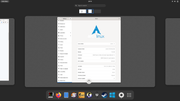
GNOME 40 is here. I can smell the envy 
#1569 Re: Desktop and Multimedia » Hard freeze on Cinnamon desktop » 2021-04-05 19:21:44
how would I go about removing the xserver-xorg-video-intel part of X?
# apt purge xserver-xorg-video-intelhow would I put it BACK if that turns out to be worse?
# apt install xserver-xorg-video-intelEDIT: or just keep the package installed and create a file at /etc/X11/xorg.conf.d/00-modesetting.conf with this content:
Section "Device"
   Identifier "Intel Graphics"
   Driver "modesetting"
EndSection
Remove the file to revert to the Intel DDX driver.
#1570 Re: Desktop and Multimedia » Hard freeze on Cinnamon desktop » 2021-04-05 09:51:06
Have you checked the logs?
What is your graphics hardware and driver?
lspci -k | grep -iA2 'vga\|display\|3d'If it's an Intel integrated card then try removing the xserver-xorg-video-intel package. X's builtin modesetting DDX driver is less buggy and may help.
Have you installed the CPU microcode package? Intel Haswell CPUs in particular are completely broken unless the µcode fixes are applied and many other processors have similar problems.
#1571 Re: Desktop and Multimedia » ssh-tabbed xfce4-terminal » 2021-04-05 09:46:22
I ran the script through https://www.shellcheck.net/ and it had some observations:
Line 14:
    exec env TABBED="$*" xfce4-terminal -e $0 || exit 1
                                           ^-- SC2086: Double quote to prevent globbing and word splitting.

Did you mean: (apply this, apply all SC2086)
    exec env TABBED="$*" xfce4-terminal -e "$0" || exit 1

Line 18:
    HISTFILE=$HOME/.$(basename $0)
                               ^-- SC2086: Double quote to prevent globbing and word splitting.

Did you mean: (apply this, apply all SC2086)
    HISTFILE=$HOME/.$(basename "$0")

Line 22:
    read -e -i "$TABBED" -p "ssh: " TABBED
    ^-- SC2162: read without -r will mangle backslashes.

Line 24:
        printf "\033]0;$(hostname)\007"
               ^-- SC2059: Don't use variables in the printf format string. Use printf '..%s..' "$foo".

Line 29:
    for N in $(grep -n "^$TABBED\$" $HISTFILE | sort -rn) ; do
             ^-- SC2013: To read lines rather than words, pipe/redirect to a 'while read' loop.
                                    ^-- SC2086: Double quote to prevent globbing and word splitting.

Did you mean: (apply this, apply all SC2086)
    for N in $(grep -n "^$TABBED\$" "$HISTFILE" | sort -rn) ; do

Line 30:
        history -d ${N%%:*}
                   ^-- SC2086: Double quote to prevent globbing and word splitting.

Did you mean: (apply this, apply all SC2086)
        history -d "${N%%:*}"

Line 35:
printf "\033]0;${TABBED%% *}\007"
       ^-- SC2059: Don't use variables in the printf format string. Use printf '..%s..' "$foo".

Line 36:
exec ssh $TABBED
         ^-- SC2086: Double quote to prevent globbing and word splitting.

Did you mean: (apply this, apply all SC2086)
exec ssh "$TABBED"
I would also observe that for a bash script [[ should probably be preferred over [: http://mywiki.wooledge.org/BashGuide/Pr … Bash_Tests
If [[ is used then you don't have to quote the variable because that keyword doesn't perform word splitting or glob expansion.
#1572 Re: Installation » Non Booting GRUB on Beowulf » 2021-04-04 20:43:58
How would you suggest booting beowulf USB HDD by enabling CSM ("Legacy" mode) and disabling UEFI?
Check the firmware ("BIOS") settings for an option to disable UEFI. This is usually called CSM or "Legacy" mode with normal PCs but I have no experience whatsoever with Macs (I hate them with a vengeance) so I have no idea how this stuff works with them.
#1573 Re: Installation » [SOLVED] Problem installing on an Acer Aspire 315-23 » 2021-04-04 15:27:23
My buster-backports ISO image includes the backported firmware so the OP could load that up and check
lspci -k | grep -iA2 'vga\|3d\|display'
dmesg | grep firmware
It doesn't include X but if the amdgpu kernel module & graphics firmware is loaded then it should work.
#1574 Re: Installation » [SOLVED] Problem installing on an Acer Aspire 315-23 » 2021-04-04 15:11:26
the version from backports is needed
Yes I think the backported firmware may be required. The Ryzen 3500U was released 2020-01-06 but the stock AMD firmware package is from 2020-01-14 so it probably isn't supported by that.
#1575 Re: Installation » [SOLVED] Problem installing on an Acer Aspire 315-23 » 2021-04-04 13:49:29
shouldn't grub be signed to boot up with secure boot?
It is. The Devuan installer uses the grub-efi-*-signed package for the UEFI bootloader. What actually happens when you try to boot the ISO? What do you see?
the live doesn't start the X-server,
it seems it isn't able to load the graphic driver.
I'm sure the driver (amdgpu) is fine but your hardware needs the firmware-amd-graphics package to start X.
Board footer
