
You are not logged in.
- Topics: Active | Unanswered
#1351 Re: Hardware & System Configuration » apt sources, changing version and name with apt » 2021-10-17 08:54:50
I was wondering how to fix the signatures as it mentions in the error, changing version numbers and codenames
# apt updateSay yes when it asks. And please search the boards before posting, I've answered this here before.
The testing & Daedalus is there because I felt adventurous a few weeks back.
Lol, good one. Have you ever seen https://forums.debian.net/viewtopic.php?&t=114130?
#1352 Re: Desktop and Multimedia » [SOLVED] Devuan, runit and Firewalld » 2021-10-17 08:50:52
Sucessfuly linked firewalld service
What does that mean, exactly? Did you write your own service script? Looks like firewalld only supplies a systemd unit file.
#1353 Re: Other Issues » [SOLVED] libvirt-daemon/qemu-kvm won't install on chimaera » 2021-10-16 11:08:53
So did you try actually installing the package then?
The full command that I ran previously to the error was
sudo apt-get install --no-install-recommends qemu-kvm libvirt-daemon-system libvirt-clients virt-manager gir1.2-spiceclientgtk-3.0 dnsmasq qemu-utils
What does that return with the resolver in debug mode?
#1354 Re: Other Issues » [SOLVED] libvirt-daemon/qemu-kvm won't install on chimaera » 2021-10-16 10:25:58
Any ideas?
Debug the resolver:
apt -s -o Debug::pkgProblemResolver=yes install libvirt-daemon-systemPlease post all output. It would be useful if you could also edit the OP and add the full output there as well, along with the full command that lead to the error snippet you posted.
#1355 Re: Off-topic » [SOLVED] BTRFS Drama » 2021-10-16 10:19:55
It's a bit tricky to help without knowing your backup and restore method but for my system I would just boot into the snapshot subvolume and rename (mv) it to the top level subvolume. I don't have a / line in /etc/fstab but if you do then I think that would have to be changed to boot into the subvolume without errors (which is why I don't have that line in my file) but otherwise it's pretty simple.
#1356 Re: Other Issues » Virtualbox guest share not working » 2021-10-13 13:56:23
xrandr does not stick. Keeps getting reset on reboot
xrandr is not supposed to persist between reboots. Either put the command in ~/.xsessionrc (where it will be run every time the graphical desktop is started) or create an X.Org configuration file to do the same job.
I don't use Virtualbox but I know that Devuan will automatically resize the window if it is a guest under QEMU/KVM. The QXL video drivers and spice-vdagent are all that's needed. Have you installed the guest utilities? I can't remember what they're called for VB.
#1357 Re: Off-topic » Show your desktop (rebooted) » 2021-10-12 11:03:15
Debian bullseye, Openbox, tint2 (and xterm):
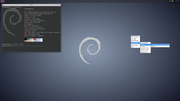
The monospace font is Jetbrains, the sans font is Microsoft's Arial.
#1358 Re: Off-topic » It's a sad day . . . » 2021-10-10 18:59:29
blender doesn't work with open source drivers
Blender works fine with open source drivers but it can only use CPU rendering. The proprietary drivers are needed for rendering on the GPU. It's the only thing the open source drivers can't do.
[/offtopic]
#1359 Re: DIY » Linux ports of OpenBSD's ksh » 2021-10-10 18:56:25
OpenBSD devs probably are more security conscious
The oksh package is of a port by Dr. Brian Callahan, who is an actual OpenBSD developer. My repository is linked directly from their github README.md 
But yes, the OpenBSD version is more secure because Linux doesn't have things like unveil(2) & pledge(2).
#1360 Re: DIY » Linux ports of OpenBSD's ksh » 2021-10-10 11:12:59
Version 7.0 of oksh is now available. So Linux has it before OpenBSD 
#1361 Re: Off-topic » It's a sad day . . . » 2021-10-09 23:11:40
AMDGPU-PRO drivers
Don't use those, the open source amdgpu driver outperforms it for almost all tasks.
EDIT: I've got a PRO video chip and I don't use the PRO drivers.
#1362 Re: Hardware & System Configuration » chimaera ping drops packets with static IP, but not with DHCP » 2021-10-09 23:09:28
I checked my arping's friendly man page again (from which the above code snippet was taken), it definitely mentions the -d parm. The command accepts the -d without complaint. Of course, I have no idea if it does anything with it.
Oops, sorry, I was looking at the irputils-arping man page. Silly mistake.
#1363 Re: Installation » [SOLVED] swap using file rather than partition » 2021-10-09 23:06:06
Test for yourself to determine any performance difference but I don't think there is any.
@p.H over at the Debian forums maintains that swap files are a dirty hack because swap is designed to operate on block devices and they seem to know what they're talking about (and certainly more so than me). The fact that btrfs has only recently gained the ability to support swap files would seem to confirm this.
#1364 Re: Hardware & System Configuration » chimaera ping drops packets with static IP, but not with DHCP » 2021-10-09 17:20:29
Would I have to enter these commands on every machine in the network, including the ones I have forgotten about, and the ones without shells?
Yes. You don't even need a TTY to run a remote command via ssh.
I admit, it would be effective if I remembered them all, but somewhat inconvenient.
Check the router interface instead then, that should list all attached devices and their addresses.
How about "arping -c 10 -d <ipaddress>" ? I just read about it now and the man says:
       -d     Find duplicate replies. Exit with 1 if there  are  answers  from
              two different MAC addresses.
That looks very promising - is it solid and reliable?
No idea, I've never used that tool. Double-check your man page though because the chimaera version of that command doesn't have a -d option.
#1365 Re: Desktop and Multimedia » How does devuan choose which video drivers it uses? » 2021-10-09 15:46:59
Doesn't say.
I don't like the -configure option for the same reason I don't like most abstractions — they introduce the possibility of new bugs and vulnerabilities whilst adding no new features. Why would anybody want that? 
#1366 Re: Desktop and Multimedia » How does devuan choose which video drivers it uses? » 2021-10-09 15:37:44
From the man page (added emphasis):
-configure
When this option is specified, the Xorg server loads all video
drive modules, probes for available hardware, and writes out
an initial xorg.conf(5) file based on what was detected. This
option currently has some problems on some platforms, but in
most cases it is a good way to bootstrap the configuration
process.
So watch out for that 
#1367 Re: Desktop and Multimedia » How does devuan choose which video drivers it uses? » 2021-10-09 15:27:49
What do you actually want to change?
#1368 Re: Desktop and Multimedia » How does devuan choose which video drivers it uses? » 2021-10-09 15:21:50
Write your own configuration snippet. It's not difficult.
EDIT: let's just agree to disagree about this and let the OP make their own mind up. I don't have the energy to argue.
#1369 Re: Desktop and Multimedia » How does devuan choose which video drivers it uses? » 2021-10-09 15:14:17
If it was useless then why is it a part of the Debian wikipedia.
Because the advice on that page is ancient and hasn't been updated to reflect the current situation.
All of the (DDX) video drivers supply their own configuration snippets that can be copied and modified as needed so there really is no need fot the --configure option at all.
EDIT:
empty@P14s:~ $ ls /usr/share/X11/xorg.conf.d/
10-amdgpu.conf  10-quirks.conf  10-radeon.conf  40-libinput.conf  70-wacom.conf
empty@P14s:~ $
^ Copy any of those files to /etc/X11/xorg.conf.d/ and modify them as needed.
#1370 Re: Other Issues » connman failing in a strange new way » 2021-10-09 15:11:16
"service networking restart" , attempts to reconnect, usually failing because the usb cable needs to be detached several times before a reconnect, sometimes rebooting works, but always a manual cable reconnect is required.
Note that the networking service controls ifupdown (/etc/network/interfaces{,.d/*}) and so should not affect connman.
#1371 Re: Hardware & System Configuration » chimaera ping drops packets with static IP, but not with DHCP » 2021-10-09 14:56:28
Is there a simple network diagnostic tool which can easily sniff out ip address duplication?
ip a
ip r
FWIW that R8169 driver is a complete POS so I would blame that first. See also https://pkginfo.devuan.org/cgi-bin/poli … s&x=submit
#1372 Re: Desktop and Multimedia » How does devuan choose which video drivers it uses? » 2021-10-09 14:41:57
For the kernel drivers udev will (hopefully) detect the hardware and load the appropriate driver.
X also probes the hardware to determine the correct DDX & Mesa drivers. Don't use Xorg --configure, it's useless. Just write your own configuration snippets if you need to change any of the autodetected options.
EDIT: for Intel hardware you should be using the modesetting DDX driver because it's far less buggy than Intel's option. That's why you had to force the Intel driver
#1373 Re: Off-topic » It's a sad day . . . » 2021-10-08 15:44:00
Not quite sure what that says about Devuan
It is so awesome that no support threads are required.
But hey, it's not just the devs — the users obviously know what they're doing as well :-)
#1374 Re: Desktop and Multimedia » How to change locale for user ? » 2021-09-30 12:25:14
~/.xsessionrc can be used to source ~/.profile and ensure a consistent environment for all graphical desktops. See https://wiki.debian.org/Xsession#User_configuration for more on this.
The only potential problem is that Devuan's stock ~/.profile is not idempotent in respect of the user's PATH. See https://github.com/Head-on-a-Stick/shar … rofile#L30 for a version that can be sourced repeatedly without bloating PATH.
#1375 Re: Installation » When did Legacy BIOS cease to exist? » 2021-09-30 12:21:38
In 2013, HP was still providing BIOS that offered Legacy, UEFI Hybrid, and UEFI Native, at least in its ProBook series.
That machine does not have a "BIOS", it has UEFI firmware that is able to simulate BIOS-like functions to enable non-UEFI ("Legacy") booting.
It might make you feel better to pick "Legacy" over UEFI but the huge added attack surface conferred by the latter method still exists.
Board footer
