
You are not logged in.
- Topics: Active | Unanswered
#1251 Re: Off-topic » Show your desktop (rebooted) » 2021-11-12 10:04:02
@andyprough & @GlennW — thank you very much for the information but this does what I want:
# mkdir -p /etc/systemd/system-preset
# tee /etc/systemd/system-preset/99-default.preset <<<'disable *'
^ That stops all systemd services from being enabled automatically by APT when packages are installed.
#1252 Re: Desktop and Multimedia » [SOLVED] Is it possible to change GUI title bar color when working as root? » 2021-11-11 20:11:08
/root/.config/gtk-3.0/ is empty.
Yes, root's $HOME is supposed to be empty.
I tried a gtk.css there
Oh, clever, I like it :-)
But unfortunately I forgot that Xfce doesn't read the GTK configuration files. Sorry. Try xfconf-query instead (as root).
#1253 Re: Off-topic » Show your desktop (rebooted) » 2021-11-11 17:48:52
Arch is bloat!
Quoted for truth. I really wish they wouldn't compile everything with --enable-kitchen-sink but that's how it works with Arch... 
EDIT: but they make up for it by not enabling services by default when they're installed. I think there's a way to set that with De{vu,bi}an but I can't remember how. Anybody?
#1254 Re: Desktop and Multimedia » [SOLVED] Is it possible to change GUI title bar color when working as root? » 2021-11-11 14:28:06
You could try setting a different theme for root in /root/.gtkrc-2.0 & /root/.config/gtk-3.0/settings.ini
#1255 Re: Desktop and Multimedia » What games do you play on Devuan?? » 2021-11-11 14:14:07
Managed to get the original Assetto Corsa working under Proton.
Install protontricks, download the game then attempt to start it with Proton v5.0-10 (it will fail) then
cd ~/.local/share/Steam/steamapps/compatdata/244210
winecfg # select "Windows XP"
protontricks 244210 dotnet472 # wait
Once it's finished installing the old .NET files reset winecfg to Windows 7 and Proton to the latest version for better performance. The game should start.
#1256 Re: Off-topic » Show your desktop (rebooted) » 2021-11-11 13:36:41
Why not Artix Linux?
Arch barely has enough developers as it is so I wouldn't consider using a derivative of it that has even fewer developers.
EDIT: and anyway Artix is bloated compared to Alpine or OpenBSD so it's not a viable systemd-free alternative IMO.
zsh is bloat!
It's only bloat if you don't use the features 
I prefer mksh but unfortunately Alad left the TU team and put the package back in the AUR. I'm not using a shell from the AUR, that would just be silly.
#1257 Re: Desktop and Multimedia » xorg-server 21.1.0 - Final release » 2021-11-11 07:10:26
Upstream have decided to revert the DPI "fix". Nice.
#1258 Re: Off-topic » Show your desktop (rebooted) » 2021-11-10 22:56:23
I don't mind systemd. It's bloated as fuck but the features are nice.
#1259 Re: Off-topic » Show your desktop (rebooted) » 2021-11-10 21:22:08
Switched to Arch 'cos the Cezanne support is better and I need every FPS I can get for my games:
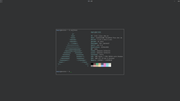
Wallpaper is bloat! 
#1260 Re: Desktop and Multimedia » xorg-server 21.1.0 - Final release » 2021-11-10 21:07:54
Maybe impossible if your arch install was anything to go by
You try running your super light X desktop on a machine with 16GiB of RAM and see how much is used. Even in Dragora 
EDIT: to keep this vaguely on topic here's the fix for the DPI "issue" with the new Xorg version:
xrandr --dpi 96^ Put that line in the desktop startup file (~/.xsessionrc is probably best) to return to the old "broken" DPI and fix scaling for all applications.
#1261 Re: Desktop and Multimedia » xfburn and brasero gives errors in chimaera » 2021-11-10 19:39:23
Has anybody with the same problems?
Yes. Please search the boards before posting.
#1262 Re: Installation » [SOLVED] migrate from Beowulf to Chimaera: dual-boot? » 2021-11-10 16:53:58
You can tell GRUB to not create entries for the drive even if it is attached when grub-mkconfig runs by adding the relevant UUID(s) to /etc/default/grub using the GRUB_OS_PROBER_SKIP_LIST variable. See https://www.gnu.org/software/grub/manua … figuration for details.
#1263 Re: Devuan » Devuan Daedalus and missing repos » 2021-11-10 16:48:59
The testing branch doesn't have coverage from the security team and any transitions from unstable have a mandatory 10-14 day delay. So your system will be wide open to vulnerabilities for *much* longer than would be the case for stable or ceres.
As an example check out CVE-2021-43267, which was recently announced and has a severity of 9.8/10 (!), remote exploitation is a real possibility:
https://security-tracker.debian.org/tra … 2021-43267
^ the testing branch will be the last to be fixed...
#1264 Re: Desktop and Multimedia » xorg-server 21.1.0 - Final release » 2021-11-09 20:29:08
You may want to consider giving Kanapickas a (well deserved) hand and report the bug in as much detail as possible.
It's not a bug. The behaviour is intended and listed in your OP. The problem now is that all applications that have applied hacks to correct X's wrong DPI setting now have to be changed to remove the various fixes. Good luck with that...
And anyway I won't use X because it's obsolete. Wayland is better in every respect (IMO).
#1265 Re: Installation » [SOLVED] Bug in UFW? » 2021-11-09 15:00:30
Read the "release notes", waste of time, had done that originally, then I remember in
Slackware in order to become root you have to su - to become root.
su
The behaviour of su changed in Devuan 3 Beowulf. These changes persist
in Devuan 4 Chimaera. Use su - to get root's path or use the full path
to commands if you use only su. See the following for more information:
-
[17]https://www.debian.org/releases/buster/ … s/ch-infor
mation.en.html#su-environment-variables -
[18]https://wiki.debian.org/NewInBuster -
[19]https://bugs.debian.org/905564
#1266 Re: Desktop and Multimedia » xorg-server 21.1.0 - Final release » 2021-11-09 13:08:18
Trying out the new version now and there's a pretty serious regression in respect of DPI:
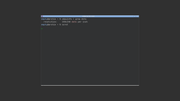
All earlier versions default to 96DPI, which is technically incorrect but workable. The new version uses the "correct" DPI and breaks scaling for the desktop. Nice.
EDIT: see also https://bbs.archlinux.org/viewtopic.php?id=271094
#1267 Re: Other Issues » Where does 'apt-cache search' searchs? » 2021-11-09 11:13:27
$ apt info librust-pango-sys+default-dev
Package: librust-pango-sys+default-dev
State: not a real package (virtual)
N: Can't select candidate version from package librust-pango-sys+default-dev as it has no candidate
N: Can't select versions from package 'librust-pango-sys+default-dev' as it is purely virtual
N: No packages found
$#1268 Re: Installation » Two more issues on new Devuan 4 install » 2021-11-09 08:29:41
PPAs are not compatible with Devuan and can break it completely.
See https://wiki.debian.org/CreatePackageFromPPA for an alternative method (but not for inxi, as rolfie notes).
#1269 Re: Installation » [SOLVED] Bug in UFW? » 2021-11-09 08:12:14
Just upgraded to Chimaera, installed ufw gives me this error:
root@foo:/home/bobo# ufw enable
bash: ufw: command not found
Read the release notes and use the correct command to gain a root shell. You have used the wrong command and so PATH is not set correctly.
#1270 Re: Hardware & System Configuration » Beowulf on two laptops » 2021-11-09 08:09:32
I don't see how you'd have to 'retype' the whole thing.
And I'm not prepared to list all ten possible locations here when you could just open the man page. If it helps I use fragment files under /etc/X11/xorg.conf.d/.
I put the config files in etc/X11 just to see if that would make a difference and it didn't seem to change anything.
What did you name these configuration files? Did you check the X.Org log? It clearly states which configuration files have been read for that session.
#1271 Re: Installation » Installed Devuan 4.0 and have a few problems » 2021-11-09 08:05:52
Should I enable or unenable hardware acceleration in the browser?
Devuan's Firefox cannot use hardware acceleration under X. The button is lying to you.
Is there anything else to try?
The picom developers strongly recommend using the TearFree option for the Intel & AMD DDX drivers and the FullForceComposition pipeline can be used for the NVIDIA blob but if you're using nouveau or modesetting this is not an option.
EDIT: I strongly recommend using Wayland instead because it has completely solved the tearing problem and it does so without the atrocious drag lag that TearFree (and compton/picom) cause in X.
#1272 Re: Desktop and Multimedia » [SOLVED] Delete track number from music file names » 2021-11-08 14:47:23
I would use
for file in * ; do mv "$file" "${file#*- }" ; doneEDIT: see section 2.6.2 of the POSIX sh command language guide for an explanation.
#1273 Re: Installation » Installed Devuan 4.0 and have a few problems » 2021-11-08 14:39:08
But I can only find this:
Just create a fresh configuration file in $HOME with the correct backend value assigned. It should override the default defined in the sample file.
Regarding what hevidevi wrote, is that the case?
Yes. The package information for compton recommends switching to picom instead.
#1274 Re: Installation » Installed Devuan 4.0 and have a few problems » 2021-11-08 05:55:40
when I click on .deb files to install apps, instead of installing they open with the archiver
Add this line to ~/.config/mimeapps.list:
application/x-deb=gdebi.desktopThe instructions I was given said after installing it to go to /home/**/.config and open compton.conf and edit some lines. The problem is this file doesn't exit.
Debian packages will not alter the contents of $HOME, to do so is in violation of official Debian policy. This also applies to Devuan (and most other distributions).
no config file for it exists
Use this to list the package contents:
dpkg -L comptonThere is a sample configuration file provided. See if you can find it.
#1275 Re: Hardware & System Configuration » [SOLVED] System hangs during suspend when X is running » 2021-11-07 08:47:43
I cannot find any error in the logs.
Then please share them here. We might be able to spot things you have missed.
When closing the lid or issuing the command below, the system hangs immediately
What does "hang" mean, exactly? What actually happens and what do you see?
Most Windows refugees will report a "hang" when in fact the machine is fully functional but will not start the graphical environment. Can you ssh into the machine when it "hangs" [sic]? How about switching to a console screen (<ctrl>+<alt>+F3)?
EDIT: please also post the output of
cat /sys/power/mem_sleepBoard footer
