
You are not logged in.
- Topics: Active | Unanswered
#1001 Re: Devuan » [SOLVED] LXD, compile or package » 2022-02-03 18:33:42
I am not familiar with compiling software on devuan
There is a forum section devoted to that: https://dev1galaxy.org/viewforum.php?id=26
I use https://www.debian.org/doc/manuals/debmake-doc/ when packaging for Debian, it should also apply to Devuan.
#1002 Re: Devuan » [SOLVED] LXD, compile or package » 2022-02-03 17:32:46
LXD is an Ubuntu thing. There is a WNPP request ongoing for Debian: https://bugs.debian.org/cgi-bin/bugrepo … bug=768073
Why not try LXC instead?
#1003 Re: Devuan » A Possible Future For Devuan and Linux » 2022-02-03 17:29:03
I used to make my own port for dwm, customised to my tastes. It's actually simpler than making De{bi,vu}an packages: https://www.openbsd.org/faq/ports/
The comp & xbase file sets are needed to make the port but they're part of the base system. There is a vanilla example available as well: https://github.com/openbsd/ports/tree/master/x11/dwm
EDIT: and suckless have already incorporated pledge(2) into the source code, which is nice.
#1004 Re: Desktop and Multimedia » qtsystems5-dev » 2022-02-02 15:16:54
I have Devuan Beowulf
You link clearly shows that package is only available in bullseye/chimaera or later.
maybe you have to enable backports
Debian haven't backported it. The OP may have luck doing it themselves but it looks like most of the dependencies would also have to be backported as well. Good luck with that.
#1005 Re: Installation » Changing UUID of /root? » 2022-02-02 15:13:20
https://unix.stackexchange.com/question … -same-uuid
@OP: search engines are quicker than forums 
#1006 Re: Documentation » Help - list all services » 2022-02-02 15:10:36
The OP can view all installed services (ie, even those not running) by checking /etc/init.d/.
#1007 Re: Desktop and Multimedia » Listening to local playback with Audacity » 2022-02-02 15:09:15
I do know that Pulse Audio is present on the system. Why would it not appear in the device toolbar list for Audacity?
Is PA actually running?
pgrep -a pulseNo idea about Audacity though, I don't use that.
#1008 Re: Off-topic » Music » 2022-02-02 15:06:48
Good To Be... by Keb' Mo' — a stunning album, highly recommended.
#1009 Re: Desktop and Multimedia » No microphone sound in Librewolf and Firefox too » 2022-02-02 15:04:51
Is /etc/alsa/asound.conf file taken into account by the ALSA at all?
I don't think so.
From /usr/share/alsa/alsa.conf:
# pre-load the configuration files

@hooks [
   {
      func load
      files [
         "/var/lib/alsa/conf.d"
         "/usr/etc/alsa/conf.d"
         "/etc/alsa/conf.d"
         "/etc/asound.conf|||/usr/etc/asound.conf"
         "~/.asoundrc"
         {
            @func concat
            strings [
               {
                  @func getenv
                  vars [
                     XDG_CONFIG_HOME
                  ]
                  default "~/.config"
               }
               "/alsa/asoundrc"
            ]
         }
      ]
      errors false
   }
]Can you please suggest an URL with modern guides for custom configuration of ALSA
https://www.alsa-project.org/wiki/Asoundrc
And there's also https://wiki.archlinux.org/title/Advanc … chitecture & https://wiki.gentoo.org/wiki/ALSA
All I have ever needed to do is set the default card from HDMI to analogue to get both speaker output and microphone input working with firefox-esr in my Debian systems, as per the link kindly supplied by Camtaf.
What exactly do want ALSA to do? What sort of customisation is required?
#1010 Re: Desktop and Multimedia » No microphone sound in Librewolf and Firefox too » 2022-02-01 19:47:21
So I presume it works without apulse if you remove asound.conf?
#1011 Re: Installation » Samsung n150 netbook fn brightness buttons dont work » 2022-02-01 15:53:20
I forgot to say that I use XFCE.
Are you also using Xfce in Debian?
Linux devuan 5.10.0-11-amd64 #1 SMP Debian 5.10.92-1 (2022-01-18) x86_64 GNU/Linux
And is that the same kernel version as in your Debian system?
do you think xanmod would really improve this device's performance?
Do some benchmarks and find out for yourself. FWIW I use Arch with their linux-zen kernel, which has a similar patch set as the Liquorix kernels, but I can't notice any difference compared to the vanilla kernel version.
They say add that acpi_backlight=vendor line to the grub, which I did. I am not a newbie btw, I did it right
Did you check it was actually applied?
cat /proc/cmdlineYou can also try acpi_backlight=video & acpi_backlight=native but they will only make a difference if you don't have an acpi_video0 directory in /sys/class/backlight/.
Do the xbacklight or brightnessctl packages work? You can bind keys to run those commands but if xev doesn't recognise the actual backlight keys then you'll have to use others.
For other backlight-related tips check the ArchWiki: https://wiki.archlinux.org/title/Backlight
I find GNOME to be the most effective in respect of backlight control with recalcitrant hardware so be sure to try https://wiki.archlinux.org/title/Backli … with_GNOME — the gdbus command is supplied by the libglib2.0-bin package.
#1012 Re: Devuan » A Possible Future For Devuan and Linux » 2022-02-01 15:38:21
systemD
What is that? Do you in fact mean "systemd"? FFS... 
But imagine a world where there were just "packages" in some common format supporting dependency resolution.
That already exists: https://www.pkgsrc.org/
#1013 Re: Off-topic » Show your desktop (rebooted) » 2022-01-31 19:26:24
daedalus/ceres is a different story, bugs abound which is to be expected. Yet on Artix linux (systemd free arch fork) gnome just works.
Arch is a rolling release so the packages are always updated in synchrony. Testing/unstable are development branches so they just throw stuff at the wall and see what sticks.
The only problem with Arch (and by extension Artix) at the moment is their ancient glibc — it will go two versions behind when v2.35 is released tomorrow and they aren't applying patches. Gory details here. It's not a massive problem for me because I just use my laptop for recreational purposes but if you're using Artix for anything serious it might be best to look at Alpine instead (their musl libc is both up to date and inherently more secure than GNU's libc) because ceres/sid is also stuck on v2.33, albeit patched.
Back on topic with my Arch box:
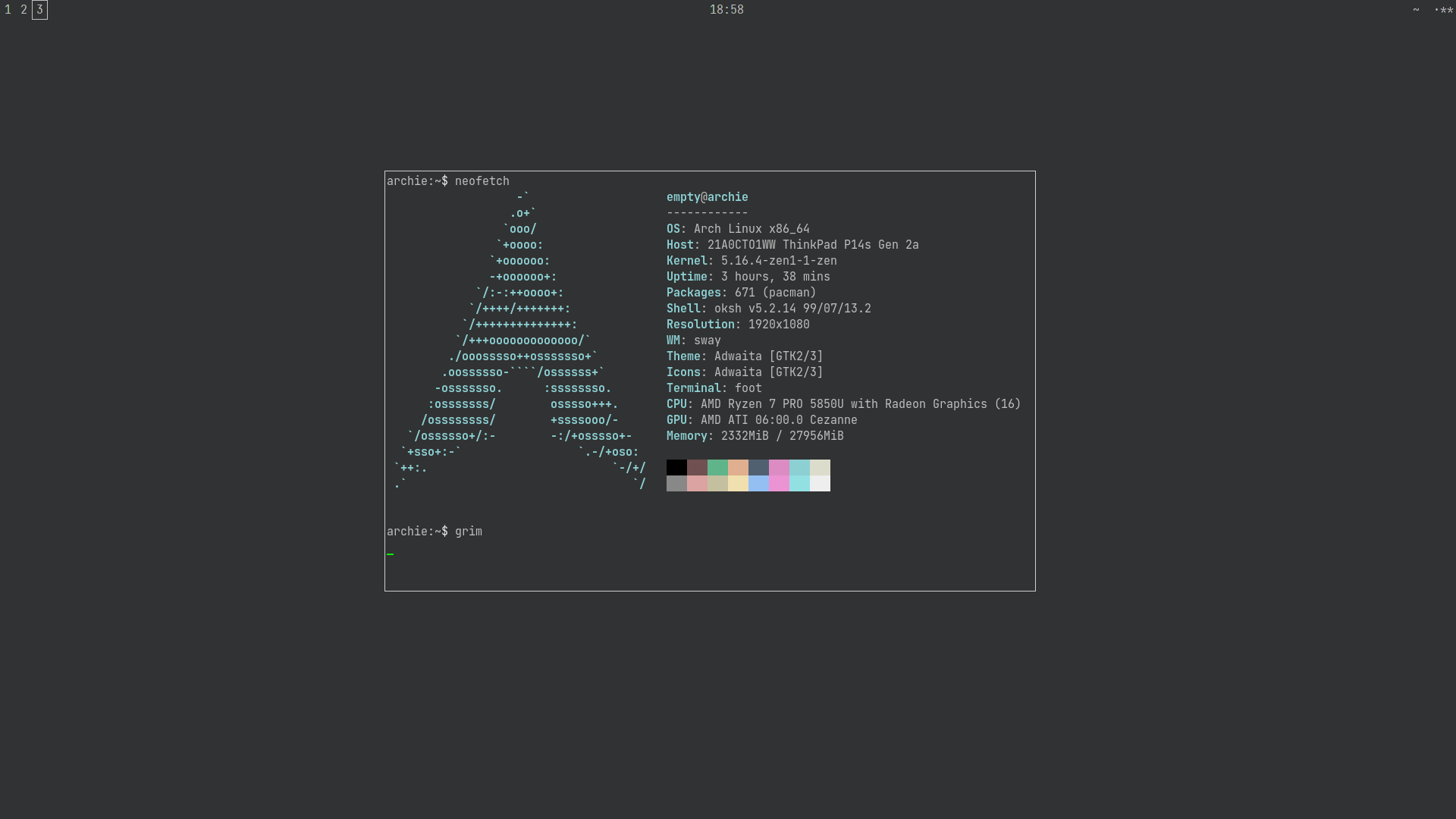
It's almost exactly the same as last time but I've switched from xterm to foot. Caleb (one of the TUs) has very kindly adopted it and added it to [community], which is nice.
#1015 Re: Other Issues » [SOLVED] How do I shutdown » 2022-01-30 18:37:02
Not sure what the sigh is about, the su worked for me equally as su -
No, it didn't. Using just su leaves /sbin/ out of PATH and that's where shutdown is located. The *sigh* is because I've posted about this on these boards approximately 7,482 times and it is also featured in the release notes. 
root@devuan:~# loginctl poweroff
bash: loginctl: command not found
That command is supplied by the elogind package.
#1016 Re: Other Issues » trash on thunar (dwm & i3wm) » 2022-01-30 18:31:00
udiskie -s --automount --notify &
^ This. GVFS should be taking care of automounting. Use the relevant options in thunar to configure it.
I could bring up a lot of other potential issues in that file but they would all be off topic here so I will restrict myself to observing that ~/.xsessionrc is read by /bin/sh so bash -c is redundant and also that & should only be appended to a command if it doesn't return the prompt when run from a terminal — unnecessary fork()ing can cause race conditions and strange problems. And it's best to use update-rc.d or sysv-rc-conf to enable services rather than starting them manually. And don't use xrandr to set brightness, that's just a software alteration and reduces the available colour range. And [snip]
#1017 Re: Other Issues » [SOLVED] How do I shutdown » 2022-01-30 18:22:14
Try
loginctl poweroffAnd also read my signature. *sighs*
#1018 Re: Desktop and Multimedia » almost fresh Chromium browser 84 87 90 for Devuan 2 ASCII 32-bit i386 » 2022-01-30 16:15:51
I will try write simple instruction how build for himself from ubuntu-16.04-ppa
How about https://wiki.debian.org/CreatePackageFromPPA?
#1019 Re: Installation » [SOLVED] macbook chimaera install USB external drive » 2022-01-30 14:21:51
EFI problem
What is the problem, exactly? Use <ctrl>+<alt>+F4 to see any error messages from the installer in full.
I will take a stab in the dark and guess that the system won't boot after installation?
If that is the case then use the "expert" installation and select "force extra installation to the EFI removable media path" in the GRUB options.
For an already installed system use rescue mode to obtain a shell in the installed system then run
dpkg-reconfigure grub-efi-amd64^ That should also offer the option described above.
Alternatively copy /EFI/devuan/shimx64.efi on the EFI system partition to /EFI/Boot/bootx64.efi and also copy /EFI/devuan/grubx64.efi to /EFI/Boot/ (all locations given relative to the ESP, which should be mounted under /boot/efi/ in the installed system).
If you use the last method then be sure to update the debconf database after booting into the new system:
# debconf-set-selections <<!
grub-efi-amd64 grub2/force_efi_extra_removable select true
!#1020 Re: Off-topic » Show your desktop (rebooted) » 2022-01-30 12:01:12
I also use emacs
With only 4GiB of RAM? That must be a squeeze... 
Anyway, Devuan chimaera with a fully functional GNOME Wayland desktop?
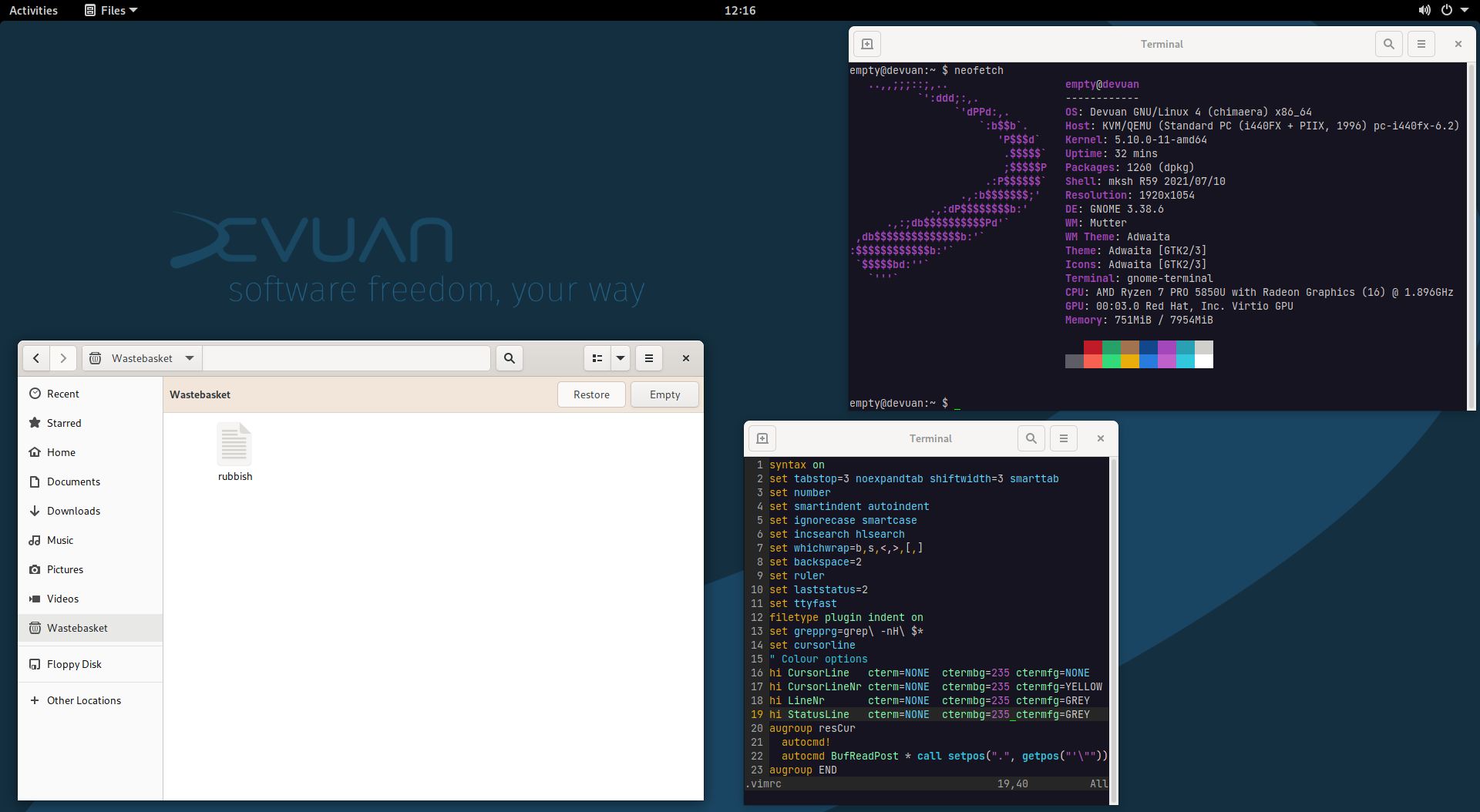
Oh yes. The Wastebasket in nautilus even works. And with a proper text editor as well 
This should be an option in the netinstall tasksel section IMO. I know it's perverse but some users like that.
EDIT: changed full size link to show just the image with no adverts or irritating javascript.
EDIT2: changed to JetBrains Mono terminal font.
#1021 Re: Desktop and Multimedia » almost fresh Chromium browser 84 87 90 for Devuan 2 ASCII 32-bit i386 » 2022-01-30 09:58:37
I long time use Devuan ASCII 32-bit
But chromium package in repo very old (v73 = 2019)
Why not upgrade to beowulf or chimaera then? They have v90.0.4430.212 currently and it will be kept relatively up to date.
I don't think people should trust your links. If you want to engender trust then perhaps use an independent build service such as https://build.opensuse.org/ instead — that shows the build process for each hosted package, unlike your random download links.
The OBS only has options for Debian but the packages should be binary-compatible with the appropriate Devuan release.
I find only problem with API Keys window
https://www.chromium.org/developers/how-tos/api-keys/
But exists solution
https://stackoverflow.com/questions/212 … m-portable
https://gist.github.com/cvan/44a6d60457 … b104f9dcc4
Note that ~/.profile won't be read for LightDM.
Reference and potential solution: https://bugs.debian.org/cgi-bin/bugrepo … bug=752129
#1022 Re: Other Issues » trash on thunar (dwm & i3wm) » 2022-01-29 23:57:10
I think gvfs does not like sysV
So then why does it work under sysvinit in both my installed system (see earlier screenshot for proof of this) and also in the chimaera live ISO? Try the live image for yourself and report back.
#1023 Re: Other Issues » Security Alert: PolicyKit » 2022-01-29 23:04:00
Good piece from Ariadne about this:
#1024 Re: Other Issues » trash on thunar (dwm & i3wm) » 2022-01-29 22:49:27
functioning trash
^ What does this mean? You will have to explain it to me in as much detail as possible because I don't use graphical file managers so I have no idea how "trash" is supposed to work.
When I load up devuan_chimaera_4.0.0_amd64_desktop-live.iso in a VM I can navigate to the "Trash" [sic] side pane shortcut (identified as trash:/// in the location bar) and if I highlight a file elsewhere and press the <Delete> key the file appears in the trash:/// location so it seems to work but perhaps I am misunderstanding.
#1025 Re: Other Issues » trash on thunar (dwm & i3wm) » 2022-01-29 19:53:37
^ Lol. Indeed 
So how did you install ceres then?
And what do you mean by "I lose Trash on Thunar", exactly? What behaviour do you expect to see and in what way does the observed behaviour differ?
You can use this to check what has been installed from that Skype repository:
aptitude search '?narrow(?installed, ?origin(. stable))'^ That should just show skypeforlinux. Hopefully. I would just use chromium for Skype, or even the flatpak, but you might be comfortable handing over the keys to your system to the repository maintainers.
Board footer
