
You are not logged in.
- Topics: Active | Unanswered
#876 Re: Off-topic » Loss of a friend » 2022-03-07 17:33:50
Sorry for your loss zephyr, that is tragic news. What a gorgeous dog she was.
#877 Re: Off-topic » What are you reading/want to read ? » 2022-03-07 17:09:13
That's fine golinux, I was just sharing what I was reading :-)
EDIT: to stay on topic:
Advanced Editing on UNIX by Brian W. Kernighan.
#878 Re: Off-topic » Show your desktop (rebooted) » 2022-03-07 14:39:10
^ Very nice Nili.
New Debian bullseye system:
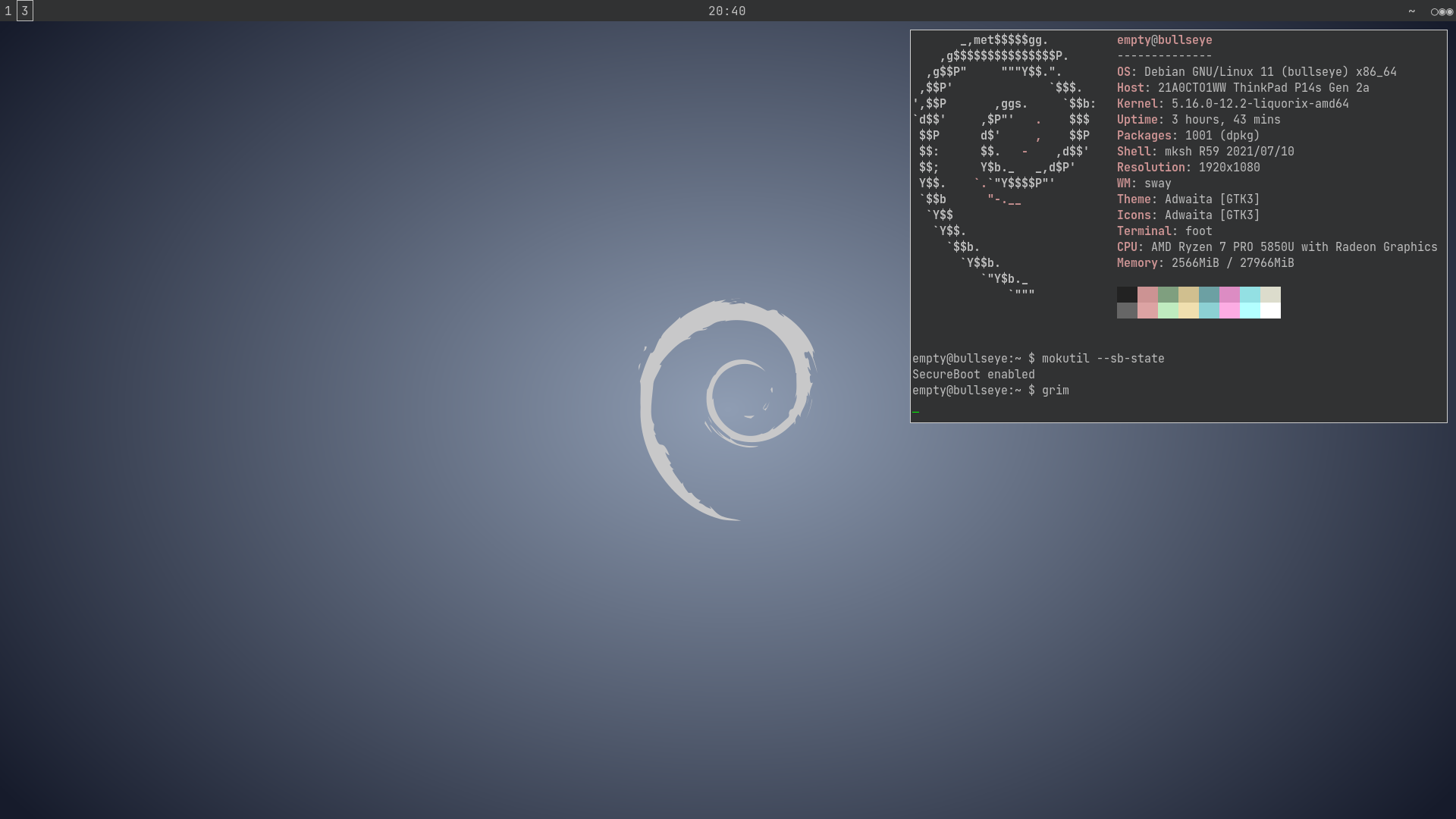
I have to use the Liquorix kernel to get my RTL8852AE wireless card working so I'm generating a unified kernel image from it and signing that with my own SecureBoot key using this script:
#!/bin/sh -e

dir=/etc/secureboot
keys=$dir/keys/db
image=debian.efi
esp=/efi
splash=$dir/splash.ppm
kernel=$(readlink -f /vmlinuz)
initrd=$(readlink -f /initrd.img)

echo 'Creating unified kernel image...'

objcopy \
   --add-section .osrel="/etc/os-release" --change-section-vma .osrel=0x20000 \
   --add-section .cmdline="/etc/kernel/cmdline" --change-section-vma .cmdline=0x30000 \
   --add-section .splash="$splash" --change-section-vma .splash=0x40000 \
   --add-section .linux="$kernel" --change-section-vma .linux=0x2000000 \
   --add-section .initrd="$initrd" --change-section-vma .initrd=0x3000000 \
   /usr/lib/systemd/boot/efi/linuxx64.efi.stub /tmp/"$image"

echo 'Unified kernel image created'

sbsign \
   --key "$keys"/DB.key \
   --cert "$keys"/DB.crt \
   --output "$esp"/"$image" \
   /tmp/"$image"

echo 'Kernel image signed'

rm /tmp/"$image"

echo 'All done :-)'
^ That's saved to /usr/local/bin/gen_unified with the script called in /etc/kernel/postinst.d/zz-secureboot & /etc/initramfs/post-update.d/zz-secureboot so it's applied whenever the kernel or initramfs is changed.
Microsoft, Debian & Ubuntu keys won't boot on this machine :-)
#879 Re: Devuan » New doas package for chimaera » 2022-03-07 11:14:20
That's fixed in the testing/unstable version: https://bugs.debian.org/cgi-bin/bugrepo … =%23983505
#880 Devuan » New doas package for chimaera » 2022-03-07 10:43:55
- Head_on_a_Stick
- Replies: 3
Just noticed this:
https://pkginfo.devuan.org/cgi-bin/poli … s&x=submit
It must have been added to Debian bullseye after the release, which is very unusual.
For those who aren't familiar with it doas(1) is a minimal replacement for sudo(8) from OpenBSD. There's no sudoedit but the configuration is *much* simpler and the code base is tiny compared to sudo. It won't be as secure as the OpenBSD version because it still has to interface with PAM but I prefer it.
#882 Re: Hardware & System Configuration » Sub-process /usr/bin/dpkg returned an error code (1) » 2022-03-07 09:28:48
Well I can't reproduce the problem so I can't help. I have no problem installing packages in my test container.
EDIT: and I've just installed a new Debian bullseye system from Alpine using a similar method. Everything works fine.
#883 Re: Devuan » [SOLVED] Devuan chimaera is better at gaming than artix on my low end laptop » 2022-03-06 22:03:21
Have you seen https://wiki.archlinux.org/title/Improving_performance? Not sure how much Artix does in respect of optimisation but you might be able to squeeze a bit more from it.
I find Debian & Arch to be almost identical in respect of gaming performance with amdgpu (both are better than Windows) but Debian is "lighter" than Arch generally.
EDIT: I use the cpufreq.default_governor=performance kernel command line parameter, that might help you if you're not bothered by the reduced battery life (only for kernel >5.9). And mitigations=off but don't try that with Intel :-)
#884 Re: Documentation » HOWTO: Manual Wifi roaming multiple networks (no network-manager) » 2022-03-05 16:25:05
Note that the ctrl_interface & update_config lines are only needed for the wpagui application.
It's probably best the delete the un-hashed (commented) psk lines from the wpa_supplicant.conf network stanzas to prevent casual snooping. The hash is unsalted and so trivial to reverse but it's better than nothing.
I would actually recommend iwd over wpa_supplicant because it handles roaming better, it's more secure with a smaller code base and it has fewer dependencies. The only caveat with Devuan is that the orphan-sysvinit-scripts package is needed and the init script needs to be copied over and enabled manually as per https://dev1galaxy.org/viewtopic.php?id=4865.
See https://wiki.debian.org/WiFi/HowToUse#Using_IWD & https://wiki.archlinux.org/title/Iwd for usage guides; iwd does not use /etc/network/interfaces or ifupdown at all.
#885 Re: Documentation » Devuan GNU+Linux Command-line Installation Guide (In progress) » 2022-03-04 23:18:07
Both dd and cp use the same system call to burn the image.
Another option:
cat devuan.iso > /dev/sdX ; sync#886 Re: Documentation » Devuan GNU+Linux Command-line Installation Guide (In progress) » 2022-03-04 17:16:40
This guide recommends you the use of balenaEtcher or Rufus to write the ISO on a storage media (CD/DVD/USB).
Debian do not recommend those tools and I have seen quite a few problem threads over at forums.debian.net caused by Rufus not burning images correctly.
The recommended technique is
cp devuan.iso /dev/sdX ; syncReference: https://www.debian.org/CD/faq/index.en.html#write-usb
If you are booting from a legacy BIOS and have chosen a GPT partition table, the first partition must be of type BIOS boot and of size 1 MB [...]
- /dev/sda1 -> BIOS boot partition -> 256 MB
Why have you recommended two different sizes for the BIOS boot partition? I use sectors 34-2047 because they should be free in any correctly-aligned disk. Note that the BIOS boot partition should *not* have a filesystem applied.
Configure fstab
What about the swap line? You seem to have missed that.
The fstab file can be automatically generated from currently mounted filesystems by copying the file /proc/mounts
Simpler version:
grep '^/dev' /proc/self/mounts > /etc/fstab^ That will only copy lines starting with /dev to /etc/fstab. Note that /proc/mounts is a symlink to /proc/self/mounts so it's probably best to use the latter.
And I still think you should at least mention the existence of genfstab(8) for people who are used to installing Arch and don't want to manually edit fstab. The same goes for arch-chroot(8) as an alternative to manual mounting & chrooting.
You may also want to add some additional sources, for example source packages and security updates
As I mentioned in your last thread security updates should not be considered optional. They are absolutely essential for users of the stable release.
If you are dual booting with Windows, edit the third line of the /etc/adjtime file to UTC or LOCAL to determines whether the system will interpret the hardware clock as being set UTC format to respective local time.
Windows should *always* be set to UTC. There is no reason whatsoever to force Devuan to use localtime. See my ArchWiki link in your last thread for the Registry hack needed to correct Windows' time standard.
● If you're on UEFI/GPT:
grub-install --target=x86_64-efi --efi-directory=/boot/efi --bootloader-id=grub
The --target option is irrelevant in Devuan because it supplies separate GRUB packages for UEFI & non-UEFI systems. The UEFI version of GRUB presumes that the EFI system partition is mounted under /boot/efi and the ID defaults to "Devuan" for SecureBoot to work.
And anyway it's better to use dpkg to set the bootloader options so that they are saved in the debconf database and re-applied after the bootloader package is updated.
So for non-UEFI systems use
apt install grub-pc
dpkg-reconfigure grub-pc
And for UEFI systems use
apt install grub-efi-amd64
dpkg-reconfigure grub-efi-amd64
There is also a grub-efi-ia32 package for machines with 32-bit UEFI firmware.
If you are going to use a wireless network card, you will also need wpasupplicant:
apt install wpasupplicant
iwd is better than wpasupplicant but it does need the init script supplied by the orphan-sysvinit-scripts package.
Other useful groups are disk, games, input, lp, optical, rfkill and storage. The audio and video groups are useful to communicate to audio and video related hardware.
elogind should handle all permissions for access to input, audio and video hardware. Adding users to those groups should be considered a security risk and so is probably not advisable.
The disk group membership is root-equivalent, please do not recommend that.
The games group is for games to record high scores, users are not supposed to be added to that group at all.
Configure sudo so that it grants users of the wheel group the ability to run commands as root
Devuan's sudo is already configured to grant access to users in the sudo group so why not just use that instead?
And finally can you please use code tags to display commands rather than italics? It would make the guide easier to follow. The board also offers list tags that you can use instead of copy & pasting bullet points manually.
#887 Re: Hardware & System Configuration » Sub-process /usr/bin/dpkg returned an error code (1) » 2022-03-04 16:32:18
Perhaps it's your strange mount options.
Do you still experience the error if you use arch-chroot(8) instead of the string of mount commands?
This version works for me when chrooting into a test container from Alpine:
for i in proc sys dev{,/pts} ; do mount --bind /$i /mnt/$i ; done
chroot /mnt /bin/su -
Using /bin/su - instead of /bin/bash ensures the correct login environment.
#888 Re: Installation » Question about netinstall to existing UEFI-based system » 2022-03-03 14:02:00
All the Devuan installer will do is add a new directory to the EFI system partition and add a new boot entry to the top of the list in the motherboard NVRAM. You can always re-instate the Void GRUB menu by placing it at the top instead:
efibootmgr -o xxxx,yyyyReplace xxxx & yyyy with the boot numbers for Void & Devuan, respectively. Running efibootmgr with no arguments will list the current NVRAM boot entries and their order.
#889 Re: Installation » Question about netinstall to existing UEFI-based system » 2022-03-02 22:47:48
If you wanted to replace the grub-mkconfig generated /boot/grub/grub.cfg in Void then you would have to disable whatever automation Void is using to run grub-mkconfig whenever the kernel is updated and instead edit the file manually yourself to point to the new kernel & initramfs images.
I don't use Void so I have no idea if they have an equivalent to De{vu,bi}an's kernel & initramfs symlinks in the root partition.
But you probably don't need the insmod stuff anyway. In my experience GRUB is pretty good at autoloading modules.
EDIT: looks like the Void grub package uses this script in /etc/kernel.d/ so you could replace that with your own script to change the kernel & initramfs image names to match the new, updated versions. I presume a .post suffix for the script would cause it to be applied after any kernel upgrade.
#890 Re: Off-topic » What are you reading/want to read ? » 2022-03-02 20:01:33
Tomorrow by Chris Beckett. I think the library tried to trick me by putting it in the sci-fi section but it seems to be "proper" literature. Still an interesting read though, I might even finish it.
#891 Re: Other Issues » [ceres] X session hang [SOLVED] » 2022-03-02 12:17:47
How about startx from a console login? Does the keyboard & mouse work in X for that method?
#892 Re: Desktop and Multimedia » lost tilda window how to bring it back » 2022-03-02 12:14:07
The relevant configuration line is
fullscreen_key="F11"Have you tried F11? I bind it to ` instead for that Quake console feel :-)
#893 Re: Installation » New installation yesterday from netinstall.iso and different behavior. » 2022-03-02 11:27:53
The installer can grab some information from the router using the MAC address as an identifier. The OpenBSD installer also does this, interestingly. Still freaks me out though :-)
In respect of sudo, the user is only added to that group automatically if no root password is entered.
#894 Re: Installation » Question about netinstall to existing UEFI-based system » 2022-03-02 11:23:29
With the downside that you have to modify this with every new kernel manually, there will be no automatic configuration possible.
The OP can add a custom menuentry in Void for Devuan that boots from the /vmlinuz & /initrd.img symlinks in the Devuan root partition that always point to the latest version:
menuentry 'Devuan' {
   search.fs_uuid $uuid
   linux /vmlinuz ro quiet root=UUID=$uuid
   initrd /initrd.img
}
Replace $uuid with the actual (filesystem) UUID of the Devuan root partition and put that stanza at the end of the file at /etc/grub.d/40_custom in Void then run this command in Void:
# grub-mkconfig -o /boot/grub/grub.cfg#895 Re: Desktop and Multimedia » lost tilda window how to bring it back » 2022-03-01 19:34:09
rm -r ~/.config/tilda#896 Re: Off-topic » What are you reading/want to read ? » 2022-03-01 19:25:05
Carole Cadwalladr[0]'s tweet about the Great Information War:
https://twitter.com/carolecadwalla/stat … 6548013062
[0] The Guardian journalist who helped expose the Facebook-Cambridge Analytica story.
#897 Re: Off-topic » What are you reading/want to read ? » 2022-02-28 17:49:13
https://universeadventure.org/
A thorough review of cosmology from actual scientists.
#898 Re: Off-topic » Show your desktop (rebooted) » 2022-02-28 17:46:33
Back in GNOME:
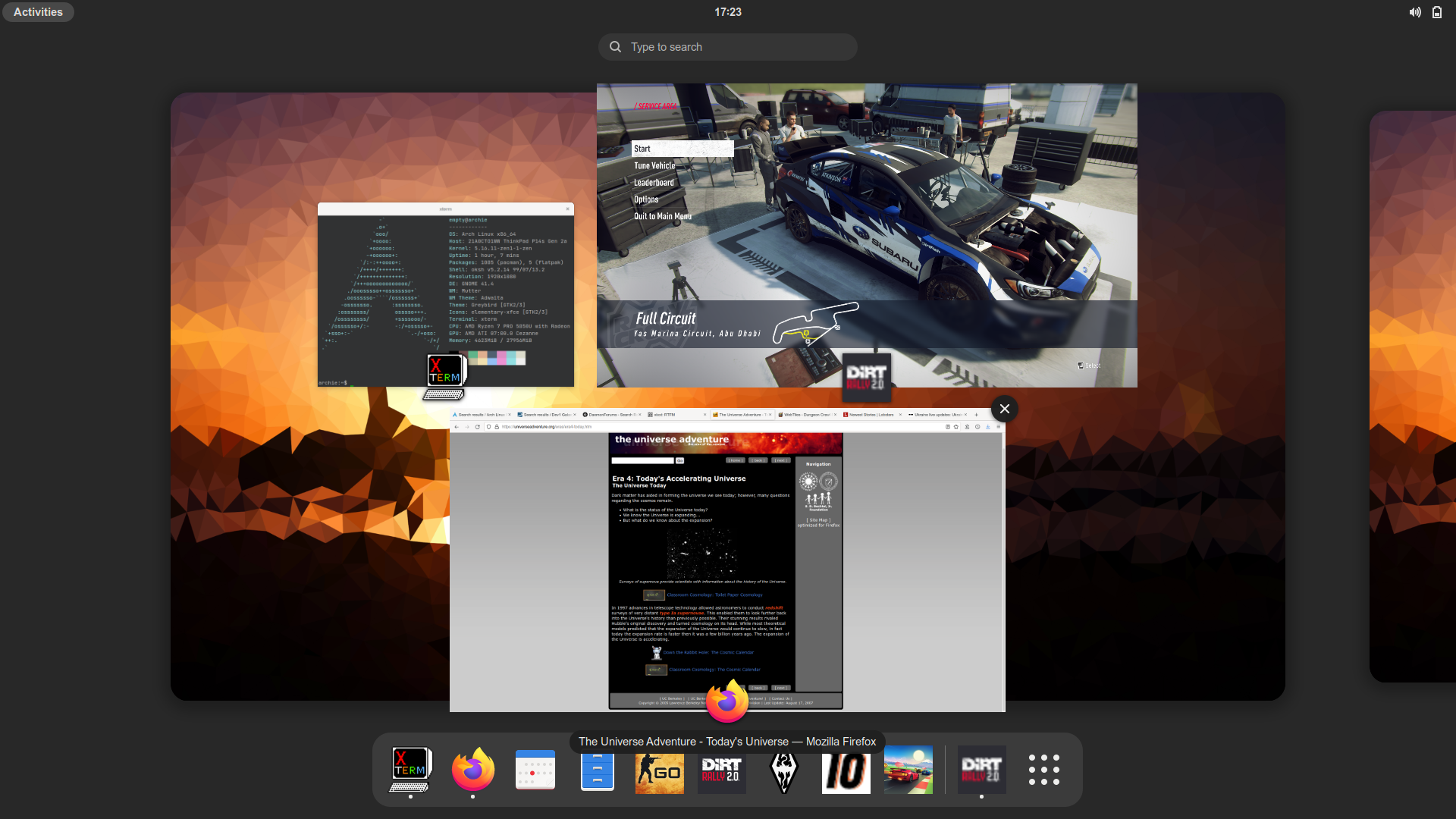
Online accounts are integrated. I feel dirty.
#899 Re: Off-topic » The Dream » 2022-02-26 20:48:45
Just ordered the latest version of Motorcycle Roadcraft: The Police Rider's Handbook. I got knocked off by a van on Friday and separated my acromioclavicular joint so it looks like I could do with a refresher. My first crash in over 10 years. Dammit.
There is no other time but NOW!
Fall into it and let the bottom fall out of the dream !!
At the moment of impact I really wanted to fall back into the dream but riding is great because it forces you to live in the moment, or at least as close to the moment as our sensorium will allow.
#900 Re: Other Issues » [SOLVED] Getting "Lock Version" in Synaptic to work » 2022-02-26 16:32:21
I think so, yes.
Looks like Synaptic & apt-mark both use the dpkg database whereas apt & apt-get will check the pinning and aptitude will accept either input.
Board footer
