
You are not logged in.
- Topics: Active | Unanswered
#751 Re: Hardware & System Configuration » Dovecot, samba, sysvrc and the case of the vanishing PID files » 2022-06-08 12:04:23
I have no experience of dovecot so this is a swing in the dark but have you tried setting $PIDBASE to a different directory via /etc/defaults/dovecot? Perhaps /var/run/dovecot/ is causing problems. How is /var/run/ mounted?
You could also try the suggested upstream init script to help eliminate start-stop-daemon as the culprit (sed 's|/usr/local|/usr|'):
https://doc.dovecot.org/installation_gu … .d_script/
And I notice that systemd uses socket activation for dovecot.service, perhaps that has something to do with it.
#752 Re: Installation » Would it be possible please to add 'CoreCtrl' to the repo ? » 2022-06-08 11:40:28
If you run gdebi from a terminal it will spit out an error message that you can share here. The dependencies might be correctable.
Did you try building it locally from the PPA source code?
#753 Re: Off-topic » Your thoughts on: TheCaseForTheUsrMerge » 2022-06-08 11:37:07
is there really some merit in this idea?
Yes. I'm no expert but the reasoning given in the freedesktop.org and Debian wiki links seem sound.
What will happen in Devuan concerning this?
I would be surprised if they did not follow Debian's lead. Doing otherwise would require even more work than removing systemd.
Presumably the main argument for it is just the usual "vendor image" / "factory reset" / container-mania / unification One Linux BS from the Redhat/Gnome/systemd crowd.
Not really, although the changes are mainly driven by the container and embedded systems crowds. Graphical desktop users are such a pathetically small minority of Linux users that we are almost completely irrelevant to the people pushing commits and driving progress [sic].
I'll repost the FreeDesktop stuff here just for the record:
You are wondering why merging /bin, /sbin, /lib, /lib64 into their respective counterparts in /usr makes sense, and why distributions are pushing for it? You are wondering whether your own distribution should adopt the same change? Here are a few answers to these questions, with an emphasis on a compatibility point of view:
Compatibility: The Gist of It
Improved compatibility with other Unixes/Linuxes in behavior: After the /usr merge all binaries become available in both /bin and /usr/bin, resp. both /sbin and /usr/sbin (simply because /bin becomes a symlink to /usr/bin, resp. /sbin to /usr/sbin). That means scripts/programs written for other Unixes or other Linuxes and ported to your distribution will no longer need fixing for the file system paths of the binaries called, which is otherwise a major source of frustration. /usr/bin and /bin (resp. /usr/sbin and /sbin) become entirely equivalent.
Improved compatibility with other Unixes (in particular Solaris) in appearance: The primary commercial Unix implementation is nowadays Oracle Solaris. Solaris has already completed the same /usr merge in Solaris 11. By making the same change in Linux we minimize the difference towards the primary Unix implementation, thus easing portability from Solaris.
Improved compatibility with GNU build systems: The biggest part of Linux software is built with GNU autoconf/automake (i.e. GNU autotools), which are unaware of the Linux-specific /usr split. Maintaining the /usr split requires non-trivial project-specific handling in the upstream build system, and in your distribution's packages. With the /usr merge, this work becomes unnecessary and porting packages to Linux becomes simpler.
Improved compatibility with current upstream development: In order to minimize the delta from your Linux distribution to upstream development the /usr merge is key.Compatibility: The Longer Version
A unified filesystem layout (as it results from the /usr merge) is more compatible with UNIX than Linux’ traditional split of /bin vs. /usr/bin. Unixes differ in where individual tools are installed, their locations in many cases are not defined at all and differ in the various Linux distributions. The /usr merge removes this difference in its entirety, and provides full compatibility with the locations of tools of any Unix via the symlink from /bin to /usr/bin.
I would also recommend reading Steve McVittie's comments on the matter:
https://lists.debian.org/debian-devel/2 … 00374.html
Trigger warning: he is a GNOME contributor 
And I do have a question for the OP: why do you care if /bin/ is a symlink to /usr/bin/? What difference does it make to you?
#754 Re: Installation » Would it be possible please to add 'CoreCtrl' to the repo ? » 2022-06-06 13:07:09
The Ubuntu .deb packages are here:
https://ppa.launchpadcontent.net/ernstp … /corectrl/
Try to install them with gdebi, it will refuse if they are not compatible.
You can try to build you own Devuan-compatible .debs from the PPA if the Ubuntu versions won't install:
#755 Re: Other Issues » [SOLVED] Runit Services? » 2022-06-05 11:20:03
A sysvinit script can be used with runit and sysd2v.sh can be used to convert the systemd zramswap.service unit file:
[Unit]
Description=Linux zramswap setup
Documentation=man:zramswap(8)

[Service]
EnvironmentFile=-/etc/default/zramswap
ExecStart=/usr/sbin/zramswap start
ExecStop=/usr/sbin/zramswap stop
ExecReload=/usr/sbin/zramswap restart
Type=oneshot
RemainAfterExit=true

[Install]
WantedBy=multi-user.target
^ Copy that to zramswap.service then run these commands in the directory containing that file:
wget https://git.savannah.nongnu.org/cgit/sysvinit.git/plain/contrib/sysd2v.sh
chmod +x sysd2v.sh
./sysd2v.sh zramswap.service > zramswap
sudo mv zramswap /etc/init.d/
sudo update-rc.d zramswap defaults
If you want to make a proper runit service instead then see https://salsa.debian.org/runit-team/run … ian/README
#756 Re: Off-topic » Attention! MESA No more OpenGL Drivers Support for i915 » 2022-06-04 09:44:58
The new mesa-amber packages can be built locally:
# apt install git build-essential devscripts
$ mkdir -p ~/git/debian && cd $_
$ git clone https://salsa.debian.org/xorg-team/lib/mesa-amber.git
$ cd mesa-amber
# mk-build-deps --install --remove
$ rm mesa-amber-build-deps*
$ debuild -us -uc
I can't test the build 'cos I only have a bullseye system handy but it should work. Post back with any errors if it doesn't and you can't figure it out.
I can always host the packages on the OBS if they don't make it to experimental soon.
EDIT: once the new Mesa packages are installed the build dependencies can be removed:
# apt purge --autoremove mesa-amber-build-deps git build-essential devscriptsJust be careful with that --autoremove option 
#757 Re: Other Issues » Alsa Default issues - Audiobox USB + mobo Onboard + AMD HDMI » 2022-06-04 09:24:39
All my Steam games work just fine without any sound severs running in both Arch (with systemd) and Alpine Linux (with busybox/OpenRC), even under Proton.
I don't have any external cards but I do have HDMI that I didn't have to forcefully disable.
Here is my working /etc/asound.conf:
defaults.pcm.card 1
defaults.ctl.card 1
Here are my devices:
$ aplay -l
**** List of PLAYBACK Hardware Devices ****
card 0: Generic [HD-Audio Generic], device 3: HDMI 0 [HDMI 0]
  Subdevices: 1/1
  Subdevice #0: subdevice #0
card 0: Generic [HD-Audio Generic], device 7: HDMI 1 [HDMI 1]
  Subdevices: 1/1
  Subdevice #0: subdevice #0
card 0: Generic [HD-Audio Generic], device 8: HDMI 2 [HDMI 2]
  Subdevices: 1/1
  Subdevice #0: subdevice #0
card 0: Generic [HD-Audio Generic], device 9: HDMI 3 [HDMI 3]
  Subdevices: 1/1
  Subdevice #0: subdevice #0
card 1: Generic_1 [HD-Audio Generic], device 0: ALC257 Analog [ALC257 Analog]
  Subdevices: 1/1
  Subdevice #0: subdevice #0
$
So card 1 is the analogue card. It would probably be better to use Generic_1 in case the numbers change but they never do.
Not sure why you're trying to access the hardware directly with the extra lines in your configuration but I don't really understand what that "mixer" thing does 
#758 Re: Off-topic » Attention! MESA No more OpenGL Drivers Support for i915 » 2022-06-04 09:17:49
The LTS Mesa branch is proposed as the mesa-amber package:
https://bugs.debian.org/cgi-bin/bugrepo … ug=1006202
So hopefully that will be available in time for the next stable release.
FWIW the package is already available in Arch and Alpine Linux.
Also why cant users download a Linux driver as a file
eg Hardware_model.driver
and install it from GUI/CLI without everything throw into the kernel including the kitchen sink
The individual driver code can be downloaded and compiled then loaded as a kernel module. The driver has to have the correct APIs for the kernel version though, which is why older driver code might stop working.
#759 Re: Desktop and Multimedia » [SOLVED] Install XFCE Style on Devuan. » 2022-06-03 10:52:59
So have you checked the permissions in /usr/share/themes/?
#760 Re: Other Issues » Alsa Default issues - Audiobox USB + mobo Onboard + AMD HDMI » 2022-06-03 10:51:38
id like to select volume for steam/mumble/smplayer/browser/etc
#761 Re: Off-topic » Show your desktop (rebooted) » 2022-06-01 16:18:52
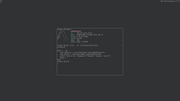
Alpine Linux ftw!

#763 Re: Desktop and Multimedia » [SOLVED] Install XFCE Style on Devuan. » 2022-06-01 13:53:13
FYI: /usr/share/themes didn't work
Well it should. What _exactly_ did you try? Please supply the download URL for the themes along with the full list of exact commands used to install the theme(s).
I don't know if that normal ?
No.
I have no idea if Xfce searches the obsolete ~/.themes location but from your post it looks like it does.
FWIW CrunchBang used to supply a compatibility symlink:
mkdir -p ~/.local/share/themes
cp -r ~/.themes/* ~/.local/share/themes/
rm -r ~/.themes
ln -s ~/.local/share/themes ~/.themes#764 Re: Off-topic » Music » 2022-06-01 13:36:50
Ragged Glory by Neil Young & Crazy Horse.
Up next:
Vulgar Display of Power by Pantera.
Rage Against the Machine's eponymous album.
Zeit by Rammstein. New out. Gosh.
#765 Re: Off-topic » Music » 2022-05-31 12:41:06
Badmotorfinger by Soundgarden. Chris Cornell's voice is just sublime. What a loss.
EDIT:
Cowboys From Hell by Pantera. Cheesy but cool.
#766 Re: Installation » [SOLVED] UFW causes errors under Chimaera » 2022-05-23 13:50:12
Starting firewall: ufw...iptables-restore v1.8.7 (nf_tables): Chain ´ufw-logging-deny´ does not exist
Error occurred at line: 75
I don't use {G,}UFW but that looks like an invalid configuration file, probably from the older version. Move the file and create a new configuration from scratch.
Unfortunately I've not found a simple nftables front-end to replace gufw
GUFW has used nftables as the backend by default since beowulf: https://www.debian.org/releases/buster/ … l#nftables
Use the alternatives system to switch between iptables & nftables: https://wiki.debian.org/nftables#Revert … cy_xtables
#767 Re: Other Issues » [SOLVED] Install Docker. » 2022-05-23 13:38:46
Not sure why this thread is marked [SOLVED] without an actual solution but Docker is available from the chimaera repositories:
# apt install docker.ioIf the daemon doesn't autostart at boot use
# update-rc.d docker defaults#768 Re: Devuan » [SOLVED] suggestion for new package » 2022-05-22 10:58:43
Was not sure about dependencies and compatibility
As long as you just install the .deb (with gdebi or whatever) then it can only be installed if the dependencies are satisfied by what is available from the Devuan repositories.
Adding the MX repositories would cause problems so don't try that.
#769 Re: Devuan » [SOLVED] suggestion for new package » 2022-05-21 17:45:40
Can you not just install the .deb from MX? Their bullseye base should be compatible with chimaera but don't add their repositories.
#770 Re: Hardware & System Configuration » Renew my ip address (dhclient not found) » 2022-05-21 17:42:23
Clearly my signature is not omnipresent enough
#771 Re: Installation » [SOLVED] Synaptic Package List Problems on devuan_beowulf_3.1.1_i386 » 2022-05-15 21:13:23
FFS Len just run these commands please:
apt update
apt upgrade
EDIT: as root.
#772 Re: Other Issues » [SOLVED] Script printout format assistance » 2022-05-15 07:44:34
Could not figure out how to get the °C after the temperature [number] print
printf '%s\t%s\n' "hd temp:" "${_drive_temp}°C"I've been a Celsius man all my life
I prefer Kelvin.
#773 Re: Installation » [SOLVED] Synaptic Package List Problems on devuan_beowulf_3.1.1_i386 » 2022-05-15 07:41:06
I don't know what else to try
I have already given the solution to your problem in my last post in this thread. Please read it and run those commands. If they do not fix your problem (after answering "yes" when asked) then please post the full terminal output from those commands. Thanks.
EDIT: this has cropped up several times before and if you had bothered to use the "Search" button you would have found the solution without having to create _another_ thread about it.
#774 Re: Installation » [SOLVED] Blank screen after netinstall of Chimaera » 2022-05-13 09:59:47
@OP: what happens if you switch to a TTY, log in as your normal (non-root) user and run startx? If that doesn't launch the graphical desktop then please post the content of ~/.local/share/xorg/Xorg.Y.log, where Y is the number of the TTY from which startx was run.
And to clarify: 13 year-old Intel integrated graphics chips do not need firmware.
#775 Re: Hardware & System Configuration » Suspend functionality not working » 2022-05-13 09:52:03
Perhaps try the backported kernel then:
# tee -a /etc/apt/sources.list <<!
deb http://deb.devuan.org/merged chimaera-backports main
!
# apt update
# apt install -t chimaera-backports linux-image-amd64Board footer
