
You are not logged in.
- Topics: Active | Unanswered
#1676 Re: Off-topic » Digital minimalism. How many applications do you use daily » 2021-03-06 14:45:30
Don't we already have an applications thread?
Anyway, here's mine:
Firefox for browsing, email & PDFs
feh for image viewing
graphicsmagick for image manipulation
Blender for 3D type stuff (with their Cycles path tracer) and also Mitsuba/Mitsuba 2 because I love rendering 3D scenes from text files
cmus for music
mpv for videos
TexLive for documents
vim & ed for editing (and yes, I do really use ed)
bemenu for starting stuff (it's a Wayland version of dmenu)
rtorrent for torrents
rsync for backups
ranger for file browsing, I use the (Korn) shell for file management (no graphical file manager)
Steam for Counter Strike (GO & Source) & Skyrim (Proton ftw!)
Warsow, UFOAI, Yamagi Quake 2 & Dungeon Crawl games (although I usually play Dungeon Crawl through the browser so I can test out the latest trunk version)
#1677 Re: Hardware & System Configuration » [RESOLVED] Weird issue with EFI updates [fix: firmware update] » 2021-03-06 08:54:48
If the firmware update doesn't fix things then try deleting all of the dump- entries:
# rm /sys/firmware/efi/efivars/dump-*#1678 Re: Installation » (Solved) Mirrors don't work » 2021-03-06 08:51:57
Fantastic news. Please edit the title of the thread (in the first post) and prepend [SOLVED] to help others who encounter this problem.
#1679 Re: Installation » (Solved) Mirrors don't work » 2021-03-05 17:24:45
Use ntp to keep the system time correct and use this to edit your sources:
# apt edit-sources^ That will perform a syntax check before saving the file (just like visudo).
#1680 Re: Hardware & System Configuration » [RESOLVED] Weird issue with EFI updates [fix: firmware update] » 2021-03-05 17:22:01
I should try to update the firmware again...
That might help (if the manufacturer has bothered to fix the problem) but it might also brick your machine. Be careful!
Shouldn't EFI make the use of the computer easier?
Lol. It would if the implementations were of a reasonable quality but apparently that hits the profit margin too much 
#1681 Re: Other Issues » What is /etc/cron.daily/apt-compat? » 2021-03-05 17:19:10
I'm assuming (hoping) that's not enabled by default
Is the unattended-upgrades package installed and if so is the service enabled?
#1682 Re: Off-topic » Operating System Backups » 2021-03-05 17:03:58
For my Debian bullseye system I have a systemd timer calling this simple rsync script every week to back up the system to the spare internal drive in my ThinkPad:
#!/usr/bin/env ksh

_date="$(date -I)"
error_log=/var/log/backup_errors-"$_date".log
uuid=ae1c7741-67e6-4919-b3d8-3d3626709ae1

function rsync_backup {
   /usr/bin/rsync -aAXq --delete --exclude={'/dev/*','/proc/*','/sys/*','/tmp/*','/run/*','/mnt/*','/media/*','/lost+found','/efi/*','/home/empty/Music/*','/home/empty/Downloads/*'} / /mnt/debian/ 2>"$error_log"
   [ -a /mnt/backup-* ] && rm /mnt/backup-*
   touch /mnt/backup-"$_date"
}

function clear_logs {
   if [ "$(stat -c %s "$error_log")" = 0 ]
   then
      rm "$error_log"
      printf 'Empty error log deleted.\n'
   else
      printf 'Errors in log, not deleting.\n'
   fi
}

printf 'Mounting backup partition...\n'
if mount /dev/disk/by-uuid/"$uuid" /mnt ; then
	printf 'Mounted backup partition.\n'
	printf 'Beginning backup...\n'
	rsync_backup
	printf 'Backup complete.\n'
else
	printf 'Backup failed, partition not mounted correctly.\n'
fi

printf 'Clearing empty error log files...\n'
clear_logs

printf 'Un-mounting backup partition...\n'
umount /mnt && printf 'Un-mounted backup partition.\n'

printf 'All done :-)\n'
I won't share the systemd .timer & .service units because I'm pretty sure nobody will find them of any use :-)
For my Alpine system I drop this script in /etc/periodic/daily/ to take a snapshot of the root filesystem every day and create a submenu listing the available snapshots in GRUB (five snapshots are kept at any one time with the excess being deleted by the script):
#!/bin/sh

PATH=/usr/sbin:/usr/bin:/sbin:/bin
time=$(date +'%Y-%m-%d@%T')
grub_dir=/boot/grub
config_file="$grub_dir"/alpine-snapshots.cfg
snapshot_dir=/snapshots
subvol_dir="$snapshot_dir"/alpine
uuid=$(findmnt -o uuid -n /)
kernel=/boot/signed-vmlinuz-lts
parameters='rw quiet modules=btrfs'
ucode=/boot/amd-ucode.img
initrd=/boot/initramfs-lts

get_snap_info() {
	snap_list=$(for snap in "$snapshot_dir"/* ; do printf '%s ' "$(basename -- "$snap")" ; done)
	snap_number=$(printf '%s\n' "$snap_list" | wc -w)
	old_snap=$(printf '%s\n' "$snap_list" | awk '{print $1}')
}

if grep -q ' / .*snapshot.*' /proc/self/mounts ; then
	printf 'Booted into snapshot, no action taken.\n'
else
	printf 'Removing old configuration file...\n'
	if [ -e "$config_file" ] ; then
		rm "$config_file"
	else
		printf 'No configuration file found.\n'
	fi
	printf 'Creating new snapshot...\n'
	btrfs subvolume snapshot / "$snapshot_dir"/"$time"
	get_snap_info
	while [ "$snap_number" -gt 5 ] ; do
		printf 'Removing excess snapshot...\n'
		btrfs subvolume delete "$snapshot_dir"/"$old_snap"
		get_snap_info
	done
	printf 'Creating new configuration file...\n'
	printf '#\n' > "$config_file"
	for entry in "$snapshot_dir"/* ; do
		ed "$config_file" > /dev/null <<!
1i
menuentry '${entry##*/}' {
	search --fs-uuid --set=root $uuid
	linux $subvol_dir/${entry##*/}$kernel root=UUID=$uuid rootflags=subvol=$subvol_dir/${entry##*/} $parameters
	initrd $subvol_dir/${entry##*/}$ucode $subvol_dir/${entry##*/}$initrd
}
.
w
!
	done
	printf 'All done!\n'
fi
Snapshots aren't really backups, as such, but I'm tracking Alpine's edge version and the ability to rollback to a prior state is very useful with a rolling release distribution. I have a similar script in my Arch box that's called by another systemd timer unit.
For the family laptop I run rsync manually to a pair of separate stand-alone hard drives. Backups for that are too important to automate...
never backup/restore a mounted partition
I always backup from a running system with all of the target partitions mounted. This is fine with rsync as long as you don't mind the stuff you're working on during the backup process not being saved.
#1683 Re: Installation » I just installed Devuan 3.1.0 Beowulf and it's cool » 2021-03-04 20:38:19
So far, I haven't even installed a firewall, so unplugged from router for now [unless installing packages].
Your router already acts as a hardware firewall (NAT) so you only need a firewall on the system if you're running any services that listen to ports.
Check for those with
# netstat -tunlpThat command is supplied by the net-tools package.
If you do need a firewall then I would recommend nftables over iptables. Devuan beowulf already uses an nftables backend for iptables by default anyway but the nftables syntax is much easier to read and write so you're probably better off just transferring over to that wholesale.
#1684 Re: Hardware & System Configuration » Strange behaviour with last version of grub » 2021-03-04 19:53:26
The grub-pc package is for non-UEFI systems but your EFI system partition suggests that is not appropriate.
Check for /sys/firmware/efi, that will only exist if you are booted in UEFI mode.
If you see the rescue prompt then that means GRUB cannot find it's modules. Use the set command to find where it is looking.
Login with root, and then update-grub... grub-install... and so on...
That's far too vague — what were the *exact* commands that you used?
I would recommend dpkg-reconfigure instead of grub-install & update-grub but the target package would depend on whether you have a UEFI system or not.
#1685 Re: Installation » Very slow wifi!! » 2021-03-04 16:45:40
I think that card would work better with the wl driver:
# apt install linux-{image,headers}-amd64 broadcom-sta-dkms
# if [ "$?" = 0 ] ; then echo 'It worked!' ; else echo 'Trying again...' ; apt install -f ; dpkg-reconfigure broadcom-sta-dkms ; fi
As an aside I'm not sure you want that "beowulf-proposed-updates" source line, it may cause problems in the future. Unless you want to help find bugs ofc.
#1686 Re: Hardware & System Configuration » [RESOLVED] Weird issue with EFI updates [fix: firmware update] » 2021-03-04 16:18:05
^ I think the error message is referring to the NVRAM contents rather than the hard drive.
@OP: you can stop GRUB from attempting to update the NVRAM entries:
# debconf-set-selections <<<'grub-efi-amd64 grub2/update_nvram boolean false'#1687 Re: Hardware & System Configuration » [RESOLVED] Weird issue with EFI updates [fix: firmware update] » 2021-03-04 05:48:28
You can delete the Pop!_OS boot entry:
# efibootmgr -b 0 -BIf you have any other unused boot entries for old operating systems delete those too.
Looks like you have a crappy, bug-ridden UEFI implementation. This is very common.
#1688 Re: Devuan » Why are systemd files present in Devuan? » 2021-03-02 15:36:46
Alpine Linux uses the dynamically-linked busybox version for /sbin/init, /bin/sh and the core utility programs that are usually supplied by GNU's coreutils package. So it should really be called Alpine busybox/Linux :-)
Static linking doesn't really work for glibc anyway, which is another advantage of musl libc.
I'll stop dragging this thread off-topic now. Sorry all.
#1689 Re: Other Issues » [SOLVED] virt-manager/qemu-kvm won't install (chimaera/ceres) » 2021-03-02 15:32:03
The /usr/bin/kvm wrapper script has been incorporated into the qemu-system-$arch packages for testing/unstable so qemu-kvm is now just a virtual package that lists qemu-system-$arch as a dependency.
@OP: what is the disposition of your sources?
apt policy
apt policy libvirt0
Have you tried
# aptitude install virt-manager^ That might find a reasonable solution if there are dependency issues.
#1690 Re: Devuan » Why are systemd files present in Devuan? » 2021-02-28 20:37:23
I’d just like to interject for a moment. What you’re refering to as Linux, is in fact, systemd/Linux, or as I’ve recently taken to calling it, systemd plus Linux. Linux is not an operating system unto itself, but rather another free component of a fully functioning systemd system made useful by the systemd corelibs, shell utilities and vital system components comprising a full OS as defined by Red Hat.
Many computer users run a modified version of the systemd system every day, without realizing it. Through a peculiar turn of events, the version of systemd which is widely used today is often called Linux, and many of its users are not aware that it is basically the systemd system, developed by the systemd project.
#1691 Re: Other Issues » spacenavd missing » 2021-02-28 11:14:02
It's actually very simple to backport a package yourself: https://wiki.debian.org/SimpleBackportCreation
#1692 Re: Devuan Derivatives » Xevuan » 2021-02-28 11:12:07
It uses tint2 instead of xfce4-panel and it has a version of jgmenu, which is a brilliant stand-alone menu system. Not sure why they don't just use the Lithium version of jgmenu though, the developer is also a BunsenLabs developer so it is very well supported in those repositories.
#1693 Re: Off-topic » A problem on my monitor » 2021-02-27 17:50:43
If it's intermittent then the problem is with the hardware (the cable and/or connector and/or monitor).
#1694 Re: Devuan Derivatives » Xevuan » 2021-02-27 17:49:31
They're using xfce4-session v4.12.1-6 (ie, the stock Devuan beowulf version).
#1695 Re: Devuan Derivatives » Xevuan » 2021-02-27 16:53:26
It seems to use the Debian curses installer with a preseed. The developers really should supply their source code, I'm pretty sure it's a GPL violation not to. But then BunsenLabs also hides it's live-build configuration. Grrr.
#1696 Re: Devuan Derivatives » Xevuan » 2021-02-27 15:01:13
So it's using Xfce but with tint2 as the panel and jgmenu for the menu:
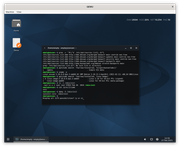
The jgmenu package is taken from BunsenLabs' stretch-backports repository, which is a bit of a strange choice, and the backported kernel is used, which will expose the system to known vulnerabilities for longer that most would consider prudent.
The website is decidedly minimal but won't show anything without javascript enabled and there is no live image yet (I had to install the system to test it). The "source code" is available from the GitHub site but it just contains the README.md & LICENCE files, which is a shame because I would have liked to see the live image configuration.
The installer offered a choice of init system — sysvinit, openrc (as a service manager with sysvinit as PID1) or runit — but my test shows sysvinit even though I requested runit. I should probably report that as a bug...
#1697 Re: Off-topic » A problem on my monitor » 2021-02-27 14:17:00
Test with a live ISO image to eliminate mis-configuration as the source of the problem.
#1698 Re: Desktop and Multimedia » Packages in Synaptic that are 'Held Back' (how to fix that?) » 2021-02-26 18:41:17
I cannot login to Synaptic; I can launch it from the Terminal (root login with sudo, and those two held packages are now released, so I updated), but the Desktop menu link does not work.
See http://forums.debian.net/viewtopic.php?f=10&t=148806 & http://forums.debian.net/viewtopic.php?f=6&t=148829
#1699 Re: Desktop and Multimedia » PulseAudio always resets to mute » 2021-02-26 06:06:47
what is your opinion of PipeWire?
I quite like it because it provides a unified management stream for both audio and video under Wayland and it's 100% ABI compatible with both Jack and PulseAudio. But then I also like GNOME and Wayland so...
#1700 Re: Hardware & System Configuration » Graphic on a Thinkpad with NVidia card » 2021-02-26 06:02:24
I found this instruction
The Debian wiki has a Bumblebee page with the same instructions but you don't have to wade through a swamp of adverts & javascript to read that.
I'm not entirely sure if I want that or rather have the nvidia card running all graphic all the time.
Check the firmware ("BIOS") options, there may be a setting to change from "Hybrid" to "Discrete" for the NVIDIA card. Try looking under Config → Display → Graphics Device.
See https://download.lenovo.com/pccbbs/mobi … r_v1.0.pdf & https://download.lenovo.com/pccbbs/mobi … n_v1.0.pdf for some examples.
Board footer
