
You are not logged in.
- Topics: Active | Unanswered
#1476 Re: Devuan » Meet Chimaera's deepsea theme » 2021-03-28 23:15:13
The fix is in compliments of ToZ on the Xfce forum. The hilighting is now semi-transparent as it used to be. Either resort to self-help with the patch below or wait for the deepsea theme to get repackaged:
Starting line 158 of gtk-widgets,css, add a ".thunar .rubberband" statement:
.rubberband,
.thunar .rubberband,
view rubberband,
rubberband {
	background-color: alpha (@theme_selected_bg_color, 0.35);
	border-color: @theme_selected_bg_color;
	border-style: solid;
	border-width: 1px;
	border-radius: 2px;
}
#1477 Re: Devuan » Meet Chimaera's deepsea theme » 2021-03-28 02:03:45
Hi golinux,
I've been using the Chimaera theme for about a week now, and I really like it. But I just noticed a small glitch - on the MATE Desktop, the selection rectangle is an opaque solid white instead of translucent blue, covering up whatever it is one is trying to select. I guess I don't make group selections of things on the desktop very often, because I just noticed this yesterday :-) Anyway, thought you ought to know.
@sgage . . . thanks for reporting this. I have poked it a bit and discovered it also happens on all the clearlooks-phenix themes - including the original - on xfce beowulf too yet it works as expected on ascii even though the styling is identical. If I can't figure it out, I will post to the xfce forum to help me sort it. Stay tuned . . .
#1478 Re: Devuan » Meet Chimaera's deepsea theme » 2021-03-26 20:30:06
Thanks fsmithred! Screenshot added to first post of this thread.
#1479 Re: Hardware & System Configuration » [SOLVED] Unmet dependencies with minimal-live image » 2021-03-24 21:17:26
There is also a netboot mini.iso that might work better for you. The minimal-live is a "full-featured, console-based recovery tool with a focus on accessibility for visually-impaired and blind users". Perhaps that is why some of the xorg stuff is not cooperating.
#1480 Re: Devuan » Meet Chimaera's deepsea theme » 2021-03-20 23:47:40
I use this to update/upgrade grub backgrounds...
Editing the /etc/default/grub file to reflect the name of the pic...
(I just use the largest pic I can find.)
#restore grub modifier files
rsync -avh /home/glenn/local/other/backup/backup-etc-sys/etc/default/grub /etc/default/
chown root:root /etc/default/grub
chmod a+rx /etc/default/grub

rsync -avh /home/glenn/local/other/backup/backup-etc-sys/boot/grub/*.png /boot/grub/
update-grub
I hope this gives someone an idea of the locations used.
Devuan's grub theme is much more than a background. That is only one small part.
All the necessary changes to manually use parts of the chimaera theme happen in /usr/share/ as described in the post above this one. I should have posted in reverse order. Sorry about that.
#1481 Re: Devuan » Meet Chimaera's deepsea theme » 2021-03-20 23:43:30
All the locations are described in the beowulf thread.
All the files have now been uploaded to gitea
I have been using a set of older "mist" icons but thinking I may recolor a set so stay tuned
#1482 Re: Devuan » Meet Chimaera's deepsea theme » 2021-03-20 20:49:02
golinux wrote:zapper wrote:I am surprised, but your theme for some reason is growing on me a little bit.
I dunno why, but it looks better than I thought before.
Thanks for noticing. berni51's timely interest in the theme was sufficient motivation for me to finally get my act together. Also, I like to live with a theme for a while to make sure the colors are just right. I can obsess about one increment in a hex for days! I think that there have been 3 iterations presented in the first post. The first 2 obviously didn't pass the long-term test. Maybe that's why you like this version better.
Hi golinux - When will the deepsea packages be in the repo? Or are they tucked away somewhere where I can get at 'em? I've been making do with a 'your-way-deepsea' png pressed into service for grub and lightdm :-) I'd love to have the genuine articles. Such a soothing deepsea vibe... and I know it's not just by accident - I really appreciate your time and effort and caring, and your subtle perception of colors. Many thanks!

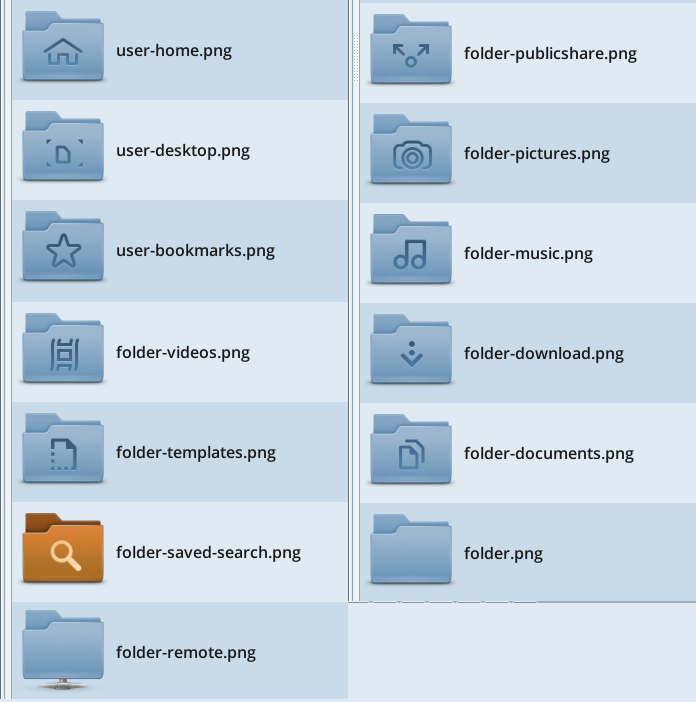
It's really nice to know that not everyone changes the default desktop first thing after installing.  I'll try to get the files posted soon and share the links here. Packaging will come later so the files will have to be copied to the appropriate places in /usr/share/themes/ and pointed to manually in settings etc. .
#1483 Re: Devuan » Meet Chimaera's deepsea theme » 2021-03-20 17:02:37
I am surprised, but your theme for some reason is growing on me a little bit.
I dunno why, but it looks better than I thought before.
Thanks for noticing. berni51's timely interest in the theme was sufficient motivation for me to finally get my act together. Also, I like to live with a theme for a while to make sure the colors are just right. I can obsess about one increment in a hex for days! I think that there have been 3 iterations presented in the first post. The first 2 obviously didn't pass the long-term test. Maybe that's why you like this version better.
#1484 Re: Other Issues » [SOLVED] Need a lil coding help with an extension (shell script), openbox/pcman » 2021-03-18 21:35:49
Welcome home, greenjeans!!
#1485 Re: Installation » Cannot add ppa » 2021-03-18 16:45:03
Just use Devuan repos until you understand what you are doing. Trying to make it something that it is not . . . well . . . what's the point of that exactly?
#1486 Re: Devuan » Meet Chimaera's deepsea theme » 2021-03-16 20:30:34
Everything is relative. If you want to play that game . . . . I have completed nearly eight decades on this rock hurtling through space . . .
I see that you are using one of Josh's offerings. Good that they are being put to good use. You could also have gotten the chimaera backgrounds from Devuan's git. The theme isn't packaged yet - I still need to double-check a few things - but is only an email away.
#1487 Re: Devuan » Meet Chimaera's deepsea theme » 2021-03-15 16:58:16
Why that? Is it too tricky and complicated or are you tired of the discussions & nagging?
The short answer is old age. The mental gymnastics and long hours are just too demanding. Also am I weary of behaving for the machine and long for simpler times and the natural world (what little is left of it).
#1488 Re: Devuan » Meet Chimaera's deepsea theme » 2021-03-15 03:08:26
#1489 Re: Devuan Derivatives » Michaels Devuan Edition *Update* » 2021-03-14 19:49:09
Thanks for taking the time to do that. Still a little low for me but I could get the general drift of it. Might be my old ears.  Impressive customization! Your innovative contributions to Devuan are much appreciated.
#1490 Re: Devuan Derivatives » Michaels Devuan Edition *Update* » 2021-03-14 16:03:37
Alas . . . too soft even to identify the language when all my controls are maxed out. 
#1491 Re: Desktop and Multimedia » (beowulf) gtk3 needed! » 2021-03-13 21:01:06
IIRC the OPs should be able to mark their own threads as solved once the edit window has expired. That was the whole point of adding that feature. Of course, admins can see and use it too.
#1492 Re: Installation » [SOLVED] Dual monitor VM issues with VirtualBox on 3.1.0 » 2021-03-12 07:59:12
That's really good news! You did not specify which iso you used. If you used the minimal-live (which sounds like a good idea) you missed the description on the download page:
A full-featured, console-based recovery tool with a focus on accessibility for visually-impaired and blind users.
We made a special effort to serve that community which is a good thing. In any case, really happy that it worked out for you. I will mark this as solved then.
#1493 Re: Installation » [SOLVED] Dual monitor VM issues with VirtualBox on 3.1.0 » 2021-03-12 05:18:50
#1494 Re: Hardware & System Configuration » [SOLVED] Backup entire installed Beowulf w/software + configs + /home? » 2021-03-12 04:25:32
There is a typo in there. You omitted a space:
.iso> /dev/sdbshould be
.iso > /dev/sdbThat may or may not fix things but give it a try.
#1495 Re: Other Issues » (Answered) Devuan Icon? » 2021-03-12 03:12:57
#1496 Re: Desktop and Multimedia » (beowulf) gtk3 needed! » 2021-03-11 16:23:26
(please mark solved)
There is a button for you to do that!
#1497 Re: Devuan Derivatives » Save me from having to distro hop......[SOLVED sort of] » 2021-03-11 16:21:39
Then please mark this thread as "solved". There's even a button to do that.
#1498 Re: Other Issues » [Solved] Dev1Galaxy Login Problem (Palemoon) » 2021-03-10 19:29:18
Excellent. Please mark this thread as solved.
#1499 Re: Installation » [Closed] Several problems installing 3.1.0 » 2021-03-09 20:26:31
It is a known issue being discussed on dng mail list and elsewhere in this forum. (Too lazy to search)
#1500 Re: Other Issues » [Solved] Dev1Galaxy Login Problem (Palemoon) » 2021-03-09 18:29:12
I use palemoon to access this forum but then I am always logged in with a window open. Have you cleared cookies, cache and history? That might be a good place to start.
Board footer
