
You are not logged in.
- Topics: Active | Unanswered
Pages: 1
#1 Re: Other Issues » minecraft on devuan? » 2026-03-28 05:23:15
The easiest way to run Minecraft is without installing any .deb package or Java.
Download from the official Minecraft website: Minecraft.tar.gz
It is available under the name "Other Distributions"
https://www.minecraft.net/en-us/download
Extract it to the $HOME/.minecraft directory:
mkdir $HOME/.minecraft
tar xzf ~/Downloads/Minecraft.tar.gz -C ~/.minecraft
Run it with:
${HOME}/.minecraft/minecraft-launcher/minecraft-launcher
You can also add this command to a script in your user directory, for example: .local/bin/run_Minecraft.sh
It's also useful to install gnome-keyring, then there are no issues with logging in.
By the way, Minecraft is paid and requires an Outlook.com account. Without it, you wont be able to play.
#3 Re: Devuan » Age Verification » 2026-03-27 15:43:25
According to the CachyOS forum admin, a ‘radical’ is someone who opposes politicians interfering with the Linux source code 
"CachyOS Censors "Radicals" Opposed to Age Verification"
-- The Lunduke Journal
#4 Re: Devuan » Age Verification » 2026-03-26 13:02:33
So Linux users are expected to go into hiding, rely on encrypted networks on the Dark Net, and accept being social outcasts, while developers who devote their private time to creating programs under the GNU license will be treated as criminals facing massive fines… Maybe that’s what the bureaucrats want?
#5 Re: Devuan » Age Verification » 2026-03-26 08:05:20
If I were in the place of bureaucrats, instead of resorting to intimidation, I would introduce substantial grants for distributions that implement verification. For the EU or the USA, one million dollars per year per distribution is a negligible amount. It would be interesting to see how many developers would still oppose it then.
#6 Re: Devuan » systemd and age verification » 2026-03-25 15:21:50
I honestly wouldn`t be surprised if all the data - including document scans - ended up in the hands of Indian scammers. We had a scandal like that in my country. Several MPs on an investigative committee, testified that they had seen DVDs containing data copied from the largest national census. But no one could explain what happened to those discs or where they ended up.
#7 Re: Devuan » systemd and age verification » 2026-03-25 07:49:47
Officials are not really concerned with storing someone's age in the system database, but rather with verifying it, and that is only possible by submitting an ID card to some government server. A system similar to those used by banks.

#8 Re: Devuan » Age Verification » 2026-03-24 18:45:58
The tactic of small steps. First the date of birth, and then the remaining changes, including requiring ID to start the system.
I wonder what the legal status will be of Linux distributions that don't comply. Will using them be considered a crime, and will developers be pursued with arrest warrants?
As for Devuan, I know it removed systemd. I use Devuan and Arch Linux - but I'm planning to replace the latter with Artix or Void Linux. From alternative init systems, I'm interested in runit. Its supposedly fast and lightweight.
#9 Re: Devuan » Age Verification » 2026-03-23 23:11:02
I've heard that verification is gradually being introduced into systemd. While it can be bypassed using the root account, it's not practical to run KDE Plasma or GNOME as root. Apparently, major desktop environments are difficult to separate from systemd. Fortunately, I only use lightweight WM. In any case, it may be time to move away from systemd.
Stallman warned about this a long time ago.
https://youtu.be/9sJUDx7iEJw?si=tjNF5hNIfCOMDcP2&t=10
#10 Re: Installation » [SOLVED] Brother MFC-L2690DW » 2026-03-21 18:02:34
The printer should be connected to the Wi-Fi router - the same one your computer (from which you want to print) is connected to - so that both are on the same Wi-Fi network. The printer's manual should explain how to do this. Another option is to connect the printer directly to the computer using a USB cable.
You need to install CUPS.
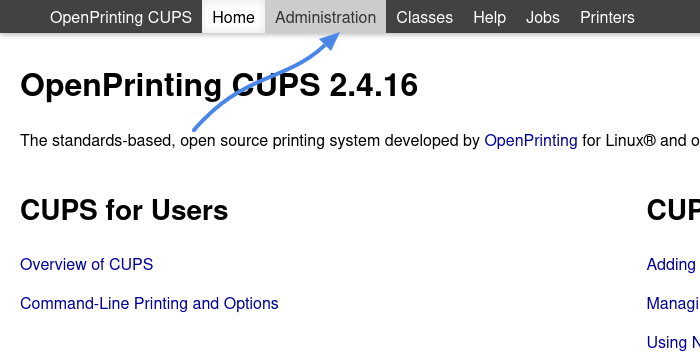
Go to: http://localhost:631
Click: Administration (it will ask for the root password)
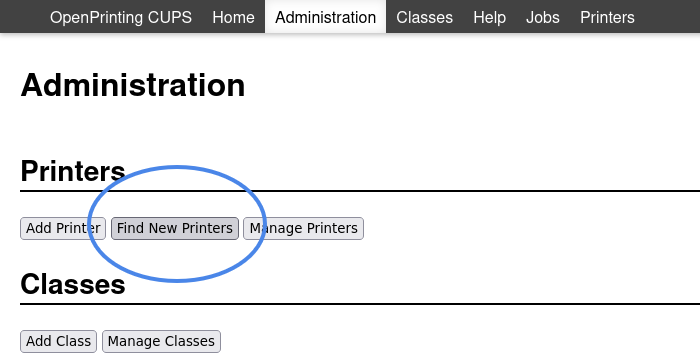
Click: Find New Printers
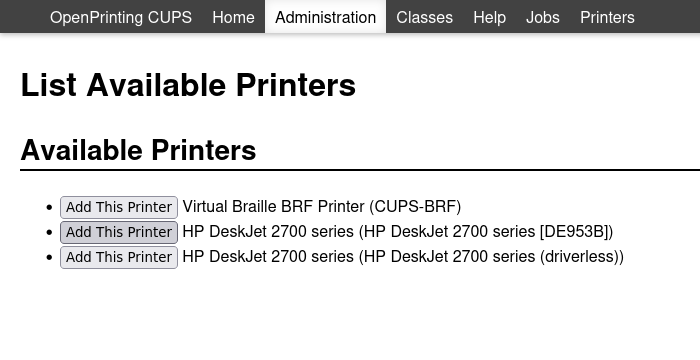
CUPS will start listening for printers that announce themselves on the network and, after a moment, will display them.
Then add the printer and configure it (also within CUPS)
#11 Re: Desktop and Multimedia » Linux Audio for the hard of hearing » 2026-03-20 18:47:14
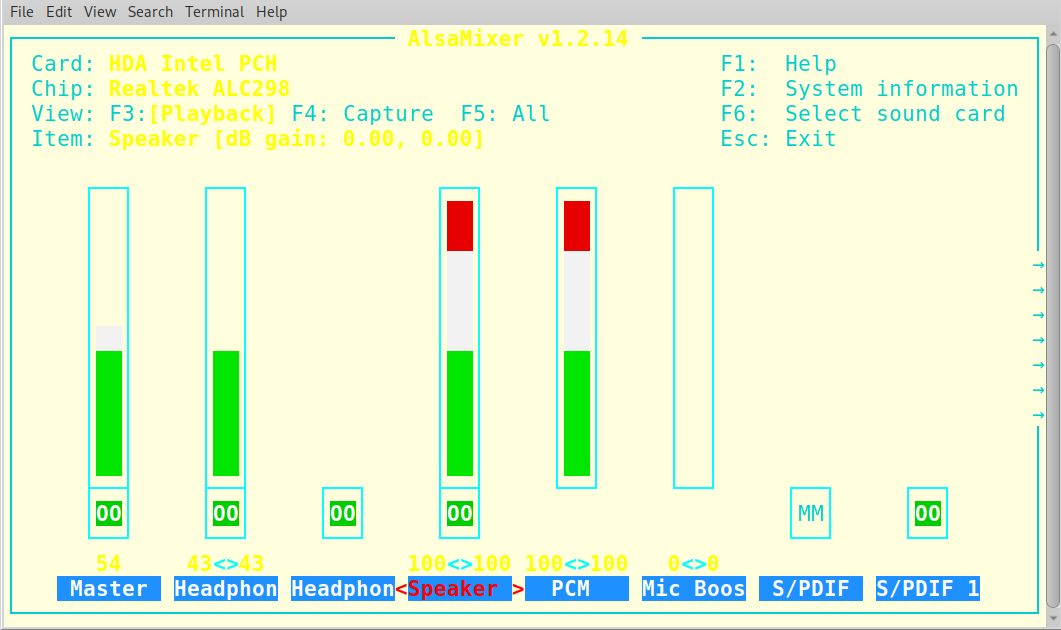
For me, it was enough to increase the speaker volume. The alsamixer command
#12 Re: Off-topic » Show your desktop (rebooted) » 2026-03-20 18:36:25
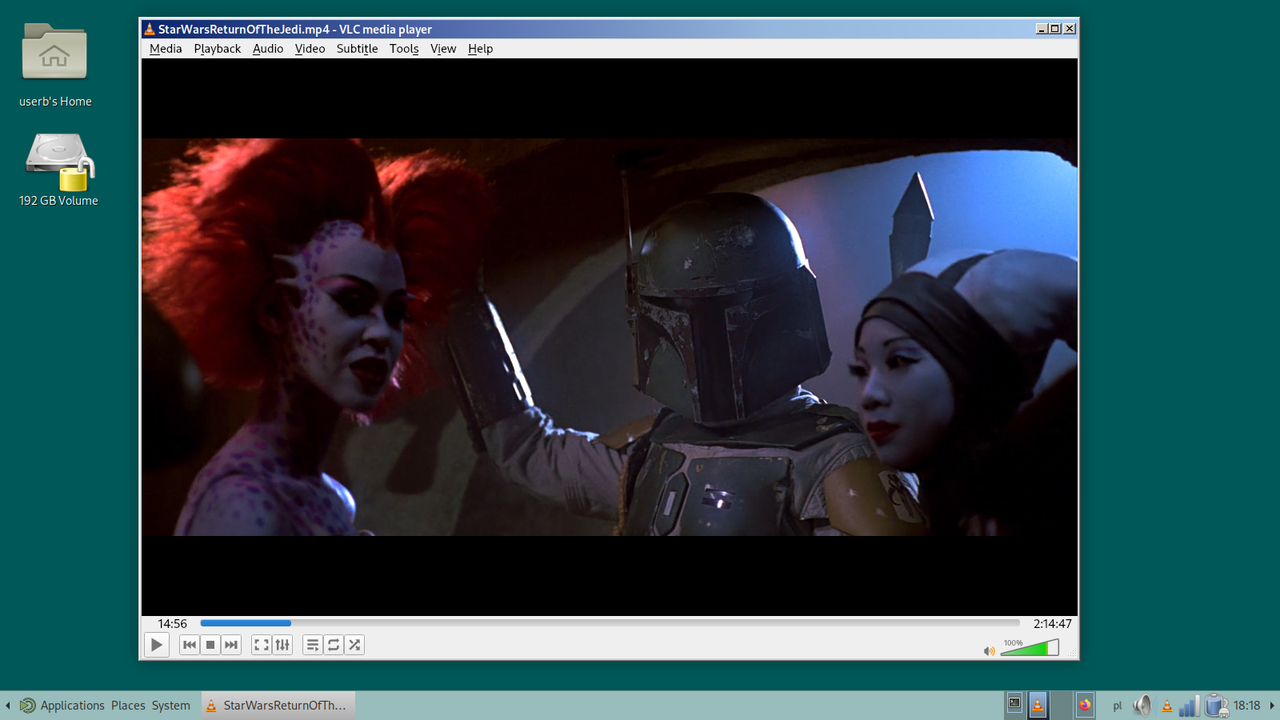
Pages: 1
Board footer
