
You are not logged in.
- Topics: Active | Unanswered
#1101 Re: Other Issues » [SOLVED] youtube-dl upgrade problem » 2022-01-08 17:40:05
that is how it is listed on the websites
No it isn't. Read the site you have linked again — it installs the script to /usr/local/bin/, which would need sudo, but you have installed it to ~/.local/bin/, which does not need sudo.
I never had a problem using either of them.
Well no, there would be no "problem" using
sudo ls ~but it's completely pointless and unnecessary because
ls ~works just as well.
#1102 Re: Other Issues » [SOLVED] youtube-dl upgrade problem » 2022-01-08 14:31:53
@Ron: you shouldn't use sudo to download stuff into your home directory. If you didn't use sudo with wget then you wouldn't need to use it with chmod either. Never use elevated privileges unless you have to.
See also https://en.wikipedia.org/wiki/Principle … _privilege
#1103 Re: Installation » Devuan takes a long time to start up » 2022-01-08 14:23:02
There was the old bootchart2 package but it was replaced with a version that uses systemd-analyze plot.
The .deb is installable in chimaera but the related pybootchartgui package is not (because the Python dependencies cannot be satisfied).
To install that clone the upstream git repository:
git clone https://github.com/xrmx/bootchart
cd bootchart
make
Then run
./pybootchartgui.pyOnce the bootchard tarball is created (see below).
To run bootchard append these kernel parameters:
initcall_debug printk.time=y init=/sbin/bootchartdThen check /var/log/bootchart.tgz, which is a tarball containing all the log files.
#1104 Re: Off-topic » Show your desktop (rebooted) » 2022-01-08 12:24:56
Got bored of GNOME, back to sway:
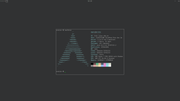
Wallpapers are bloat!
#1105 Re: Installation » Devuan takes a long time to start up » 2022-01-08 12:04:43
I have a feeling, I'm just a beginner, that it must be something to do with the Grub.
What makes you think that? What do you actually see during the boot process? Where exactly is the delay experienced?
Unfortunately I have no idea how to debug boot delays under sysvinit. I don't know of any equivalent for systemd-analyze, which can be tremendously useful for this sort of thing, as can the systemd journal.
Perhaps check /var/log/syslog to see if there are any clues there.
#1106 Re: Documentation » wrong localization » 2022-01-08 11:59:37
To change the system locale & timezone run
# dpkg-reconfigure locales tzdataIf the system clock itself is wrong use
# apt install ntp update-rc.d
# update-rc.d ntp defaults
# /etc/init.d/ntp start && sleep 10
# hwclock --systohc
EDIT: the above code block presumes that Windows is not also installed. If Windows is installed than make that use a sensible time standard:
https://wiki.archlinux.org/title/System … ft_Windows
Ubuntu and various random crappy interweb sites seem to recommend disabling UTC in GNU/Linux systems but that's stupid advice. Make Windows use UTC instead.
#1107 Re: Documentation » how to increase the size of texts in (l)xterm through the command » 2022-01-08 11:53:56
Use ~/.Xresources to set the text size in xterm.
Here's my font configuration:
*vt100.faceName: mono:size=11See the RESOURCES section of man xterm for a full list of options.
Or use this:
xterm -fa mono:size=11It would not be appropriate to apply this option to x-terminal-emulator because it would break if that alternative was changed to point to a different emulator.
#1108 Re: Off-topic » Happy Holidays & Merry Christmas » 2022-01-08 11:44:31
Head_on_a_Stick wrote:... as has Einstein's theory of General Relativity.
Interesting paper, here's the full version: https://www.researchgate.net/publicatio … Relativity
With related discussion here: https://www.researchgate.net/post/Chall … oretically
But anyway Relativity was already known to be an incomplete theory because of stuff like the twin paradox and the Bell inequalities.
#1109 Re: Other Issues » [SOLVED] youtube-dl upgrade problem » 2022-01-08 11:39:30
So how to fix?
There's nothing to fix. The package version will never change because that's how Devuan releases work.
The youtube-dl version has been updated by pip and is stored under /usr/local/bin/, confirm this for yourself with
which youtube-dlThen try
# pip3 uninstall youtube-dl
which youtube-dl
youtube-dl --version
It isn't recommended to mix APT python packages with pip but in this case youtube-dl has to change regularly because YouTube modify their APIs to try and stop them and pip doesn't need any other dependencies for this package so it shouldn't wreck any system Python packages. Just don't make a habit of it 
Obligatory xkcd link: https://xkcd.com/1987/
#1110 Re: Installation » xorg start only as super user! why? » 2022-01-07 16:00:53
The OP should have elogind installed. I installed the exact same list of packages in my VM and elogind is there. Good point about KMS though.
@oui: what is your graphics hardware?
#1111 Re: Installation » xorg start only as super user! why? » 2022-01-07 15:05:58
OpenBSD can also run startx as the normal user. But xenodm(1) is recommended for that operating system.
#1112 Re: Other Issues » Escaping the Kiosk » 2022-01-07 13:23:17
Is EXT4 a good FS for storing large amounts of data?
I don't have the expertise to answer that directly but XFS was expressly designed for large storage and can deal with larger devices than ext4. Red Hat (RHEL) defaults to XFS as their filesystem.
Does EXT4 have defrag?
See e4defrag(8) (as noted by zephyr).
Does any *ix FS have defrag?
https://wiki.archlinux.org/title/btrfs#Defragmentation
Does anyone with experience moving their 'lives' from the MS Kiosk to something else have any thoughts?
Steam Play & Proton has let me dump MS completely now but I only use my laptop for recreational purposes.
rolfie wrote:I run mine with ext4. Some specialists claim that zfs may be better.
Oh, but it is
Only if you don't mind the ridiculous memory usage. Have you tried it with de-duplication enabled? 
#1113 Re: Installation » chimaera update firefox broken/ linux-image not updated » 2022-01-07 13:09:12
chimaera-updates only holds "point release to be" packages for chimaera
Yes and my point was that Debian have now released v11.2 of bullseye so there should be corresponding packages in https://pkgmaster.devuan.org/merged/dis … ates/main/ but it seems to be empty.
Compare the sizes of Packages.xz in Debian (2.5K) to Devuan (32 bytes: it is an empty file). That doesn't look right to me. But perhaps I'm missing something obvious, in which case my apologies for the noise.
@OP: sorry for the off-topic diversion.
#1114 Re: Hardware & System Configuration » AMDGPU-PRO for hardware accelleration/ Devuan 4.0 » 2022-01-07 13:02:18
sorry, but i find the information confusioning,
The rocm package is not available yet. It might be available in the future.
#1115 Re: Installation » xorg start only as super user! why? » 2022-01-07 12:54:24
startx need root permissions to start X.
^ This is not correct. Running startx as a normal user is better than using LightDM or SLiM because it runs X under the normal user. See https://www.debian.org/releases/stretch … uires-root for the Debian stretch release announcement that states this unequivocally.
xinitX starts willing
I've just installed Devuan daedalus in a VM using the devuan_daedalus_5.0.preview-20220103_i386_netinstall.iso image and that command does not work for my user. I need to run this from TTY1 to avoid a permissions error:
xinit -- vt1However startx works just fine and starts an X session with xterm.
I think you are confused and have posted a problem about the wrong command...
And just to note:
nano /etc/sudoers
Don't do that, you can completely break your system with a single typo.
Use this instead:
SUDO_EDITOR=nano visudo^ That will check the file before saving it.
#1116 Re: Installation » chimaera update firefox broken/ linux-image not updated » 2022-01-01 13:41:53
Thanks aitor but both the Contents-* & Packages.{xz,gz} files are all empty for chimaera-updates, which is not the case for the same files in beowulf-updates.
#1117 Re: Installation » chimaera update firefox broken/ linux-image not updated » 2022-01-01 12:58:00
Yes indeed, sorry Ralph I was getting confused there.
If I navigate to https://pkgmaster.devuan.org/devuan/dis … ates/main/ I can't see any Contents-* files and the Packages.{gz,xz} files at https://pkgmaster.devuan.org/devuan/dis … ary-amd64/ are completely empty.
Is there a problem with Amprolla?
#1118 Re: Installation » chimaera update firefox broken/ linux-image not updated » 2022-01-01 11:02:10
Do you see the InRelease lines for chimaera-updates in the output of apt update?
Is firefox-esr still broken in respect of the fluxbox windows?
@ralph.ronnquist: I can't navigate to https://deb.devuan.org/devuan in my browser because FF (non-ESR v95) claims "it uses a certificate that is not valid for deb.devuan.org. The certificate is only valid for search.stinpriza.org" — is this a misconfiguration of the site?
#1119 Re: Installation » chimaera update firefox broken/ linux-image not updated » 2021-12-31 21:59:58
Well APT wasn't aware of those sources in your last post 
Did you try apt update && apt full-upgrade (as root)? You should see references to all the components of the chimaera, chimaera-updates and chimaera-security repositories in the output of the first command.
#1120 Re: Installation » chimaera update firefox broken/ linux-image not updated » 2021-12-31 18:39:11
^ Thanks!
And I using the lack of code tags as my excuse for not spotting the missing repositories 
#1121 Re: Installation » chimaera update firefox broken/ linux-image not updated » 2021-12-31 17:45:34
Those sources seem fine.
What happens when you run
# apt update
# apt full-upgrade
If there are any problems with the second command post the output here in full. Please use code tags when posting terminal output (as I have above), they greatly aid readability.
EDIT: hold on, where's your chimaera-updates?
You should have this line in /etc/apt/sources.list:
deb http://deb.devuan.org/merged chimaera-updates main contrib non-freeIf it's not there add it and apt update && apt upgrade again.
EDIT2: and you should probably also add contrib non-free to the chimaera-security line, just in case.
#1122 Re: Installation » chimaera update firefox broken/ linux-image not updated » 2021-12-31 17:15:34
Please post the output of
apt policy#1123 Re: Hardware & System Configuration » AMDGPU-PRO for hardware accelleration/ Devuan 4.0 » 2021-12-31 17:11:12
Read the link.
#1124 Re: Other Issues » [SOLVED] Installing Tor » 2021-12-31 10:55:17
even if I don't use Tor's repo's, it still fails to install for the same reason
Please post the full output of
apt policy
apt install -s tor#1125 Re: Other Issues » [SOLVED] Installing Tor » 2021-12-31 10:21:05
There is a tor package available from the Devuan repositories so why don't you just use that?
Board footer
