
You are not logged in.
- Topics: Active | Unanswered
#2251 Re: Installation » Devuan Chimaer as guest on Virtualbox: any known issues? » 2020-07-27 17:12:11
but the other alternative I have on Windows is hyper-v of M$
QEMU is available for Windows: https://www.qemu.org/2017/11/22/haxm-usage-windows/
#2252 Re: Installation » Devuan Chimaer as guest on Virtualbox: any known issues? » 2020-07-26 11:45:08
Are there any known issues of which I am unaware?
VirtualBox is a buggy pile of shite which is slower than QEMU/KVM and the developers have a tendency of covering up and ignoring security issues.
See also https://bugs.debian.org/cgi-bin/bugrepo … bug=794466
And it relies on blobs.
#2253 Re: Devuan » Stupid question about Devuan Testing and Debian Testing » 2020-07-26 11:43:05
my system is recognized as BOTH Testing and Unstable
That information is drawn from the base-files package, which doesn't have separate versions for testing and unstable so both are referenced in /etc/debian_version.
#2254 Re: Documentation » HOWTO: Install the best calculator for programmers - ycalc » 2020-07-26 11:33:30
Since Ycalc is not packaged, we need to build it from source
No, we need to package it up 
I've built versions for stable, testing & unstable in various architectures:
https://software.opensuse.org//download … =ycalc-mob
They were built in Debian containers but should be fully compatible with Devuan, probably best to just grab the .deb package and install that — the software is ancient and unlikely to be updated.
EDIT: updated to v1.09.1-2 with added man page 
#2255 Re: Devuan » Thanks Devuan Developers » 2020-07-22 20:16:02
Sarcastic joke removed
I liked that joke, it was funny 
Thanks very much Devuan developers!
+1
#2256 Re: Installation » [IDEAS] Rollback system in Devuan » 2020-07-22 20:13:32
I would like to use Devuan as rolling distro
If you want to use a rolling release distribution then install a rolling release distribution. Devuan is not a rolling release distribution — chimera & ceres are development branches, the only release is the stable branch.
But if you want to use the development branches then I would recommend btrfs (or zfs if you don't mind the dirty licence and fiddly installation) combined with full system backups to a different filesystem (I use xfs for that) just in case btrfs breaks.
FWIW I've been using btrfs on the family laptop for several years with no problems at all. It has a completely drained battery and has suffered literally hundreds of hard resets with absolutely no filesystem corruption whatsoever.
#2257 Re: Installation » Configuring fiber network interface » 2020-07-22 20:08:08
I think the issue can be in the configuration file in /etc/network/interfaces but I cannot understand exactly which one can be...
We cannot help you unless you show us the contents of the configuration file.
Please also post the full output of
ip linkif fiber has a different configuration
No.
#2258 Re: Installation » Difference between ASCII and Beowolf » 2020-07-21 17:38:41
Sadly I have to install Pulseaudio on both system as Firefox audio refused to work
Are you using the firefox-esr package from the Devuan repositories? That version is compiled with the --enable-alsa option and so will provide audio without PA.
Is this variable XDG_RUNTIME_DIR supposed to be set? If so where is this set (in both ASCII and Beowolf)
XDG_RUNTIME_DIR is set automatically by systemd in Debian buster: https://www.freedesktop.org/software/sy … stemd.html
I am not sure I place the config in the correct place
~/.xsessionrc should work fine but /etc/environment (or a file under /etc/environment.d/) would probably be better.
EDIT: For my Alpine Linux system I use this stanza in ~/.profile:
if test -z "${XDG_RUNTIME_DIR}"; then
   export XDG_RUNTIME_DIR="/tmp/$(id -u)-runtime-dir"
   if ! test -d "${XDG_RUNTIME_DIR}"; then
      mkdir "${XDG_RUNTIME_DIR}"
      chmod 0700 "${XDG_RUNTIME_DIR}"
   fi
fi#2259 Re: DIY » [HowTo] runit-init as PID1 » 2020-07-21 17:30:57
This permission issue is new to me but is bad enough that I need to double check if this can be reproduced in Debian
I can confirm that the user needs to be added to the input group to get the keyboard &c working in Debian buster if an alternative init system is used. I've tested with runit-init, sysvinit and openrc-init as PID1.
I'm not surprised that Xorg is not working with runit, without elogind or any other means that gives permission on input devices to your user
In my test elogind was installed and the elogin-daemon process was running.
#2260 Re: Other Issues » Update not possible because of repository problem » 2020-07-20 19:37:16
Sorry for the french speaking terminal
Make it speak English with
# LC_ALL=C apt-get updateAnd if you use this instead then it will ask for confirmation then continue with the update:
# apt update#2261 Re: Hardware & System Configuration » BCM4312 on a old Acer AO751h » 2020-07-20 18:13:42
apt-get install linux-image-$(uname -r|sed 's,[^-]*-[^-]*-,,') linux-headers-$(uname -r|sed 's,[^-]*-[^-]*-,,') broadcom-sta-dkms
Easier technique:
# apt install module-assistant
# m-a prepare
# apt install broadcom-sta-dkms#2262 Re: Installation » Devuan ascii 2.1 - 'Kept back' packages » 2020-07-20 18:03:10
The kernel & headers metapackages need to install new versions of their dependencies so use either
sudo apt-get dist-upgradeor
sudo apt-get upgrade --with-new-pkgs#2263 Re: Off-topic » Show your desktop (rebooted) » 2020-07-19 13:02:47
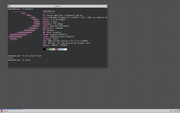
#2264 Re: DIY » [HowTo] runit-init as PID1 » 2020-07-19 11:58:35
using a dm is a must when switching to runit (to avoid problems that needs manual changes otherwise).
Yes, I've just confirmed that — the user must be in the input group if a display manager isn't used.
I've added a note to the OP.
#2265 Re: Other Issues » File /etc/protocols not found!!! » 2020-07-19 11:30:00
I do beg your pardon, re-installing the package does not replace /etc/protocols if it has been removed.
Try
apt download netbase
dpkg -x netbase*.deb .
# mv etc/protocols /etc
I've just installed a fresh Devuan beowulf system and /etc/protocols was present and correct so this is almost certainly a PEBKAC issue.
#2266 Re: Off-topic » New forum member » 2020-07-19 10:11:54
To edit system files with a GUI use the GVFS admin:// backend:
gedit admin:///full/path/to/file^ That opens the GUI as the normal user and only invokes root privileges to actually save the file.
#2267 Re: Other Issues » File /etc/protocols not found!!! » 2020-07-19 10:07:58
$ dpkg -L netbase
/.
/etc
/etc/protocols
/etc/rpc
/etc/services
/usr
/usr/share
/usr/share/doc
/usr/share/doc/netbase
/usr/share/doc/netbase/changelog.gz
/usr/share/doc/netbase/copyright
$ apt-file search /etc/protocols
netbase: /etc/protocols
$
It's right there.
#2268 Re: Devuan » Stupid question about Devuan Testing and Debian Testing » 2020-07-19 10:04:39
I assume you are using ceres.
Erm, no. I'm using Alpine Linux at the moment because I prefer a more minimal system.
I ran Debian Sid and enjoyed it, even with the occasional problem
I used to run sid (briefly) and any problems were usually fixed pretty quickly by package updates. The problem with testing is the mandatory transition delay from unstable which means that if anything is broken then it can stay broken for a while.
#2269 Re: Off-topic » What other distro are you using (besides devuan)? » 2020-07-19 09:59:55
Do you have a guide/blog post describing how you did all these?
Sure: https://forum.archlabslinux.com/t/alpin … al/1705/12
I use this line at the end of ~/.profile to launch sway automatically after login to TTY1:
[ "$(tty)" = /dev/tty1 ] && exec swayThe sway developer (Drew DeVault) is also an Alpine Linux developer so it is *very* well supported.
I prefer to run a rootless desktop so I also install the elogind package and disable the setuid bit on the sway binary:
# chmod u-s /usr/bin/swayThen enable elogind:
# rc-update add elogind#2270 Re: DIY » [HowTo] runit-init as PID1 » 2020-07-18 15:06:14
Your problems must be due to changes in testing because neither I nor anybody else in this thread has experienced them with beowulf.
As I mentioned earlier it would probably be best to open a new thread about this so that we can dig into it further, I think the developers may want to add runit-init as an option for future releases so it would help them.
#2271 Re: Other Issues » File /etc/protocols not found!!! » 2020-07-18 15:04:00
You not solve this problem!
Yes I did:
# rm /etc/protocols
# apt install netbase
Please pay attention... 
#2272 Re: Other Issues » [SOLVED] How do I install Kodi on Devuan? » 2020-07-17 23:38:22
please elaborate
Well you won't find steam in Guix
But really I don't know much about either, I've dabbled with Nix briefly but I haven't tried Guix at all. Sorry.
#2273 Re: Other Issues » [SOLVED] How do I install Kodi on Devuan? » 2020-07-17 22:28:07
Didn't know about Nix. Seems similar to Guix
Guix is a fork of Nix.
#2274 Re: Off-topic » What other distro are you using (besides devuan)? » 2020-07-17 22:26:13
I would like to test FreeBSD 12 on baremetal; it's a long long time since I had used it. Doubtful about installing FreeBSD on a hard drive already containing Linux & Windows OS's. AFAIK, BSD's demand full hard drives. May not be true, if the FreeBSD installer is updated.
I don't know about FreeBSD but for OpenBSD you just need to create a partition of type a6 (in fdisk) or a600 (in gdisk) and the installer recognises it and offers to just use that and leave the other partitions alone.
Obligatory XKCD link: https://xkcd.com/349/
#2275 Re: DIY » [HowTo] runit-init as PID1 » 2020-07-17 22:15:14
I had to add needs_root_rights = yes on /etc/X11/Xwrapper.config.
That is no longer needed, elogind should allow rootless X without xserver-xorg-legacy.
But I need to change to other desktops/wms sometimes
For Devuan ~/.xsession should be used instead of ~/.xinitrc. And you don't need to prepend openbox-session with dbus-launch.
EDIT:
when I tried `sudo sv restart network-manager` it didn't work
The service management is performed through wrapper functions so you just treat the box as if it was running sysvinit.
Board footer
