
You are not logged in.
- Topics: Active | Unanswered
#2076 Re: Installation » Help with bootup info and stuff » 2019-05-31 20:31:23
Ok thank you very much how come Telegram doesn't come up in the package manager but it does on like say Ubuntu. What do I need to add to sources.list for that type of stuff to come up? XDD
As to telegram . . . it's in backports:
https://pkginfo.devuan.org/cgi-bin/d1pk … elease=any
Devuan is not Ubuntu. Repos are not mix-and-match. You might want to read this:
https://wiki.debian.org/DontBreakDebian
#2077 Re: Installation » Help with bootup info and stuff » 2019-05-31 17:56:01
deb.devuan.org was fixed (today?)
Yesterday after I got hit with it I went on a bit of a rant . . .
#2078 Re: Installation » Devuan Jessie: Many packages moved to local/obsolete » 2019-05-31 04:21:54
Yes, finally some action today thanks to parazyd. I had 73 updates waiting after I updated.
#2079 Re: Installation » Help with bootup info and stuff » 2019-05-31 02:52:50
What Devuan release is installed and please post your sources.list. Does it include non-Devuan sources?
#2080 Re: Devuan » Meet cinnabar (Beowulf default theme) » 2019-05-30 17:39:00
Excellent to have this documented here. Thanks to both of you.
#2081 Re: Devuan » Meet cinnabar (Beowulf default theme) » 2019-05-29 20:05:50
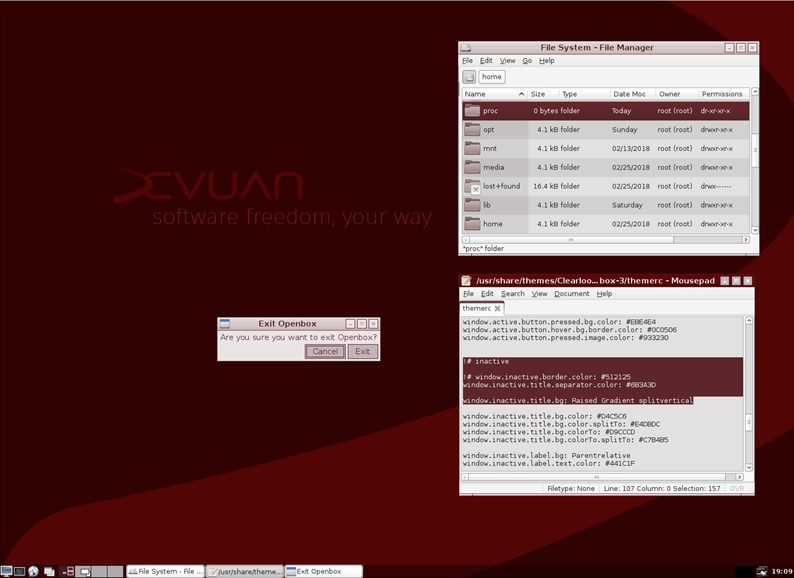
Finally got around to doing the Beowulf cinnabar theme for openbox. Since I have barely used openbox, setting up the default look was a challenge for me. You'll need spacefm to get the default wallpaper. Thanks to fsmithred for the pointers.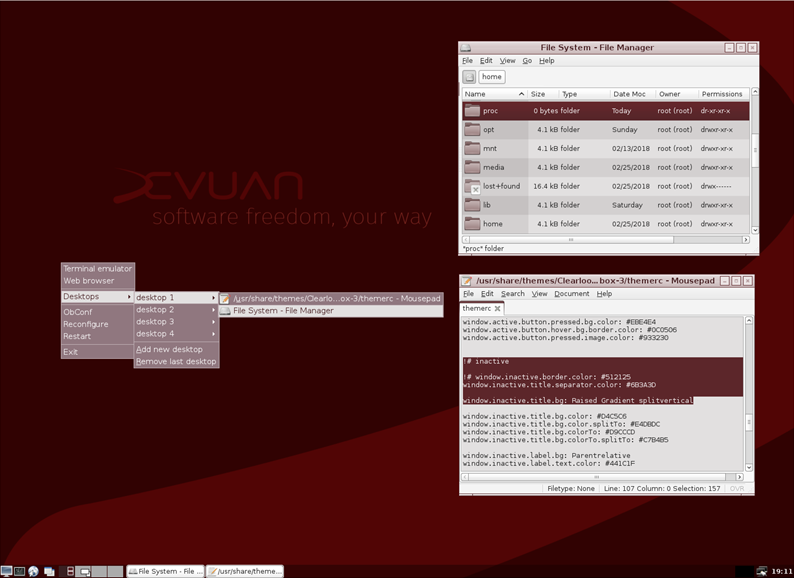
#2082 Re: News & Announcements » We're now 800 strong here! » 2019-05-29 16:25:46
Another milestone of sorts . . . the bean counter just turned to 1000 with "cuncator".
#2083 Re: Other Issues » ceres repository no longer has a Release file - cannot update » 2019-05-28 21:04:03
I wonder why?
Because ceres/sid/unstable are identical.
Devuan's pkgmaster is currently being worked on . . . not too smoothly, it seems. Some linkages seem to be fubared.
#2084 Re: Desktop and Multimedia » Ports vs Pkgs » 2019-05-27 04:04:53
You can search the Devuan repositories with https://pkginfo.devuan.org/ to see what's available.
#2085 Re: Installation » (Solved) No network on fresh install » 2019-05-24 17:11:12
What exactly did you install?
#2086 Re: Other Issues » How i can fix ? » 2019-05-23 04:48:07
Getting OT but can't remember ever seeing much of a discussion in this camp about SELinux.
#2087 Re: Other Issues » How i can fix ? » 2019-05-23 04:16:18
Dutch_Master wrote:I'd suggest to re-install Devuan with separate partitions for /etc, /var, /usr and /home.
/etc?
Maybe that would work on his Funtoo . . . 
#2088 Re: Devuan » UsrMerge on Devuan? » 2019-05-18 16:38:41
Yeah . . . it's another clusterf*** from the freedesktop.org folks.
#2089 Re: Installation » [solved]Paused at installing grub? » 2019-05-18 16:22:36
There are also install guides with screenshots posted on the website that might be helpful. And on the index page a description of what the various installers provide.
#2090 Re: Devuan » UsrMerge on Devuan? » 2019-05-18 00:45:22
IIRC the default in Devuan Beowulf will be to NOT merge /usr.
#2091 Re: Installation » [Solved ] Change from IDE to AHCI borks Devuan ASCII installation » 2019-05-11 02:14:39
Sometimes the long way is the short way.
#2092 Re: Installation » Beowulf questions » 2019-05-11 01:36:42
I often get conflicts and "you have broken packages" notices with perl upgrades. Usually a reboot allows me to do the upgrade immediately after logging in but I guess that depends on what the conflicts are exactly.
#2093 Re: Installation » Interested in installing devuan, couple questions before I do » 2019-05-10 21:17:58
If you want to install external packages that are available in Debian use the Stretch package and it works.
Not a good idea - installing directly from Debian repos could put you in a world of hurt. Devuan filters the Debian repos and bans packages that could break your system. The Debian packages that won't break Devuan are already provided via redirect to the Devuan repos.
#2094 Re: Intergalactic Communities » Does NASA use Devuan? » 2019-05-09 17:34:26
golinux wrote:Not Devuan but the International Space Station did move to Debian some years ago.
Smart move, from Windows to systemD :b
That happened in 2013 before systemd was entrenched in Debian. I have no idea whether they are still on Debian or moved to another Linux distro. I wonder if they might move to Devuan one day.
#2095 Re: Intergalactic Communities » Does NASA use Devuan? » 2019-05-09 14:02:41
Not Devuan but the International Space Station did move to Debian some years ago.
#2096 Re: Other Issues » deb.devuan.org doesn't get updates for Jessie, auto.mirror.devuan does » 2019-05-09 03:24:37
I may be wrong, but I don't remember being advised to change jessie repositories over to deb.devuan.org. I thought they were supposed to stay as auto.mirror.devuan.org. Seems like deb.devuan.org was introduced with ASCII.
I just looked at the Devuan website, and it's still showing jessie as using auto.mirror.devuan.org.
auto.mirror.devuan.org is still the default repository because there has never been a point release for jessie and that is the repository used on the isos.
This note is also on the website (in several places):
IMPORTANT NOTE: auto.mirror is now deprecated and will be decommissioned. Please make sure you have the latest devuan-keyring package with apt-get install devuan-keyring and then point your /etc/apt/sources.list to deb.devuan.org.
#2097 Re: Other Issues » deb.devuan.org doesn't get updates for Jessie, auto.mirror.devuan does » 2019-05-07 22:21:32
All packages are up to date.
That is working. There are no updates because everything is already up to date,
See? sources.list is correct, but still no updates. Please note that I am using Jessie. Ascii is working fine with deb.devuan.org.
Jessie is old stable. It will probably only get security patches. I just ran update and there are no packages for me to install either on jessie i386.
#2098 Re: Other Issues » deb.devuan.org doesn't get updates for Jessie, auto.mirror.devuan does » 2019-05-07 15:19:59
IIUC, not all the mirrors in deb.devuan.org support https so it requires http to function properly. If you want to use https, the advice I remember was to look at the mirror list and choose a specific mirror that provides it.
#2099 Re: Other Issues » VLC has no codecs » 2019-05-06 05:37:40
As I was saying . . .
#2100 Re: Installation » Beowulf questions » 2019-05-06 01:11:51
Never mind. I just found it at the top of the forum page. I find that a strange place to put the link to the page for searching packages.
It's also in my signature on every post.
That it isn't on the official Devuan site is very odd.
It's all over the devuan.org site - on the index page and about 6 other pages too . . . maybe more. No blinking neon though.
Board footer
