
You are not logged in.
- Topics: Active | Unanswered
#301 Re: Other Issues » [SOLVED] How to Navigate Back to a Previous XFCE Session? » 2022-08-28 12:19:36
Hi HoaS.
^ That output is normal for any graphical terminal emulator regardless of the init system.
This OSTechNix page reports the following for an Ubuntu 18.04 LTS server: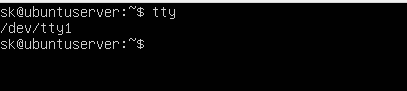 (in text: (user command) tty => /dev/tty1)
When I read that, I saw the words “Ubuntu 18.04 LTS” & overlooked the word server.
Sure ’nuff; in xfce4-terminal:
alexk@ng3:~$ tty
/dev/pts/0
In vt01:
alexk@ng3:~$ tty
/dev/tty1
Thanks for the correction.
Added later:
I now realise that other commands within the OSTechNix page also rely on being within a VT session. As one example, the page reports that:
By default, there are 7 ttys in Linux. … The 1 to 6 ttys are command line only. The 7th tty is GUI (your X desktop session).
…
To view the total number of active virtual consoles, run: fgconsole
You can see the next unallocated virtual terminal using command: fgconsole --next-available
In xfce4-terminal:
$ fgconsole
Couldn't get a file descriptor referring to the console.
In vt01:
$ fgconsole
1
$ fgconsole --next-available
8
That confirms the simple statements within the OSTechNix page quoted at the top of this section. However, also necessary to realise that those simple statements are there to help give simple inroads to begin understanding some of the basics of this topic, whilst the topic itself is way more complex than that (as is indicated by the 64+ VTs created at init startup).
Further, lets offer a silent prayer of thanks up for the fact that Devuan has a simple sanity at it's heart, and that we are not forced to use an OS that has an eternal struggle for domination at it's heart. I spent 12 hours yesterday researching to try to discover which binaries handle the C‑A‑Fn + A‑Fn key combos. I'm a professional researcher with multiple decades experience, but could not find a definitive answer (it should not be a difficult question). What I *did* find was the way that multiple distros are beginning to make simple certainties no longer certain. An example:– The simple route back to a GUI from a VT is Alt‑F7, and that has been true within a default setup for decades. During my research I found many distros that have recently changed the default VT setup, with radical differences in the methods of return. And I'm sorry; I went through scores of websites and, because I was not looking for that precise issue, I did not record which they were.
#302 Re: Other Issues » [SOLVED] How to Navigate Back to a Previous XFCE Session? » 2022-08-28 01:14:25
Like a Bulldog (and also a rat), once I get my teeth into something I cannot stop biting until my teeth meet (ratchet mechanism on their jaws).
(upfront: nothing directly to do with Devuan)
Surprisingly, this topic has *everything* to do with SystemD (if only in reverse), since the virus has taken over from the kernel the process of producing Virtual Terminals (VTs), just like so much else.
In Devuan, the kernel produces a whole bunch of VTs on startup. The precise number will be a kernel setup item. For myself it seems to be 64 (see Ralph's answer), although there are also a few extra:
$ ls /dev/tty[0-9]* | wc -l
64
$ la /dev/tty*
crw-rw-rw- 1 root  tty     5,  0 Aug 25 08:40 /dev/tty
crw--w---- 1 root  tty     4,  0 Aug 25 08:40 /dev/tty0
crw------- 1 alexk tty     4,  1 Aug 26 18:23 /dev/tty1
crw--w---- 1 root  tty     4, 10 Aug 25 08:40 /dev/tty10
…
crw--w---- 1 root  tty     4,  9 Aug 25 08:40 /dev/tty9
crw-rw---- 1 root  dialout 4, 64 Aug 25 08:40 /dev/ttyS0
crw-rw---- 1 root  dialout 4, 65 Aug 25 08:40 /dev/ttyS1
crw-rw---- 1 root  dialout 4, 66 Aug 25 08:40 /dev/ttyS2
crw-rw---- 1 root  dialout 4, 67 Aug 25 08:40 /dev/ttyS3
We now need to consider delgado's answer, and it has taken me quite some time to get the point.
When the computer is first started, the screen that appears is a VT initiated (as best as I can tell) by agetty via init:
DESCRIPTION
agetty opens a tty port, prompts for a login name and invokes the /bin/login command. It is normally invoked by init(8).
My system uses XFCE as a Desktop Manager and SLiM as a Login Manager. Therefore it is startxfce4 for me rather than startx, but the point is that an X-Session is launched which provides the GUI components in both cases, and that is comprehensively different to agetty, which is text-only.
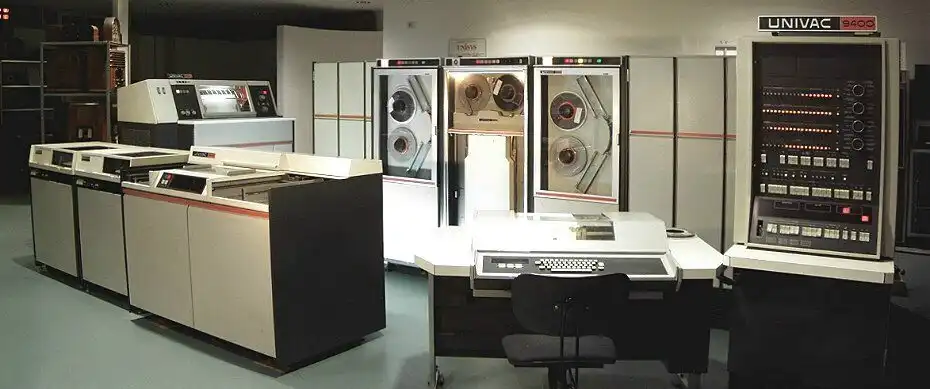
With hindsight it is blooming obvious, but the VT produced by agetty has absolutely nothing to do with the terminal produced by xterm (or in my case, xfce-terminal) which is a GUI emulation of a text-terminal. For those that are interested in historical research, this is what it took to drive a text-terminal (aka typewriter) in the 1960s:
The main difference is that a VT does NOT have a mouse, nor history support. It is possible, though damn difficult, to install them. It is, however, important to know which of the two (VT or GUI-Terminal) you are in, because the commands to switch between VT & GUI are different depending on whether you are based within a GUI or VT screen:
VT → VT : Ctrl + Alt + F7 or, Alt + F7 (switch to VT07, etc) (Ctrl key is optional)
VT → GUI : Ctrl + Alt + F7 or, Alt + F7 (switch to VT07, etc) (Ctrl key is optional)
GUI → VT : Ctrl + Alt + F7 (switch to VT07, etc) (all 3 keys required)
By default, most systems keep 6 text VTs available (at 1-6) and one GUI at '7', so the return in a default system is Ctrl-F7. However, this can be changed (just open another X-Session) and, worse, some distributions change the setup. Yikes! This page has good info on the command to change VTs, etc. (CHVT), and make a note that the TTY command gives a different result in Devuan to SystemD distros:
$ tty
/dev/pts/0
so make a note of the pgrep -a Xorg command that ralph gave.
It seems clear, then, that it is Xorg that handles 3-finger salutes to change from the GUI to a VT, but (perhaps) agetty that handles 2-finger salutes to switch out of the VT to another VT/GUI.
#303 Re: Other Issues » [SOLVED] How to Navigate Back to a Previous XFCE Session? » 2022-08-26 17:51:00
Thank you delgado. That was the kind of info that I was searching for.
Whether Alt-F7 would have got me back *after* login I do not yet know.
I do now, and the answer is "yes".
These are the steps I just took:
Close down all programs.
Open JOSM
Issue (wrong for JOSM) kbd command Ctrl-Alt-F1
(screen switches to text-screen vt01, with a login prompt on screen)Login with my user/password
Issue w & pgrep commands (see below)
Issue Alt-F7 command
(screen instantly switches back to JOSM screen)
For reference, here are the results of w & pgrep from inside TTY1:
$ w
 18:23:03 up 1 day,  9:43,  2 users,  load average: 0.22, 0.70, 0.87
USER     TTY      FROM             LOGIN@   IDLE   JCPU   PCPU WHAT
alexk    tty1     -                18:19    5.00s  0.15s  0.01s w
alexk    :0.0     :0.0             Thu08   ?xdm?   9:43m  1.10s xfce4-session
$ pgrep -a Xorg
1899 /usr/lib/xorg/Xorg -nolisten tcp -auth /var/run/slim.auth vt07
Unless someone knows what supplies Alt-F7 I guess that we are done with this question now. Thank you to everyone that responded - most helpful.
#304 Re: Other Issues » [SOLVED] How to Navigate Back to a Previous XFCE Session? » 2022-08-26 09:41:45
Many thanks, Ralph.
Ctl-Alt-F1 got me to a text-screen under vt07; all that was on the screen was a prompt to login. All it (appeared to) accept as input was a username, then password, although on later testing Alt-F7 did actually return me to the xfce4-session under vt07.
Trying w + pgrep just now from an ordinary terminal:
$ w
 10:14:06 up 1 day,  1:34,  1 user,  load average: 0.63, 0.64, 0.81
USER     TTY      FROM             LOGIN@   IDLE   JCPU   PCPU WHAT
alexk    :0.0     :0.0             Thu08   ?xdm?   7:53m  1.02s xfce4-session
$ pgrep -a Xorg
1899 /usr/lib/xorg/Xorg -nolisten tcp -auth /var/run/slim.auth vt07
That result for w is exactly what I got during my dilemma after the text login for the abandoned session. It neatly explains why I could not understand which TTY the XFCE Session was running under.
Whether Alt-F7 would have got me back *after* login I do not yet know. I also do not understand why exit following login did not shut down vt01 & drop me back into the still-running vt07 session. I see from man Xorg that Xorg supplies the Ctl-Alt-Fn commands, but I also still do not know which program is supplying the Alt-Fn command. So many questions.
Edit: fixed key combos
#305 Re: Other Issues » [SOLVED] How to Navigate Back to a Previous XFCE Session? » 2022-08-25 21:55:33
Try Alt-F7
Reproduced the problem, and Alt-F7 worked to get me back to the logged-in GUI session at the identical place. Thank you Gregors.
The following page documents XFCE4 sessions (the use of alt-f7 is there) (and also, why it may not work):
#306 Re: Other Issues » [SOLVED] How to Navigate Back to a Previous XFCE Session? » 2022-08-25 21:33:25
Try Alt-F7
Why? What does it do? Where is the link to the documentation that it sits within?
Thanks for trying, Gregors, but an unreferenced reply is worthless.
These are two sites I referenced from FF:
#307 Other Issues » [SOLVED] How to Navigate Back to a Previous XFCE Session? » 2022-08-25 18:53:22
- alexkemp
- Replies: 16
(upfront: nothing directly to do with Devuan; everything to do with me being a prat)
Whilst working with JOSM under XFCE to make some small updates to the OSM map I hit a wrong combination of keys & found myself at a fresh text-session. I then could neither shut down that new session nor navigate back to the original xfce-session. My actual actions probably made it impossible to be able to revert to the GUI, but I wanted to know how to do that under Devuan with a XFCE session.
The key-combo needed: Shift-Alt-F1
(switch off auto-download prior to examining a large boundary-area)The key-combo actually used: Ctl-Alt-F1
(start up & switch to TTY1)
(use of w indicated that the new session was under TTY1 & the former xfce-session was on 0:0 (whatever that is))
I cannot now remember the precise order of steps that I took, but I did try exit and startx, plus a text-login, and eventually got to a new XFCE session & used FF to research (it all seemed to be Ubuntu fixes), but nothing worked & I eventually had to shutdown & crash/burn the original GUI. Chromium managed to recover all the tabs in the former session, so that was OK.
If I ever do something as dumb as this again, how do I recover back to the original session?
Edit: fixed key combos
#308 Re: Installation » Avoiding systemd » 2022-08-17 07:31:34
Please see if devuan-baseconf is installed. Let me know if it is.
$ locate avoid-systemd
/etc/apt/preferences.d/avoid-systemd
#
$ apt-cache search devuan-baseconf
devuan-baseconf - Devuan base config files
$ apt-cache showpkg devuan-baseconf
Package: devuan-baseconf
Versions:
0.6.4+devuan3.1 (/var/lib/apt/lists/deb.devuan.org_merged_dists_chimaera_main_binary-amd64_Packages) (/var/lib/dpkg/status)
Already installed. I do full-system updates daily.
#309 Re: Desktop and Multimedia » Alternative browser for Devuan/Debian - Brave » 2022-08-06 17:29:17
In the Git README.md the curl line is secure (https) whereas in your apt command it is not (http); is that the reason for the error?
# curl -s 'https://download.opensuse.org/repositories/home:/ungoogled_chromium/Debian_Bullseye/Release.key' …#310 Re: Off-topic » OT nonsense » 2022-07-26 19:53:26
Oh. I was wondering where all your nonsense was coming from. Then I listened to the latest Rachel Maddow Highlights (Jul 25, 2022) where she was introducing Gerald LK Smith & his Christian Nationalism from the 1950s, and the way that the far right in America are newly re-introducing it, together with it's rampant racism & antisemitism, and I understood. Same old, same old again, and again.
No thanks.
#311 Re: Installation » [solved] upgrade the installation to ceres or daedalus » 2022-07-01 14:43:07
The combo I found that has worked is to introduce Backports. Guaranteed not to destroy your setup. Here is my example for Chimaera (last line):
$ cat /etc/apt/sources.list
deb http://deb.devuan.org/merged chimaera main non-free contrib
deb http://deb.devuan.org/merged chimaera-security main non-free contrib
deb http://deb.devuan.org/merged chimaera-updates main non-free contrib
deb http://deb.devuan.org/devuan chimaera-proposed-updates main non-free contrib
deb http://deb.devuan.org/merged chimaera-backports main non-free contrib#312 Re: Installation » [SOLVED] Anacron symlinked to "true", again. » 2022-06-30 01:29:06
your IV and V are in wrong order
Many thanks - fixed.
Actually, you skipped over the pre-pivot stage
Good lord, I've skipped over so much detail that this is merely a large pamphlet rather than a multi-volume book. Which has only taken me several hours to research & write. But I take your point.
#313 Re: Installation » [SOLVED] Anacron symlinked to "true", again. » 2022-06-29 14:46:57
I think restarting anacron is sufficient, but a reboot would certainly work.
Many thanks for such quick responses & help.
I've had to go down some very deep rabbit holes to try to answer what needs doing. God knows, SysVinit doesn't exactly make the startup sequence simple.
Personal notes:-
• I met programming in 1973 (basic on punched-cards entered into a mainframe (?) via work-authorised evening classes).
• I met computers in 1986 (Amstrad laptop running MSDOS).
• I met Linux (and the Internet) in 1998 (whilst supporting Freeserve users on FS's premium call-line).
• I used Linux on a dedicated server in 1999 for 15 years until retirement (starting with Redhat 6, I think, & then the first CentOS)
• I fell down dead (heart fibrillation) whilst at Freeserve. Consequently I often need to fully research stuff to remember it all over again, which is (at least partly) what has happened here.
tl;dr:
Read "Summing Up" at the very end of this post.
See /usr/share/doc/anacron/README.Debian
See Introduction to SysVinit runlevels & scripts
See cron.{daily,weekly,monthly} (actually run by anacron which is called by cron)
Anacron leaves messages in /var/log/syslog
Anacron is NOT a daemon & thus is never seen by the system
So, hang tightly on to your chairs as we follow Alice down the Rabbit Hole (why not listen to the YT Official Music Video as we do this, but better is the 1969 Live Version at Woodstock (Grace Slick at her best as the sun rises and JA blow every other band from the previous 8 hours into dust) (12m views on 2022-06-29)):
The sequence goes like this:-
Ⅰ Computer loads a Bootloader (grub)
Ⅱ Bootloader loads the Kernel
Ⅲ Kernel loads System V init
There is a README in /etc/init.d (hooray!) which is written by Debian & talks mostly in terms of SystemD (boo!), although sysvinit is also mentioned (hooray!):
Configuration of System V init under Debian GNU/Linux
Most Unix versions have a file here that describes how the scripts
in this directory work, and how the links in the /etc/rc?.d/ directories
influence system startup/shutdown.For Debian, this information is contained in the policy manual, chapter
"System run levels and init.d scripts". The Debian Policy Manual is
available at:
You may perhaps not be surprised to find that the chapter mentioned above for init.d scripts does not exist. Look instead for #starting-system-services instead:
Chapter 9. The Operating System
Chapter 9.3. Starting system services
See the README.runlevels file shipped with sysv-rc for implementation details
(on my system exists at /usr/share/doc/sysv-rc/README.runlevels.gz):-
0. Overview.
All scripts executed by the init system are located in /etc/init.d.
The directories /etc/rc?.d (? = S, 0 .. 6) contain relative links to
those scripts. These links are named S<2-digit-number><original-name>
or K<2-digit-number><original-name>.The following runlevels are defined:
N System bootup (NONE).
S Single user mode (not to be switched to directly)
0 halt
1 single user mode
2 .. 5 multi user mode
6 reboot
Ⅳ init examines /etc/inittab to locate & run runlevel S scripts
1. Boot.
rcS executes all the S* scripts in /etc/rcS.d in alphabetical
(and thus numerical) order. The first argument passed to the
executed scripts is "start". The runlevel at this point is "N" (none).
$ cat /etc/inittab
# /etc/inittab: init(8) configuration.
# $Id: inittab,v 1.91 2002/01/25 13:35:21 miquels Exp $

# The default runlevel.
id:2:initdefault:

# Boot-time system configuration/initialization script.
# This is run first except when booting in emergency (-b) mode.
si::sysinit:/etc/init.d/rcS

# What to do in single-user mode.
~~:S:wait:/sbin/sulogin

# /etc/init.d executes the S and K scripts upon change
# of runlevel.
#
# Runlevel 0 is halt.
# Runlevel 1 is single-user.
# Runlevels 2-5 are multi-user.
# Runlevel 6 is reboot.

l0:0:wait:/etc/init.d/rc 0
l1:1:wait:/etc/init.d/rc 1
l2:2:wait:/etc/init.d/rc 2
l3:3:wait:/etc/init.d/rc 3
l4:4:wait:/etc/init.d/rc 4
l5:5:wait:/etc/init.d/rc 5
l6:6:wait:/etc/init.d/rc 6
$ man init
NAME
init, telinit - process control initialization
DESCRIPTION
Init
Init is the parent of all processes. Its primary role is to
create processes from a script stored in the file
/etc/inittab (see inittab(5)). This file usually has entries
which cause init to spawn gettys on each line that users
can log in. It also controls autonomous processes
required by any particular system.
RUNLEVELS
A runlevel is a software configuration of the system
which allows only a selected group of processes to exist.
The processes spawned by init for each of these runlevels
are defined in the /etc/inittab file. Init can be in one of
eight runlevels: 0–6 and S (a.k.a. s). The runlevel
is changed by having a privileged user run telinit, which
sends appropriate signals to init, telling it which runlevel
to change to.
Runlevels S, 0, 1, and 6 are reserved. Runlevel S is used
to initialize the system on boot. When starting runlevel S
(on boot) or runlevel 1 (switching from a multi-user
runlevel) the system is entering ``single-user mode'',
after which the current runlevel is S. Runlevel 0 is used
to halt the system; runlevel 6 is used to reboot the system.
After booting through S the system automatically enters
one of the multi-user runlevels 2 through 5, unless there
was some problem that needs to be fixed by the
administrator in single-user mode. Normally after entering
single-user mode the administrator performs maintenance
and then reboots the system.
BOOTING
After init is invoked as the last step of the kernel boot
sequence, it looks for the file /etc/inittab to see if there
is an entry of the type initdefault (see inittab(5)). The
initdefault entry determines the initial runlevel of the
system. If there is no such entry (or no /etc/inittab at
all), a runlevel must be entered at the system console.
Runlevel S or s initialize the system and do not require
an /etc/inittab file.
In single user mode, /sbin/sulogin is invoked on
/dev/console.
When entering single user mode, init initializes the
consoles stty settings to sane values. Clocal mode is set.
Hardware speed and handshaking are not changed.
When entering a multi-user mode for the first time, init
performs the boot and bootwait entries to allow file
systems to be mounted before users can log in. Then all
entries matching the runlevel are processed.
When starting a new process, init first checks whether the
file /etc/initscript exists. If it does, it uses this script to
start the process.
Each time a child terminates, init records the fact and the
reason it died in /var/run/utmp and /var/log/wtmp, provided
that these files exist.
BOOTFLAGS
It is possible to pass a number of flags to init from the
boot monitor (GRUB). Init accepts the following flags:
-s, S, single
Single user mode boot. In this mode /etc/inittab is
examined and the bootup rc scripts are usually run before
the single user mode shell is started.
1-5 Runlevel to boot into.Ⅴ init switches to the default runlevel, running anacron & then cron + other scripts, including slim
2. Going multiuser.
After the rcS.d scripts have been executed, init switches to the
default runlevel as specified in /etc/inittab, usually "2".Init then executes the /etc/init.d/rc script which takes care of
starting the services in /etc/rc2.d.
We are finally getting close to understanding how anacron works. Here is the listing of init scripts run from rc2.d, in the order that they are run. Note that anacron is loaded early before cron:
$ la /etc/rc2.d
total 0
lrwxrwxrwx 1 root root 27 Jul 29  2020 K01speech-dispatcher -> ../init.d/speech-dispatcher
lrwxrwxrwx 1 root root 37 Nov 26  2021 README -> /usr/share/doc/sysv-rc/rc2-5.d-README
lrwxrwxrwx 1 root root 26 May 12  2018 S01console-setup.sh -> ../init.d/console-setup.sh
lrwxrwxrwx 1 root root 37 Sep 27  2021 S02pulseaudio-enable-autospawn -> ../init.d/pulseaudio-enable-autospawn
lrwxrwxrwx 1 root root 17 May 12  2018 S02rsyslog -> ../init.d/rsyslog
lrwxrwxrwx 1 root root 14 Jul 29  2020 S02sudo -> ../init.d/sudo
lrwxrwxrwx 1 root root 15 May 12  2018 S02uuidd -> ../init.d/uuidd
lrwxrwxrwx 1 root root 15 Dec 18  2018 S03acpid -> ../init.d/acpid
lrwxrwxrwx 1 root root 17 Dec 18  2018 S03anacron -> ../init.d/anacron
lrwxrwxrwx 1 root root 26 Jun  7  2019 S03clamav-freshclam -> ../init.d/clamav-freshclam
lrwxrwxrwx 1 root root 14 Dec 18  2018 S03cron -> ../init.d/cron
lrwxrwxrwx 1 root root 14 Dec 18  2018 S03dbus -> ../init.d/dbus
lrwxrwxrwx 1 root root 15 Dec 18  2018 S03exim4 -> ../init.d/exim4
lrwxrwxrwx 1 root root 17 Dec 18  2018 S03hddtemp -> ../init.d/hddtemp
lrwxrwxrwx 1 root root 20 Dec 18  2018 S03irqbalance -> ../init.d/irqbalance
lrwxrwxrwx 1 root root 13 Dec 18  2018 S03ntp -> ../init.d/ntp
lrwxrwxrwx 1 root root 19 Jul 29  2020 S03rmnologin -> ../init.d/rmnologin
lrwxrwxrwx 1 root root 15 Dec 18  2018 S03rsync -> ../init.d/rsync
lrwxrwxrwx 1 root root 23 Feb  9  2021 S03smartmontools -> ../init.d/smartmontools
lrwxrwxrwx 1 root root 22 Dec 18  2018 S04avahi-daemon -> ../init.d/avahi-daemon
lrwxrwxrwx 1 root root 19 Aug 23  2021 S04bluetooth -> ../init.d/bluetooth
lrwxrwxrwx 1 root root 17 Feb 26  2021 S04elogind -> ../init.d/elogind
lrwxrwxrwx 1 root root 25 Sep 27  2021 S04network-manager -> ../init.d/network-manager
lrwxrwxrwx 1 root root 14 Dec 18  2018 S04slim -> ../init.d/slim
lrwxrwxrwx 1 root root 14 Dec 18  2018 S04wicd -> ../init.d/wicd
lrwxrwxrwx 1 root root 18 Dec 18  2018 S05bootlogs -> ../init.d/bootlogs
lrwxrwxrwx 1 root root 14 Dec 18  2018 S05cups -> ../init.d/cups
lrwxrwxrwx 1 root root 22 Dec 18  2018 S05cups-browsed -> ../init.d/cups-browsed
lrwxrwxrwx 1 root root 15 Dec 18  2018 S05saned -> ../init.d/saned
lrwxrwxrwx 1 root root 18 Dec 18 2018 S06rc.local -> ../init.d/rc.local#! /bin/sh
### BEGIN INIT INFO
# Provides: anacron
# Required-Start: $remote_fs $syslog $time
# Required-Stop: $remote_fs $syslog $time
# Default-Start: 2 3 4 5
# Default-Stop:
# Short-Description: Run anacron jobs
# Description: The first purpose of this script is to run anacron at
# boot so that it can catch up with missed jobs. Note
# that anacron is not a daemon. It is run here just once
# and is later started by the real cron. The second
# purpose of this script is that said cron job invokes
# this script to start anacron at those subsequent times,
# to keep the logic in one place.
Ⅵ Anacron examines /etc/anacrontab to locate & run the /etc/cron.{daily,weekly,monthly} scripts
cron expects the machine that hosts it to be running 24 «» 7 «» 365
anacron is happy for it's host to take non-scheduled breaks
Thus, cron is well-fitted for use upon a non-SystemD network server, whilst anacron is better fitted for a Desktop machine.
ANACRON(8)
NAME
anacron - runs commands periodicallyDESCRIPTION
Anacron can be used to execute commands periodically, with
a frequency specified in days. Unlike cron(8), it does not
assume that the machine is running continuously. Hence, it
can be used on machines that aren't running 24 hours a day, to
control daily, weekly, and monthly jobs that are usually controlled
by cron.When executed, Anacron reads a list of jobs from a configuration
file, normally /etc/anacrontab (see anacrontab(5)). This file
contains the list of jobs that Anacron controls. Each job entry
specifies a period in days, a delay in minutes, a unique job
identifier, and a shell command.For each job, Anacron checks whether this job has been
executed in the last n days, where n is the period specified for
that job. If not, Anacron runs the job's shell command, after
waiting for the number of minutes specified as the delay
parameter.After the command exits, Anacron records the date in a special
timestamp file for that job, so it can know when to execute it
again. Only the date is used for the time calculations. The
hour is not used.When there are no more jobs to be run, Anacron exits.
If a job generates any output on its standard output or standard
error, the output is mailed to the user running Anacron (usually
root), or to the address contained by the MAILTO environment
variable in the crontab, if such exists.Informative messages about what Anacron is doing are sent to
syslogd(8) under facility cron, priority notice. Error messages
are sent at priority error."Active" jobs (i.e. jobs that Anacron already decided to run and
now wait for their delay to pass, and jobs that are currently
being executed by Anacron), are "locked", so that other copies
of Anacron won't run them at the same time.DEBIAN-SPECIFIC CONFIGURATION
On Debian-based systems, anacron will be activated hourly
every day from 07:30 local time to 23:30 local time through cron
job (on non-systemd systems where cron is installed and enabled)
or systemd timer (on systemd-based systems). On activation,
anacron will check if it missed some jobs. If yes, it will start those
jobs after a short period of time.
$ cat /etc/anacrontab
# /etc/anacrontab: configuration file for anacron

# See anacron(8) and anacrontab(5) for details.

SHELL=/bin/sh
PATH=/usr/local/sbin:/usr/local/bin:/sbin:/bin:/usr/sbin:/usr/bin
HOME=/root
LOGNAME=root

# These replace cron's entries
1	5	cron.daily	run-parts --report /etc/cron.daily
7	10	cron.weekly	run-parts --report /etc/cron.weekly
@monthly	15	cron.monthly	run-parts --report /etc/cron.monthly
Ⅶ Cron examines /etc/crontab to locate & run the cron scripts
Cron is used now only on non-SystemD desktops. When used together with Anacron it is changed by Debian to only run hourly, initiating anacron via /etc/cron.d/anacron (which script is what actually inspects & runs the cron.{daily,weekly,monthly} scripts).
CRON(8)
NAME
cron - daemon to execute scheduled commands (Vixie Cron)NOTES
cron searches its spool area (/var/spool/cron/crontabs) for crontab
files (which are named after accounts in /etc/passwd); crontabs
found are loaded into memory. Note that crontabs in this directory
should not be accessed directly - the crontab command should be
used to access and update them.cron also reads /etc/crontab, which is in a slightly different format
(see crontab(5)). In Debian, the content of /etc/crontab is
predefined to run programs under /etc/cron.hourly, /etc/cron.daily,
/etc/cron.weekly and /etc/cron.monthly.
This configuration is specific to Debian, see the note under
DEBIAN SPECIFIC below.Additionally, in Debian, cron reads the files in the /etc/cron.d
directory. cron treats the files in /etc/cron.d as in the same way as
the /etc/crontab file (they follow the special format of that file,
i.e. they include the user field). However, they are independent
of /etc/crontab: they do not, for example, inherit environment
variable settings from it. This change is specific to Debian see the
note under DEBIAN SPECIFIC below.Like /etc/crontab, the files in the /etc/cron.d directory are monitored
for changes. In general, the system administrator should not use
/etc/cron.d/, but use the standard system crontab /etc/crontab.DEBIAN SPECIFIC
Debian introduces some changes to cron that were not originally
available upstream. The most significant changes introduced are:— Support for /etc/cron.{hourly,daily,weekly,monthly} via /etc/crontab,
Support for /etc/cron.hourly, /etc/cron.daily, /etc/cron.weekly and
/etc/cron.monthly is provided in Debian through the default setting of the
/etc/crontab file (see the system-wide example in crontab(5)). The
default system-wide crontab contains four tasks: run every hour, every
day, every week and every month. Each of these tasks will execute
run-parts providing each one of the directories as an argument. These
tasks are disabled if anacron is installed (except for the hourly task) to
prevent conflicts between both daemons.
$ cat /etc/crontab
# /etc/crontab: system-wide crontab
# Unlike any other crontab you don't have to run the `crontab'
# command to install the new version when you edit this file
# and files in /etc/cron.d. These files also have username fields,
# that none of the other crontabs do.

SHELL=/bin/sh
PATH=/usr/local/sbin:/usr/local/bin:/sbin:/bin:/usr/sbin:/usr/bin

# Example of job definition:
# .---------------- minute (0 - 59)
# |  .------------- hour (0 - 23)
# |  |  .---------- day of month (1 - 31)
# |  |  |  .------- month (1 - 12) OR jan,feb,mar,apr ...
# |  |  |  |  .---- day of week (0 - 6) (Sunday=0 or 7) OR sun,mon,tue,wed,thu,fri,sat
# |  |  |  |  |
# *  *  *  *  * user-name command to be executed
17 *	* * *	root    cd / && run-parts --report /etc/cron.hourly
25 6	* * *	root	test -x /usr/sbin/anacron || ( cd / && run-parts --report /etc/cron.daily )
47 6	* * 7	root	test -x /usr/sbin/anacron || ( cd / && run-parts --report /etc/cron.weekly )
52 6	1 * *	root	test -x /usr/sbin/anacron || ( cd / && run-parts --report /etc/cron.monthly )
#
$ la /etc/cron.d
total 20
-rw-r--r-- 1 root root 285 May 19  2019 anacron
-rw-r--r-- 1 root root 201 Jun  7  2021 e2scrub_all
-rw-r--r-- 1 root root 712 Dec 17  2018 php
-rw-r--r-- 1 root root 102 Jun 11  2015 .placeholder
-rw-r--r-- 1 root root 190 May 12  2018 popularity-contest
$ cat /etc/cron.d/anacron
# /etc/cron.d/anacron: crontab entries for the anacron package

SHELL=/bin/sh
PATH=/usr/local/sbin:/usr/local/bin:/sbin:/bin:/usr/sbin:/usr/bin

30 7-23 * * *   root	[ -x /etc/init.d/anacron ] && if [ ! -d /run/systemd/system ]; then /usr/sbin/invoke-rc.d anacron start >/dev/null; fi
Summing Up
Once Anacron is correctly installed there should be zero need to restart neither Anacron nor the System, as long as Cron is correctly installed & is running. The sequence of affairs is slightly tortuous, but goes something like this:-
Cron is initiated once per hour
Cron examines /etc/cron.d & runs the /etc/cron.d/anacron script…
…which itself runs the /etc/init.d/anacron script…
…which loads the anacron binary…
…which examines & runs all cron.{daily,weekly,monthly} scripts that need to be run
Immediately after those final scripts have been run the anacron binary unloads itself (it is not a daemon).
Perhaps the best method to test for the Cron daemon being active is the following (note that in the listing below Anacron appears as "not present", which is the result that got me started on this 3-day research & write-up in the first place!) (cron shows as "+" which means yes, it is active):-
$ service --status-all
 [ + ]  acpid
 [ ? ]  alsa-utils
 [ - ]  anacron
 [ - ]  apparmor
 [ + ]  avahi-daemon
 [ + ]  bluetooth
 [ - ]  bootlogs
 [ - ]  bootmisc.sh
 [ - ]  brightness
 [ - ]  checkfs.sh
 [ - ]  checkroot-bootclean.sh
 [ - ]  checkroot.sh
 [ - ]  clamav-freshclam
 [ - ]  console-setup.sh
 [ + ]  cron
 [ ? ]  cryptdisks
 [ ? ]  cryptdisks-early
 [ + ]  cups
 [ + ]  cups-browsed
 [ + ]  dbus
 [ + ]  elogind
 [ + ]  eudev
 [ - ]  exim4
 [ - ]  hddtemp
 [ - ]  hostname.sh
 [ ? ]  hwclock.sh
 [ - ]  irqbalance
 [ - ]  keyboard-setup.sh
 [ - ]  killprocs
 [ ? ]  kmod
 [ - ]  live-config
 [ - ]  live-tools
 [ - ]  lm-sensors
 [ ? ]  mount-configfs
 [ - ]  mountall-bootclean.sh
 [ - ]  mountall.sh
 [ - ]  mountdevsubfs.sh
 [ - ]  mountkernfs.sh
 [ - ]  mountnfs-bootclean.sh
 [ - ]  mountnfs.sh
 [ + ]  network-manager
 [ ? ]  networking
 [ + ]  nfs-common
 [ - ]  nftables
 [ + ]  ntp
 [ - ]  procps
 [ - ]  pulseaudio-enable-autospawn
 [ - ]  rc.local
 [ - ]  rmnologin
 [ - ]  rpcbind
 [ - ]  rsync
[ + ] rsyslog#314 Re: Installation » [SOLVED] Anacron symlinked to "true", again. » 2022-06-29 03:04:24
Oops. Already performed your earlier fix. Hope that the earlier one actually works. Or do I need to revert that change & use dpkg-divert instead?
Does the system need restarting? What initiates /etc/cron* at startup anyway? (I've always wondered).
#315 Re: Installation » [SOLVED] Anacron symlinked to "true", again. » 2022-06-25 21:56:41
I've set it up myself, as it is the listing I use most:
$ alias
alias egrep='egrep --color=auto'
alias fgrep='fgrep --color=auto'
alias grep='grep --color=auto'
alias la='ls -Al'
alias ls='ls --color=auto'#316 Re: Installation » [SOLVED] Anacron symlinked to "true", again. » 2022-06-25 01:12:51
$ dpkg -S /usr/sbin/anacron
diversion by live-config from: /usr/sbin/anacron
diversion by live-config to: /usr/sbin/anacron.orig.anacron
anacron: /usr/sbin/anacron
$ sudo apt install --reinstall anacron
[sudo] password for alexk:
Reading package lists... Done
Building dependency tree... Done
Reading state information... Done
0 upgraded, 0 newly installed, 1 reinstalled, 0 to remove and 0 not upgraded.
Need to get 0 B/35.0 kB of archives.
After this operation, 0 B of additional disk space will be used.
(Reading database ... 197564 files and directories currently installed.)
Preparing to unpack .../anacron_2.3-30_amd64.deb ...
Unpacking anacron (2.3-30) over (2.3-30) ...
Setting up anacron (2.3-30) ...
Processing triggers for man-db (2.9.4-2) ...$ la /usr/sbin/anacron
lrwxrwxrwx 1 root root 9 Jul 21 2017 /usr/sbin/anacron -> /bin/true
$ la /usr/sbin/anacron.orig.anacron
-rwxr-xr-x 1 root root 38928 Feb 6 2021 /usr/sbin/anacron.orig.anacronWTF?
#317 Re: Installation » [SOLVED] Anacron symlinked to "true", again. » 2022-06-24 17:06:44
OMG
I also used the refracta install when I first installed Devuan. There is zero else that I can think of that could have caused this:-
$ la /usr/sbin/anacron
lrwxrwxrwx 1 root root 9 Jul 21  2017 /usr/sbin/anacron -> /bin/true
Would removing anacron actually cause harm?
#318 Re: Devuan » Updating to Chimaera - Marginally Painless » 2022-06-22 13:19:30
I found some notes that I made at the time that I thought worth adding, but could not edit the OP, so will put them here.
In terms of package repositories:–
‘main’ + ‘security’ are recommended by default for the stable release
‘updates’ are “safe to upgrade right away” for the stable release
‘proposed-updates’ are “usually safe to use” for the stable release
‘backports’ are “linked to stable dependencies” for the stable release
And to complete this little update, here is the current listing used successfully since upgrade:–
$ cat /etc/apt/sources.list
deb http://deb.devuan.org/merged chimaera main non-free contrib
deb http://deb.devuan.org/merged chimaera-security main non-free contrib
deb http://deb.devuan.org/merged chimaera-updates main non-free contrib
deb http://deb.devuan.org/devuan chimaera-proposed-updates main non-free contrib
deb http://deb.devuan.org/merged chimaera-backports main non-free contrib#319 Re: Desktop and Multimedia » How reduce starting Xorg time? » 2022-06-14 00:53:17
Can you you explain why linux community hate nvidia?
This is a very old story that affects multiple (so-called) hardware suppliers. The "so-called" is in there because of the growth of Firmware within hardware. The hardware manufacturers love that firmware because it allows them to keep control. They may refuse to release the software source (also to keep control) and then are hated by Linux adherents.
All the above means that even if you currently have a working system, at some point something will upgrade & the mfc may refuse to update *it's* firmware & immediately your expensive hardware becomes a brick.
You cannot fix stupidity. Learn your lesson, sigh & walk away.
#320 Re: Hardware & System Configuration » Dovecot, samba, sysvrc and the case of the vanishing PID files » 2022-06-10 16:58:58
Searching, I came across the multi-OS fswatch:
A monitor which periodically stats the file system, saves file modification times in memory and manually calculates file system changes, which can work on any operating system where stat (2) can be used.
It is within Synaptic:
A monitor based on inotify, a Linux kernel subsystem that reports file system changes to applications
That looks a possibility, and particularly since it works from any of a varied selection of available APIs.
#321 Re: Desktop and Multimedia » [SOLVED] edit music file properties as in Windows » 2022-06-07 23:58:27
$ apt-cache search kid3
kid3 - KDE audio tag editor
kid3-cli - Command line audio tag editor
kid3-core - Audio tag editor core libraries and data
kid3-qt - Audio tag editor
$ apt-cache showpkg  kid3
Package: kid3
Versions:
3.8.5-3 (/var/lib/apt/lists/deb.devuan.org_merged_dists_chimaera_main_binary-amd64_Packages)
 Description Language:
                 File: /var/lib/apt/lists/deb.devuan.org_merged_dists_chimaera_main_binary-amd64_Packages
                  MD5: 62c283c9a6db1de53afbc80f8d4105f8
 Description Language: en
                 File: /var/lib/apt/lists/deb.devuan.org_merged_dists_chimaera_main_i18n_Translation-en
                  MD5: 62c283c9a6db1de53afbc80f8d4105f8

Reverse Depends:
  kid3-core,kid3 3.8.5-2
  kid3-core,kid3 3.8.5-2
  kid3-cli,kid3 3.0.2-2
  kid3-cli,kid3 3.0.2-2
Dependencies:
3.8.5-3 - kio (0 (null)) libc6 (2 2.14) libgcc-s1 (2 3.0) libkf5configcore5 (2 4.97.0) libkf5configgui5 (2 4.97.0) libkf5configwidgets5 (2 5.23.0) libkf5coreaddons5 (2 4.100.0) libkf5kiocore5 (2 5.69.0) libkf5widgetsaddons5 (2 4.96.0) libkf5xmlgui5 (2 4.98.0) libqt5core5a (2 5.15.1) libqt5gui5 (18 5.7.0) libqt5gui5-gles (2 5.7.0) libqt5widgets5 (2 5.0.2) libstdc++6 (2 4.1.1) kid3-core (5 3.8.5-3)
Provides:
3.8.5-3 -
Reverse Provides:
$ apt-cache search falso
exfalso - audio tag editor for GTK+
quodlibet - audio library manager and player for GTK3
$ apt-cache showpkg exfalso
Package: exfalso
Versions:
4.3.0-1 (/var/lib/apt/lists/deb.devuan.org_merged_dists_chimaera_main_binary-amd64_Packages) (/var/lib/dpkg/status)
Description Language:
File: /var/lib/apt/lists/deb.devuan.org_merged_dists_chimaera_main_binary-amd64_Packages
MD5: fcc2776342ffcd06e76d0d3544249a2e
Description Language: en
File: /var/lib/apt/lists/deb.devuan.org_merged_dists_chimaera_main_i18n_Translation-en
MD5: fcc2776342ffcd06e76d0d3544249a2e
Reverse Depends:
quodlibet,exfalso 4.3.0-1
Dependencies:
4.3.0-1 - gir1.2-gtk-3.0 (0 (null)) gir1.2-soup-2.4 (0 (null)) python3 (2 3.5) python3-feedparser (0 (null)) python3-gi (0 (null)) python3-gi-cairo (0 (null)) python3-mutagen (2 1.34) python3:any (0 (null)) libjs-sphinxdoc (2 1.0) sphinx-rtd-theme-common (2 0.4.3+dfsg) quodlibet-plugins (0 (null)) python3-musicbrainzngs (0 (null)) brasero (16 (null)) k3b (16 (null)) xfburn (0 (null)) gir1.2-gstreamer-1.0 (0 (null)) libmodplug1 (0 (null)) quodlibet-plugins (0 (null))
Provides:
4.3.0-1 - quodlibet-plugins (= )
Reverse Provides:#322 Re: Documentation » unknown error during apt-key execution » 2022-06-03 13:37:15
My problem is that, as best as I can tell, I should have the same problem as you (since I have NOT changed my GPG & sources.list setup) but do not.
Thanks to xinomilo giving the Chimaera Release Notes link I now know why not:
Starting from Devuan 2.0 ASCII, users should exclusively use deb.devuan.org in their sources.list file
The package mirrors at deb.devuan.org are signed with the following GPG key (UID: Amprolla3 on Nemesis; see below)
The key is included in the devuan-keyring package. In order to use deb.devuan.org, you must have devuan-keyring_2017.10.03 or higher
$ apt-key list
(…)
/etc/apt/trusted.gpg.d/devuan-keyring-2017-archive.gpg
------------------------------------------------------
pub   rsa4096 2017-09-04 [SC] [expires: 2022-09-03]
      E032 601B 7CA1 0BC3 EA53  FA81 BB23 C00C 61FC 752C
uid           [ unknown] Devuan Repository (Amprolla3 on Nemesis) <repository@devuan.org>
sub   rsa4096 2017-09-04 [E] [expires: 2022-09-03]
The simplest way to install that key is via APT (do understand that apt's current behaviour is unsafe & deprecated, as set out in my earlier post):
As detailed in the Devuan Keyring page:
Installing:
# apt-get install devuan-keyringListing installed files:
$ dpkg -L devuan-keyring
/.
/etc
/etc/apt
/etc/apt/trusted.gpg.d
/etc/apt/trusted.gpg.d/devuan-keyring-2016-archive.gpg
/etc/apt/trusted.gpg.d/devuan-keyring-2016-cdimage.gpg
/etc/apt/trusted.gpg.d/devuan-keyring-2017-archive.gpg
/usr
/usr/share
/usr/share/doc
/usr/share/doc/devuan-keyring
/usr/share/doc/devuan-keyring/README.md.gz
/usr/share/doc/devuan-keyring/changelog.gz
/usr/share/doc/devuan-keyring/copyright
/usr/share/keyrings
/usr/share/keyrings/devuan-archive-keyring.gpg
/usr/share/keyrings/devuan-keyring.gpg
And, to finally finish this rather long post, the (unsafe) large list of key-files stored within trusted.gpg.d looks like this:
$ la /etc/apt/trusted.gpg.d
total 80
-rw-r--r-- 1 root root 8700 Mar 16  2021 debian-archive-bullseye-automatic.gpg
-rw-r--r-- 1 root root 8709 Mar 16  2021 debian-archive-bullseye-security-automatic.gpg
-rw-r--r-- 1 root root 2453 Mar 16  2021 debian-archive-bullseye-stable.gpg
-rw-r--r-- 1 root root 8132 Apr 23  2019 debian-archive-buster-automatic.gpg
-rw-r--r-- 1 root root 8141 Apr 23  2019 debian-archive-buster-security-automatic.gpg
-rw-r--r-- 1 root root 2332 Apr 23  2019 debian-archive-buster-stable.gpg
-rw-r--r-- 1 root root 7443 Apr 23  2019 debian-archive-stretch-automatic.gpg
-rw-r--r-- 1 root root 7452 Apr 23  2019 debian-archive-stretch-security-automatic.gpg
-rw-r--r-- 1 root root 2263 Apr 23  2019 debian-archive-stretch-stable.gpg
-rw-r--r-- 1 root root 3637 Oct  3  2017 devuan-keyring-2016-archive.gpg
-rw-r--r-- 1 root root 2233 Oct  3  2017 devuan-keyring-2016-cdimage.gpg
-rw-r--r-- 1 root root 3638 Oct  3  2017 devuan-keyring-2017-archive.gpg
It is suggested that that listing is made atomic in the fashion suggested in the earlier post.
#323 Re: Documentation » unknown error during apt-key execution » 2022-06-02 23:49:16
Hi Panda, welcome to Devuan.
This is my daily update script:
$ cat ~/.update
sudo apt update && sudo apt install -f && sudo apt upgrade && sudo /etc/cron.daily/mlocate
The above gets used with zero errors.
My sources list:
$ cat /etc/apt/sources.list
deb http://deb.devuan.org/merged chimaera main non-free contrib
deb http://deb.devuan.org/merged chimaera-security main non-free contrib
deb http://deb.devuan.org/merged chimaera-updates main non-free contrib
deb http://deb.devuan.org/devuan chimaera-proposed-updates main non-free contrib
deb http://deb.devuan.org/merged chimaera-backports main non-free contrib
My preferences:
$ apt-cache policy
Package files:
 100 /var/lib/dpkg/status
     release a=now
 500 https://josm.openstreetmap.de/apt alldist/universe amd64 Packages
     release n=alldist,c=universe,b=amd64
     origin josm.openstreetmap.de
 100 http://deb.devuan.org/merged chimaera-backports/contrib amd64 Packages
     release v=4.0,o=Devuan Backports,a=stable-backports,n=chimaera-backports,l=Devuan Backports,c=contrib,b=amd64
     origin deb.devuan.org
 100 http://deb.devuan.org/merged chimaera-backports/non-free amd64 Packages
     release v=4.0,o=Devuan Backports,a=stable-backports,n=chimaera-backports,l=Devuan Backports,c=non-free,b=amd64
     origin deb.devuan.org
 100 http://deb.devuan.org/merged chimaera-backports/main amd64 Packages
     release v=4.0,o=Devuan Backports,a=stable-backports,n=chimaera-backports,l=Devuan Backports,c=main,b=amd64
     origin deb.devuan.org
 500 http://deb.devuan.org/devuan chimaera-proposed-updates/main amd64 Packages
     release v=4.0.0,o=Devuan,a=chimaera-proposed-updates,n=chimaera-proposed-updates,l=Devuan,c=main,b=amd64
     origin deb.devuan.org
 500 http://deb.devuan.org/merged chimaera-updates/main amd64 Packages
     release v=4.0.0,o=Devuan,a=stable-updates,n=chimaera-updates,l=Devuan,c=main,b=amd64
     origin deb.devuan.org
 500 http://deb.devuan.org/merged chimaera-security/main amd64 Packages
     release v=4.0,o=Devuan,a=stable-security,n=chimaera-security,l=Devuan-Security,c=main,b=amd64
     origin deb.devuan.org
 500 http://deb.devuan.org/merged chimaera/contrib amd64 Packages
     release v=4.0,o=Devuan,a=stable,n=chimaera,l=Devuan,c=contrib,b=amd64
     origin deb.devuan.org
 500 http://deb.devuan.org/merged chimaera/non-free amd64 Packages
     release v=4.0,o=Devuan,a=stable,n=chimaera,l=Devuan,c=non-free,b=amd64
     origin deb.devuan.org
 500 http://deb.devuan.org/merged chimaera/main amd64 Packages
     release v=4.0,o=Devuan,a=stable,n=chimaera,l=Devuan,c=main,b=amd64
     origin deb.devuan.org
Pinned packages:
Now, apt-key is deprecated, and this Ask Ubuntu question makes an excellent job of both explaining why, and how to fix the problem.
In brief:
apt-key suggests that using /etc/apt/trusted.gpg is deprecated: "apt-key is deprecated. Manage keyring files in trusted.gpg.d instead". That does not fix the basic problem, which is that (as currently setup) apt will trust ALL keys found in that directory. Better to:-
Create your own directory (eg /usr/local/share/keyrings/)
Move all GPG keys into that directory
Reference each specific key within the relevant /etc/apt/sources.list line.
My problem is that, as best as I can tell, I should have the same problem as you (since I have NOT changed my GPG & sources.list setup) but do not. Probably my preferences setup is saving me from the messages that you are receiving. However, I have zero idea as to where my Chimaera key-file is stored (only a large list of older keys)!
#324 Re: Desktop and Multimedia » [SOLVED] Install XFCE Style on Devuan. » 2022-05-31 17:09:42
Following on from hevidevi I see a very different disk setup to yours:
$ ls -1r /usr/share/themes/Clearlooks-Phenix-Deepsea
xfwm4
openbox-3
metacity-1
index.theme
gtk-3.0
gtk-2.0
$ ls -1r /usr/share/themes/Clearlooks-Phenix-Deepsea/xfwm4
top-right-inactive.xpm
top-right-active.xpm
top-right-active.png
top-left-inactive.xpm
top-left-active.xpm
top-left-active.png
title-5-inactive.xpm
title-5-active.xpm
title-4-inactive.xpm
title-4-active.xpm
title-3-inactive.xpm
title-3-active.xpm
title-2-inactive.xpm
title-2-active.xpm
title-1-inactive.xpm
title-1-active.xpm
themerc
right-inactive.xpm
right-active.xpm
README
png
menu-pressed.xpm
menu-inactive.xpm
menu-active.xpm
maximize-toggled-pressed.xpm
maximize-toggled-inactive.xpm
maximize-toggled-active.xpm
maximize-pressed.xpm
maximize-inactive.xpm
maximize-active.xpm
left-inactive.xpm
left-active.xpm
hide-pressed.xpm
hide-inactive.xpm
hide-active.xpm
close-pressed.xpm
close-inactive.xpm
close-active.xpm
bottom-right-inactive.xpm
bottom-right-active.xpm
bottom-left-inactive.xpm
bottom-left-active.xpm
bottom-inactive.xpm
bottom-active.xpm
The obvious thing, I would have thought, would have been to install via APT or Synaptic. The two that I can quickly find installed for me are clearlooks-phenix-deepsea-theme (Deepsea GTK3 port of Clearlooks theme; gtk3-engines-xfce is also installed, which is a GTK+-3.0 theme engine for Xfce) + gtk2-engines.
It turns out that fsmithred is the maintainer of the first one, so perhaps have a further word with him.
PS
I meant to recurse with the file listing (-R), but reverse-sorted instead (-r).
#325 Re: Desktop and Multimedia » [SOLVED] Install XFCE Style on Devuan. » 2022-05-31 07:57:09
That's what my Appearance looks like. Assuming that you have selected all the check-boxes in "Settings" you possibly do not have a desktop Wallpaper. Go to menu: Settings | Desktop & select a folder containing wallpapers there. It appears immediately once one is selected.
Board footer
