
You are not logged in.
- Topics: Active | Unanswered
#2426 Re: Other Issues » "configure: error: no acceptable C compiler found in $PATH" » 2020-05-18 22:09:57
Tried to install geany
Why not just use apt install geany?
configure: error: no acceptable C compiler found in $PATH
Is the gcc package installed? The build-essential metapackage will probably provide everything you need.
#2427 Re: Installation » Devuan ARM64 depndency issue » 2020-05-18 22:03:16
root@rpidevuan:/home/groucho# apt-get install libc6-armhf
I think that should be
# apt install libc6:armhfOr use
# apt install ./artisan-linux-2.1.2_raspbian-stretch.debto pull in the dependencies automatically.
#2428 Re: Desktop and Multimedia » Beowulf 3.0.0 and Basilisk browser » 2020-05-18 19:14:23
To run the executable I can cd to its location and do $ ./basilisk
Are the entire contents of the supplied tarball present in the directory along with the executable? The tarball includes the shared libraries which are needed to run the browser.
The error message in the OP suggests that the browser is looking in /usr/local/share/ for the libraries, which might happen if they're not in the same directory as the executable.
The xserver log file now has
It's always best to post the full logs
Use this to upload the log file to a pastebin:
curl -F 'f:1=<-' ix.io < ~/.local/share/xorg/Xorg.0.logAnd I see that Flatpak no longer relies on systemd so you should probably try that instead when we've fixed this.
#2429 Re: Other Issues » neofetch on ceres » 2020-05-18 18:56:49
 *** 4.1+devuan2 30000
        100 /var/lib/dpkg/status
Looks like it was installed from a .deb package but it has been pinned to 30000, thus preventing an upgrade to the ceres package. How strange. Might be worth checking /etc/apt/preferences and also any files under /etc/apt/preferences.d/ to see how that happened.
Upgrade to the current version with
# apt install lsb-release=11.1.0My ascii has the same version, but shows ascii in the output of 'lsb_release -a'
¯\_(ツ)_/¯
#2430 Re: Other Issues » .deb files can't be opened in Xfce » 2020-05-17 21:01:07
I tried grabbing the source files for KVM with apt source like you suggested. Attempting this results in the following error:
E: You must put some 'source' URIs in your sources.listSeeing as how you provided no such links I need to know these URIs and where to put them.
Hint: the "src" in the "deb-src" repository lines is short for "source code" 
KVM doesn't show up on the applications menu at all
KVM is a kernel module, you want QEMU instead. As you appear to be CLI-phobic then you will probably prefer virt-manager.
Another hint: read the Debian wiki page to which I linked earlier
CLI obsessives like you and your insufferable attitude towards the end user are one of the biggest reasons the modern day tech landscape is the hellspawn of a panopticon that it is.
Thanks! 
You do at least clearly grasp the threat enough to be using a non-systemd distro in the first place, sure.
Well actually...
empty@E485 ~ % cat /proc/1/comm
systemd
empty@E485 ~ %I will ask you one more time. What GUI text editor for devuan do you recommend the most?
I can't stand GUI text editors, I use vim. The ed thing was actually intended as a joke but you've clearly had a sense of humour bypass, my condolences.
#2431 Re: Desktop and Multimedia » Beowulf 3.0.0 and Basilisk browser » 2020-05-17 20:33:13
Sorry I was not clearer. As for Basilisk, I downloaded the tar.xz file from the Basilisk site and ran unxz and then tar on it to unarchive the executable.
And then? What did you do with the contents of the tarball? How do you start the browser? Do you apply LD_LIBRARY_PATH correctly when starting the browser?
As for Skype, I did # aptitude install skypeforlinux.
There is no such package in the Devuan repositories so I presume you did something else beforehand? The Skype website offers a .deb package which adds the MS repositories to your system, is that what you used?
I would personally use the Flatpak instead but I think you might need systemd for that so...
When startx no longer worked. the log reported these errors:
(EE) open /dev/dri/card0: no such file or directory
(EE) Unable to find a valid framebuffer or device
(EE) open /dev/fb0: no such file or directory
(EE) Screen 0 deleted beacsue no mating configuration
(EE) VESA(0): Cannot read int vect
(EE) Screens found but none have a usable configituration
It's always best to post the full logs (using code tags), you may have missed some important information. For example the log file will show which configuration files are being read.
#2432 Re: Installation » Trouble getting internet to work. » 2020-05-17 20:19:42
^ The OP should already have that version, it's pulled in by the linux-image-amd64 metapackage.
#2433 Re: Other Issues » neofetch on ceres » 2020-05-17 20:18:38
Hmm, looks like ceres doesn't have an lsb-release package: http://deb.devuan.org/devuan/pool/main/l/lsb/
I presume you still have the ASCII version?
@fsmithred: did you try running neofetch or lsb_release -a in your ceres system?
#2434 Re: Desktop and Multimedia » Beowulf 3.0.0 and Basilisk browser » 2020-05-17 18:01:39
To install Basilisk I used the tar.xz file from the web site.
What does "used" mean, exactly? Which command(s) did you run?
I installed skypeforlinux
How, exactly? Which command(s) did you run?
When I shut down my desktop I could not longer start X as user
Why not? What happened when you tried? Logs are always useful for troubleshooting that sort of thing.
I got x server back by doing # X -configure
That tool is obsolete, don't use it. You probably just need to remove any and all X.Org configuration files.
#2435 Re: Other Issues » neofetch on ceres » 2020-05-17 17:55:44
Mon Dieu!
Quelle est la sortie de
apt policy base-files#2436 Re: Installation » Trouble getting internet to work. » 2020-05-17 17:40:35
root@localhost:/etc/init.d# lspci -knn | grep -A3 Network
03:00.0 Network controller [0280]: Qualcomm Atheros Device [168c:003e] (rev 32)
        Subsystem: Bigfoot Networks, Inc. Device [1a56:1535]
04:00.0 Ethernet controller [0200]: Qualcomm Atheros Device [1969:e0a1] (rev 10)
        Subsystem: Dell Device [1028:0859]
70:00.0 Non-Volatile memory controller [0108]: Device [1c5c:1639]
You have no driver (kernel module) for the device. Unfortunately there is no jessie-backports kernel image (AFAICT) so I think you're out of luck.
#2437 Re: Installation » Trouble getting internet to work. » 2020-05-17 10:15:56
So what am I missing?
Probably a driver, the kernel in jessie is *very* old.
lspci -knn | grep -A3 NetworkAnd note that firmware != driver.
#2438 Re: Desktop and Multimedia » no stereo sound » 2020-05-17 10:14:16
Can we see
lspci -knn | grep -A2 Audio
aplay -Ll#2439 Re: Desktop and Multimedia » Beowulf 3.0.0 and Basilisk browser » 2020-05-17 10:06:47
Basilisk won't start because: "XPCOMGlueLoad glue error for /usr/local/share/Basilisk/basilisk/basilisk/libxul.so: libdbus-glib-1.so.2: cannot open shared object file: No such file or directory Couldn't load XPCOM."
How did you install Basilisk? That's a soname error, which suggests that you've just copied it over from another system.
#2440 Re: DIY » Lowest memory footprint obtained. » 2020-05-15 19:32:00
35MiB used, Alpine Linux (64-bit) & dwm with slstatus for the bar information:
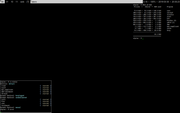
EDIT: I think that system was running openrc-init as PID1 instead of busybox.
#2441 Re: Installation » Beowulf – Network Interface Order » 2020-05-15 17:43:35
I guess update-grub operates just fine even if I don't have a /etc/default/grub file?
The update-grub command is just a wrapper script for grub-mkconfig(8):
#!/bin/sh
set -e
exec grub-mkconfig -o /boot/grub/grub.cfg "$@"
The grub-mkconfig(8) command's behaviour can be modified by /etc/default/grub, if that file does not exist then the default values listed in the upstream documentation will be used.
#2442 Re: Installation » Beowulf – Network Interface Order » 2020-05-15 16:45:03
I do want the old interface names but they were not eth0 & eth1 on this system. They were eno1 & eno2, even under debian.
The eno interface names are the new "predictable" nomenclature, they are based on the firmware ("BIOS") provided index numbers for on-board devices. This is the first preference for systemd/udev when choosing a name.
See https://www.freedesktop.org/wiki/Softwa … faceNames/
I used to set the order in /etc/udev/rules.d/70-persistent-net.rules but that apparently will stop working in the future and in Beowulf the file doesn't exist.
Create that file yourself, it will continue to be honoured in any system that is not using the "predictable" nomenclature.
On CentOS 7 it would just go in the variable GRUB_CMDLINE_LINUX in file /etc/sysconfig/grub and you would run grub2-mkconfig -o /boot/grub2/grub.cfg
For Devuan edit the file at /etc/default/grub and add the desired parameter to the GRUB_CMDLINE_LINUX line then run update-grub (as root).
#2443 Re: Installation » First time install; how do I access rest of packages on DVD(on usb) » 2020-05-13 16:43:03
I wonder, is systemd compatible with Freedesktop.org
1) suse requires /usr to be on root because systemd does too much of what used to be in /usr to allow it to be separated -- as a result, legacy users are only supported via a ramdisk (initrd). My solution has been an init script in boot.d (a pseudo run level) that does HW initialization. Good/Bad, I was able to boot my sys even though disk orders changed and most of my data became inaccessible (/usr/share /home /opt, to name a few). Quite a few things don't work without /usr/share.
2) their latest mission is to move all the unmodified /etc files in /usr/share/etc with a symlink in /etc/ to the version on share. That would have been a weak point in my booting w/o share if I allowed those changes to remain. My solution to that is running through directories needed for boot and verifying the links don't have "to be resolved on a child disk" dependencies.
Debian buster already installs new systems with the /usr merge by default, I'm not sure how beowulf will handle this but the package is already in the repositories:
https://pkginfo.devuan.org/stage/beowul … ge_21.html
Stateless systems ftw! 
#2444 Re: Hardware & System Configuration » Updating X » 2020-05-13 16:33:10
Well the situation is markedly better for new AMD cards because AMD themselves are effectively writing the open source drivers and they now out-perform the proprietary version for most tasks.
#2445 Re: Installation » Internet/network connections.. » 2020-05-12 16:56:58
Are you using wicd ?
The OP appears to be using ifupdown.
@OP: please post the full content of /etc/network/interfaces (and the content of any files under /etc/network/interfaces.d/, if applicable).
#2446 Re: Other Issues » .deb files can't be opened in Xfce » 2020-05-12 16:45:42
from just the link it isn't all that clear exactly what needs to be swapped
For beowulf you will need something like this:
deb http://deb.devuan.org/merged beowulf main
#deb-src http://deb.devuan.org/merged beowulf main

deb http://deb.devuan.org/merged beowulf-security main
#deb-src http://deb.devuan.org/merged beowulf-security main

deb http://deb.devuan.org/merged beowulf-updates main
#deb-src http://deb.devuan.org/merged beowulf-updates main
Un-comment the deb-src lines if you ever need to patch packages, the contrib & non-free components can be added after main if you want them (heathen!).
Head_on_a_Stick wrote:I would recommend QEMU/KVM instead
Is it as reliable as VirtualBox, though?
It's more reliable than VB and *much* more secure (VB relies on blobs).
Or as easy to use in terms of setting up and configuring VMs?
Apparently virt-manager is quite good but I've never used it myself. CLI ftw!
Took a look at the official site and the devs don't appear to distribute it as a tarball or anything similar. I know apt-get is generally preferred, but for what I need it's important to have a local copy of the installation files just that I can at least always have access to something functional while I'm configuring things for privacy. Helps to reduce possible leaks. Maybe there's some way I can make the tarball myself?
Use apt source to download the source packages, which will include the upstream tarball from which the binary packages are derived.
I'll be needing a tarball for a text editor with a proper GUI as well. Any recommendations?
https://pkginfo.devuan.org/stage/beowul … .15-1.html
GUIs are for suckers...
#2447 Re: Installation » New install of Beowulf » 2020-05-12 16:33:36
after installation i did install firmware atheros, but whats during installation? Without eth0 and lan the installation is not possible.
It should be possible to add any required firmware during the installation process by supplying it on a USB stick (or so) as per
https://www.debian.org/releases/buster/ … 04.en.html
When installed by lan - whether ascii or beowolf - the bootprocess is stuck for 3 to 5 minutes by ' waiting for lock on run ifstate eth0'
Edit the file at /etc/network/interfaces and remove the eth0 lines.
And you should have started your own thread instead of hi-jacking this one.
#2448 Re: Hardware & System Configuration » Updating X » 2020-05-12 16:10:38
I get the following error
Catalyst ("fglrx") doesn't work any more.
#2449 Re: Installation » First time install; how do I access rest of packages on DVD(on usb) » 2020-05-12 16:08:28
How does Devuan keep those in a consistent order
/etc/udev/rules.d/70-persistent-net.rules
The net.ifnames=0 parameter works in Arch and is recommended by freedesktop.org[1], not sure why it doesn't work for you in openSUSE 
#2450 Re: Other Issues » neofetch on ceres » 2020-05-12 16:04:22
So what is the output of lsb-release -a on your system?
If it's not a Devuan problem then I can submit a PR to neofetch with a correction if needed, Dylan is a very receptive developer.
Board footer
